
Scheduler
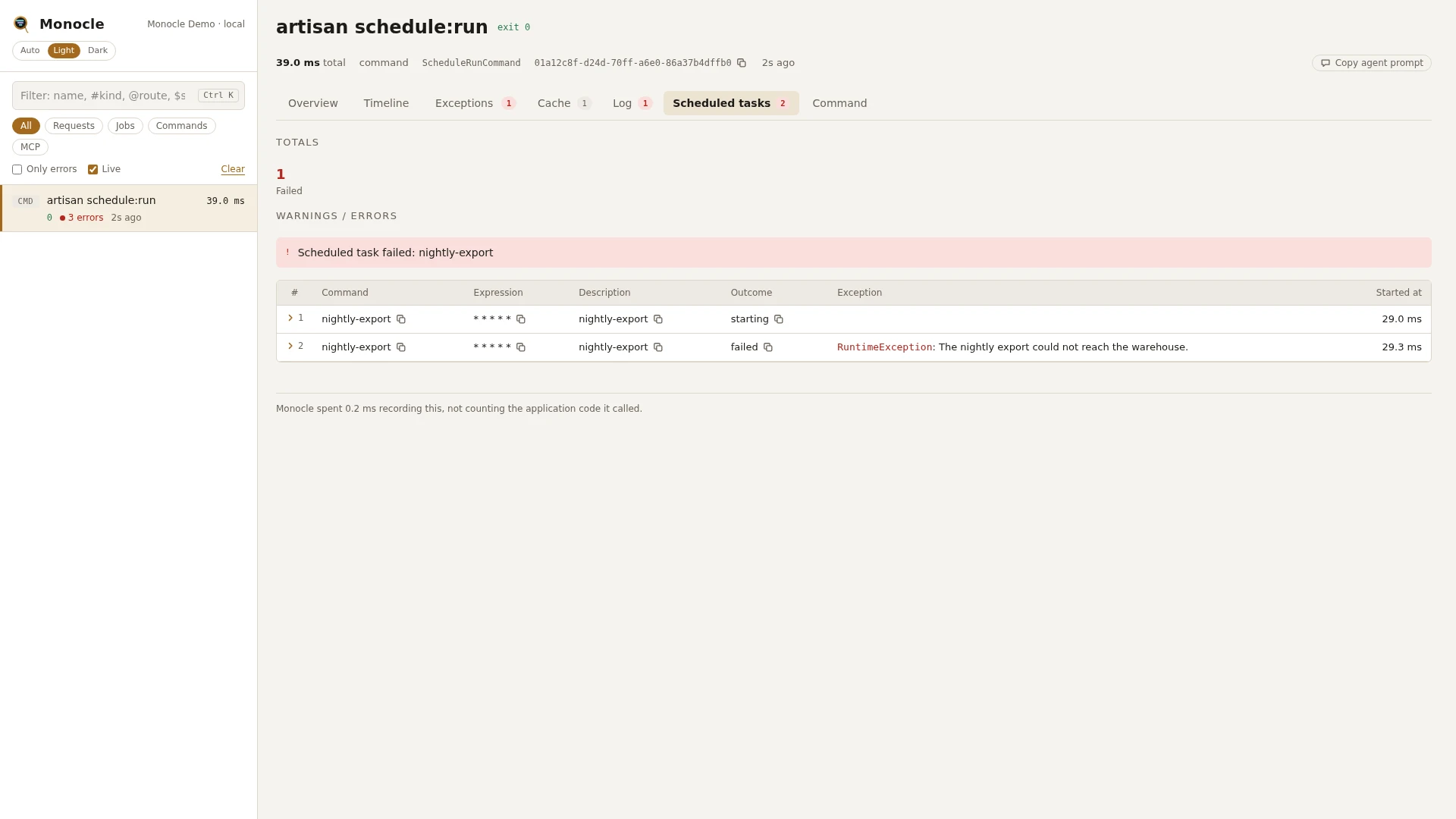
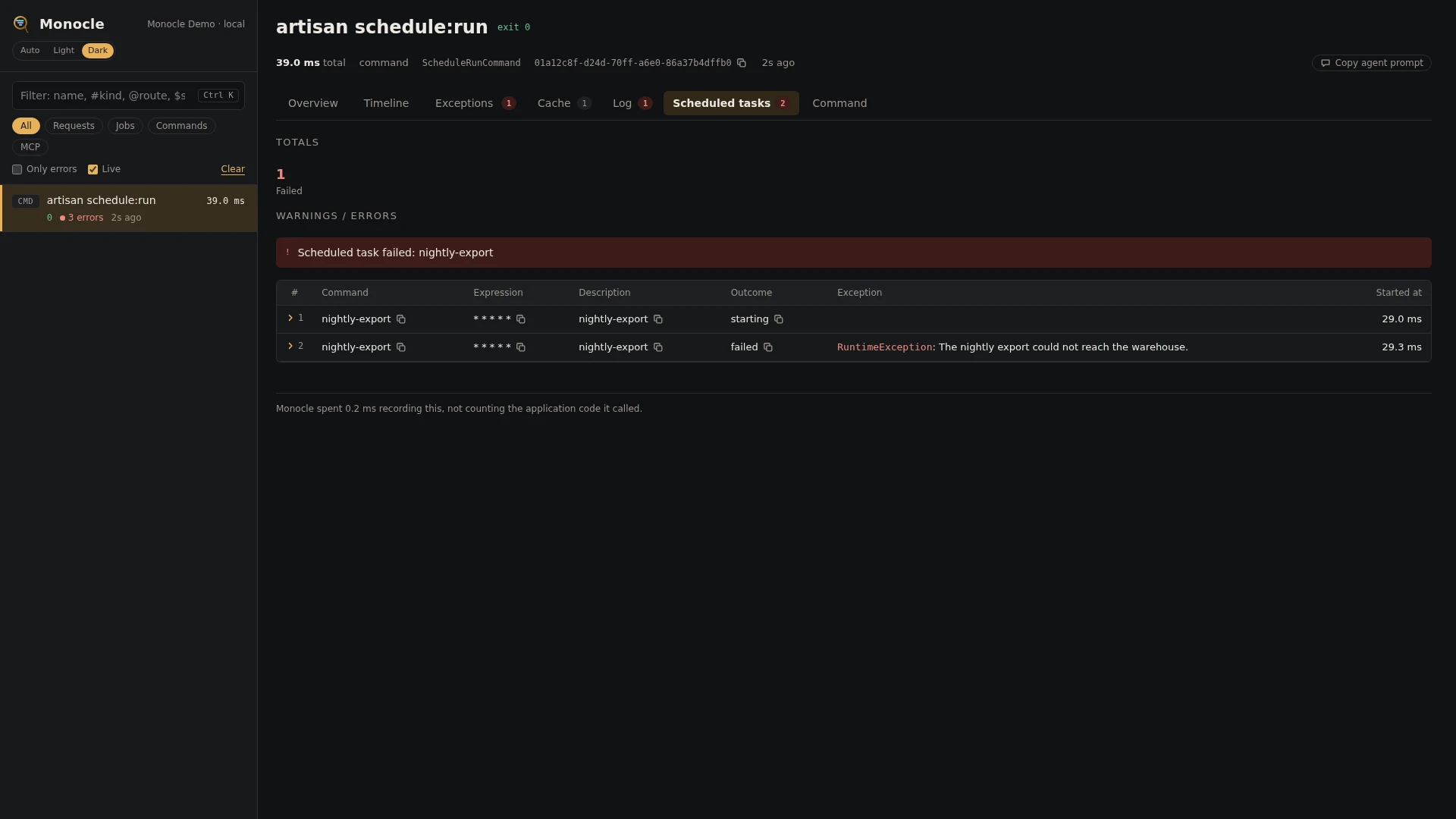
The Scheduler lens records what php artisan schedule:run did with each task that was due: when it started, and whether it finished, was skipped or failed. The rows land on the schedule:run command capture. The end of a task run in the background lands on the schedule:finish capture that reports it.
How scheduled tasks are captured
schedule:run is recorded like any other artisan command, and this lens adds the scheduled_tasks section to it. What happens inside each task depends on its kind:
- Command tasks (
$schedule->command('orders:prune')) run in a separatephp artisanprocess. That command is recorded as a command capture of its own, which is not linked to theschedule:runcapture. Find it in the capture list by its name. - Closure tasks (
$schedule->call(...)) run insideschedule:run, so their queries, cache calls and so on are part of theschedule:runcapture. - Job tasks (
$schedule->job(...)) dispatch the job fromschedule:run. It is a row in that capture's Jobs tab and, once a worker runs it, a job capture linked to it; see Queue. - Shell tasks (
$schedule->exec(...)) run a separate process that Monocle does not record. - Background tasks (
->runInBackground()) are started byschedule:run, which does not wait for them. When the task ends, Laravel runsphp artisan schedule:finishwith the task's exit code. That command is recorded as a capture of its own, namedartisan schedule:finish, with afinished_in_backgroundrow for the task: its command, expression, description and exit code. A non-zero exit code makes that capture count as having errors.
schedule:work itself is not recorded, but the schedule:run it starts every minute is, so each minute with due tasks gets its own capture.
Rows
Section scheduled_tasks has one row per event of a task: a starting row when the task starts, then a row with its outcome. A skipped task has only the skipped row.
| Field | Meaning | Unit | Missing when |
|---|---|---|---|
command | The command line of the task, or for a closure or job task its name or description (Callback when it has neither) | - | never |
expression | The cron expression, such as 0 3 * * * | - | never |
description | The task's name or description | - | null unless you gave the task a name() or description() |
outcome | starting, finished, finished_in_background, skipped or failed | - | never |
runtime_ms | How long the task ran | ms | only set on finished rows |
exit_code | The task's exit code | - | only set on finished and finished_in_background rows |
exception | class, message, file (relative path and line) and previous (earlier exceptions in the chain) | - | only set on failed rows |
time | When the row was recorded, counted from the start of the capture | ms | never |
Outcomes:
finished: the task ran to the end in theschedule:runprocess.finished_in_background: a task withrunInBackground()finished. This row is on theschedule:finishcapture, not onschedule:run.skipped: the task was due, but awhen(),skip()or similar condition kept it from running, or the schedule was paused.failed: the task threw an exception.
A finished or finished_in_background row with a non-zero exit_code counts as failed too.
Tasks that were not due at that minute get no rows.
Totals, warnings and errors
When the capture has rows in scheduled_tasks:
| Total | Label | Meaning |
|---|---|---|
scheduled_tasks_run | run | Rows with outcome finished or finished_in_background |
scheduled_tasks_skipped | skipped | Rows with outcome skipped |
scheduled_tasks_failed | failed | Rows with outcome failed, and finished rows with a non-zero exit code |
Error: Scheduled task failed: <command> for every task that threw, and Scheduled task failed: <command> (exit code <code>) for every task that finished with a non-zero exit code. The lens reports no warnings.
In the dashboard
The schedule:run capture has a Scheduled tasks tab listing the rows in order: command, expression, description, outcome, runtime, exit code, exception and when each was recorded. A schedule:finish capture has the same tab with the row of the background task it reports. It starts with the totals of the section, such as the number of failed tasks. Click a row to fold it out to every field in full, including the full exception. The tab sits next to the Command tab with the facts of schedule:run itself.
For agents
Did last night's tasks run, and which failed. monocle-list with:
{"type": "command", "search": "schedule:run", "has_errors": true, "since": "24h"}then monocle-rows with the id it returned:
{"id": "01a12c76-...", "section": "scheduled_tasks", "where": [{"field": "outcome", "op": "=", "value": "failed"}], "fields": ["command", "expression", "exception"]}Why a task did not run: list the rows of the schedule:run capture for that minute and look for a skipped row, or no row at all (the task was not due). monocle-rows with:
{"id": "01a12c76-...", "section": "scheduled_tasks", "search": "orders:prune"}How background tasks ended: monocle-list with {"type": "command", "search": "schedule:finish", "has_errors": true}, then monocle-rows on scheduled_tasks of the id it returned for the command and exit code.
What a command task did inside: it is its own command capture. monocle-list with {"type": "command", "search": "orders:prune"}, then monocle-show on it. See For AI agents.
Configuration
Turn the lens on or off in the lenses block of config/monocle.php, keyed by the lens class: true runs it, false turns it off. See Lenses.
The lens has no options.
Other settings that affect this lens:
- The Artisan commands lens (
CommandLens) must be on, because the rows belong to theschedule:runcommand capture. except.commands:schedule:workis listed by default. Do not addschedule:run, or nothing is recorded, and do not addschedule:finish, or background tasks lose theirfinished_in_backgroundrow. Adding a task's command there stops that command's own capture, but its rows onschedule:runstay.
use ExeQue\Monocle\Lenses\CommandLens;
use ExeQue\Monocle\Lenses\ScheduleLens;

'lenses' => [
    CommandLens::class => true,
    ScheduleLens::class => true,
],

'except' => [
    'commands' => [
        // keep this from the defaults; schedule:run and schedule:finish must not be listed
        'schedule:work',
        // ...
    ],
],
Requirements and limits
No extra packages are needed.
- Only
schedule:run(directly, from cron or fromschedule:work) is covered.schedule:testand running a task's command by hand are recorded as plain command captures, withoutscheduled_tasksrows. - A task with
runInBackground()shows only itsstartingrow on theschedule:runcapture. Itsfinished_in_backgroundrow is on the separateschedule:finishcapture, which is not linked toschedule:run; find it in the capture list by the task's command. The task's command is still recorded as its own command capture. - Tasks skipped because the application is in maintenance mode get no row.
- The task's output (
sendOutputTo(),emailOutputTo()) is not recorded.