
Artisan commands
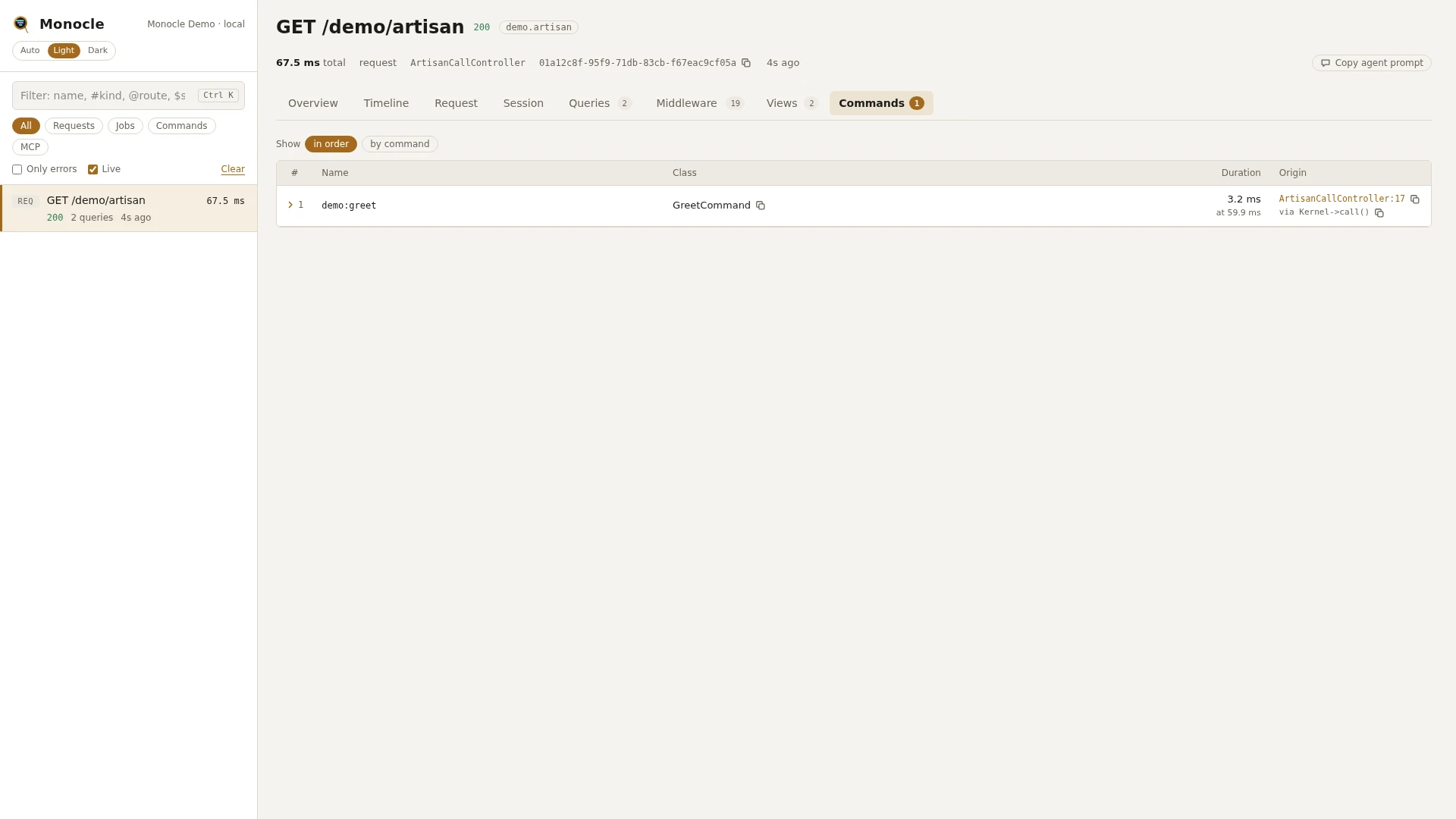
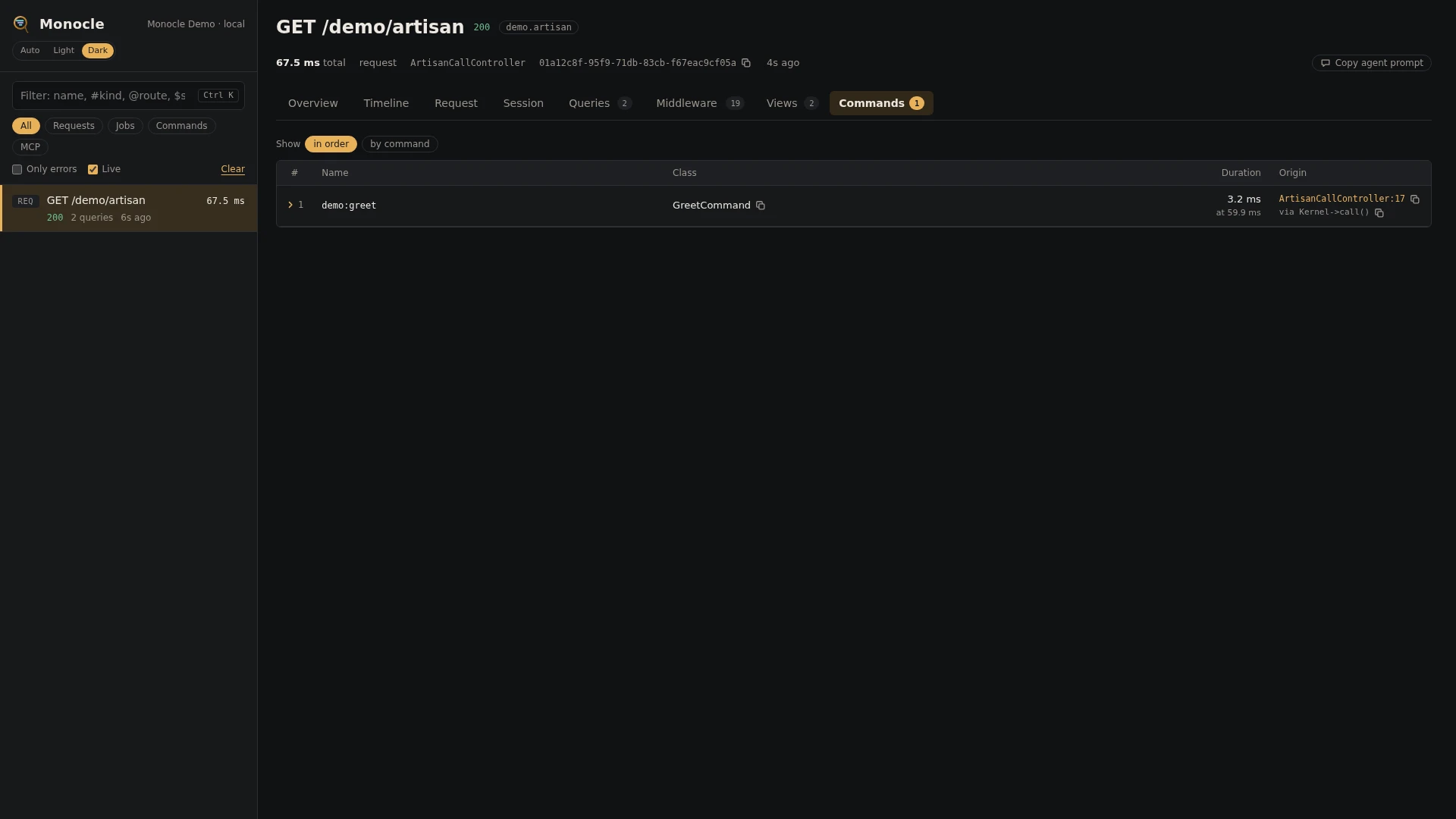
The Artisan commands lens records every artisan command you run as a capture of its own, with its arguments, options and exit code. A command called while another capture is running, such as Artisan::call() inside a request, job or command, is recorded as part of that capture instead.
How commands are captured
php artisan orders:prune --days=30run from a terminal, cron or the scheduler becomes a capture of typecommand, namedartisan orders:prune. Its status is the exit code. Everything the command does (queries, cache calls, HTTP calls, jobs it dispatches) belongs to that capture, and jobs it dispatches are linked to it like jobs dispatched by a request; see Queue.Artisan::call('orders:prune')inside a request, job or another command does not start a new capture. It becomes acommandspan on the timeline of the running capture and a row in itscommandssection.- A command run in a process started with the
Processfacade, while a capture is recorded, is handedMONOCLE_TRACE_IDandMONOCLE_PARENT_IDin its environment. Its capture becomes a child of the capture that started the process, in the same trace. Only values that look like capture ids are used, and only withtrace.processeson (the default). See Tracing. - Long-running commands such as
queue:work,horizonandschedule:workare not recorded (see Configuration). The jobs a worker runs are recorded as job captures.
Rows
Section command
On a capture of type command, a set of facts:
| Key | Meaning | Missing when |
|---|---|---|
name | The command name, such as orders:prune | never |
class | The command class | null for closure commands defined in routes/console.php |
arguments | The arguments given, by name, with secret-looking values masked | empty when none were given |
options | The options given, by name, with secret-looking values masked | empty when none were given |
exit_code | The exit code | only absent if the command never finished (for example the process was killed) |
Section commands
On any capture, one row per command called with Artisan::call() (or the console kernel's call()) while the capture ran:
| Field | Meaning | Unit | Missing when |
|---|---|---|---|
name | The command name | - | never |
class | The command class | - | null for closure commands, or when the command is unknown |
arguments | The arguments given, by name, masked like the capture's own | - | empty when none were given |
options | The options given, by name, masked like the capture's own | - | empty when none were given |
exit_code | The exit code | - | never |
failed | true when the exit code is not 0 | - | never |
duration | How long the command took | ms | never |
time | When it started, counted from the start of the capture | ms | never |
origin | The file and line in your code that called it, with a short call chain | - | when origins are turned off |
Options that were not given (null, false or empty) are left out, and so are arguments without a value.
Totals, warnings and errors
When the capture has rows in commands:
| Total | Label | Unit | Meaning |
|---|---|---|---|
commands_ms | spent | ms | Time spent in the called commands, summed |
commands | commands | count | Commands called |
commands_failed | failed | count | Called commands with a non-zero exit code |
Error: Command <name> failed (exit code <code>). for each called command with a non-zero exit code, at most three messages per capture. The commands_failed total counts them all.
On a command capture, also the error Command exited with code <code>. when the command exited with a non-zero code. The capture then counts as having errors, so it shows up with has_errors and the dashboard's error filter. Exit code 0 is a success.
The lens reports no warnings.
In the dashboard
A command capture has a Command tab with the facts above: name, class, arguments, options and exit code. The header shows the exit code next to the title, and the timeline starts with a bootstrap phase (booting the framework) when the command was started from the artisan script, followed by a command phase.
A request or job that called commands gets a Commands tab with the called commands in order, with their name, class, exit code, whether they failed and duration. Failed rows are tinted red. Group the rows by command. Click a row to fold it out to the arguments and options, and the line of your code that called it. On a command capture, the commands it called are listed in its Command tab, under the facts.
Use the Commands filter in the capture list to see only command captures.
For agents
The latest run of a command, with its arguments, options and exit code. monocle-list with:
{"type": "command", "search": "orders:prune", "limit": 1}then monocle-show with the id it returned:
{"id": "01a12c76-...", "sections": ["summary", "command"]}Commands a request called with Artisan::call() that failed. monocle-rows with:
{"section": "commands", "where": [{"field": "failed", "op": "=", "value": "1"}], "fields": ["name", "arguments", "options", "exit_code", "origin"]}Where the time of a slow command went: monocle-show with "sections": ["summary", "timeline"] on the command capture, then monocle-queries on the same id for its queries. See For AI agents.
Configuration
Turn the lens on or off in the lenses block of config/monocle.php, keyed by the lens class: true runs it, false turns it off. See Lenses.
The lens has no options.
Other settings that affect this lens:
except.commands: commands that are never recorded, neither as their own capture nor as a row when called withArtisan::call(). Patterns support*and can include arguments:'mcp:start monocle'matches that command only with that argument. The default list holds Monocle's own commands, queue workers,schedule:work,package:discover,test,tinker, Laravel's built-in housekeeping commands (migrate*,db:*,make:*,*:publish,config:*,route:*,view:*,optimize*,serveand similar), Pail and the long-running commands of Boost, Horizon, Pulse, Reverb, Octane, Nightwatch and spatie/laravel-health. Setting the key replaces the list, so keep the defaults you need.mask.inputsandmask.using: argument and option names matchinginputs(by default/pass|token|secret|authorization/i) have their value masked withusing(by default a partial mask). Key an entry byCommandLens::classto mask more for commands only.origin: whethercommandsrows carry the line that called the command.trace.processes: whether a command capture joins the trace handed to it throughMONOCLE_TRACE_IDandMONOCLE_PARENT_ID(defaulttrue).
use ExeQue\Monocle\Lenses\CommandLens;

'lenses' => [
    CommandLens::class => true,
],

'except' => [
    'commands' => [
        // the defaults (shortened here; keep the full list from the published config)
        'monocle:*', 'mcp:start monocle',
        'queue:work', 'queue:listen', 'schedule:work', 'package:discover', 'test', 'tinker',
        'horizon*',
        // your own long-running or noisy commands
        'app:websocket-server',
        'import:run nightly',
    ],
],

'mask' => [
    'inputs' => [
        '/pass|token|secret|authorization/i',
        CommandLens::class => '/api[-_]?key|dsn/i',
    ],
],
Requirements and limits
No extra packages are needed.
- Commands called from inside a command with
$this->call()or$this->callSilently()are not recorded as rows or spans; their work counts toward the calling command.Artisan::call()is recorded. - Arguments and options are masked by their name only. A secret passed under a name that does not match
mask.inputsis stored as given. - The command's console output is not recorded.
- A long-running command you add yourself stays one open capture until it ends; add it to
except.commands.