
Feature flags
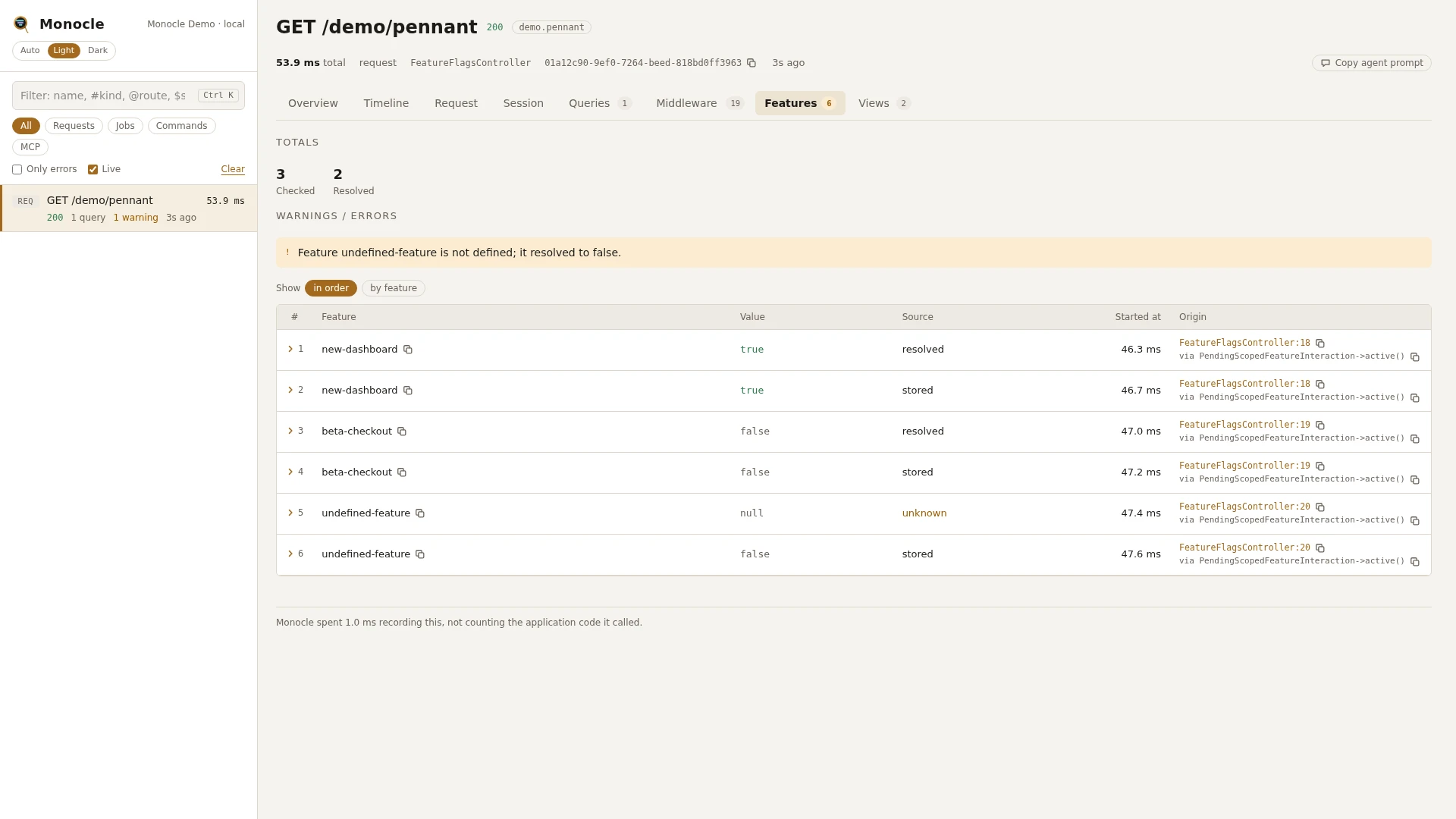
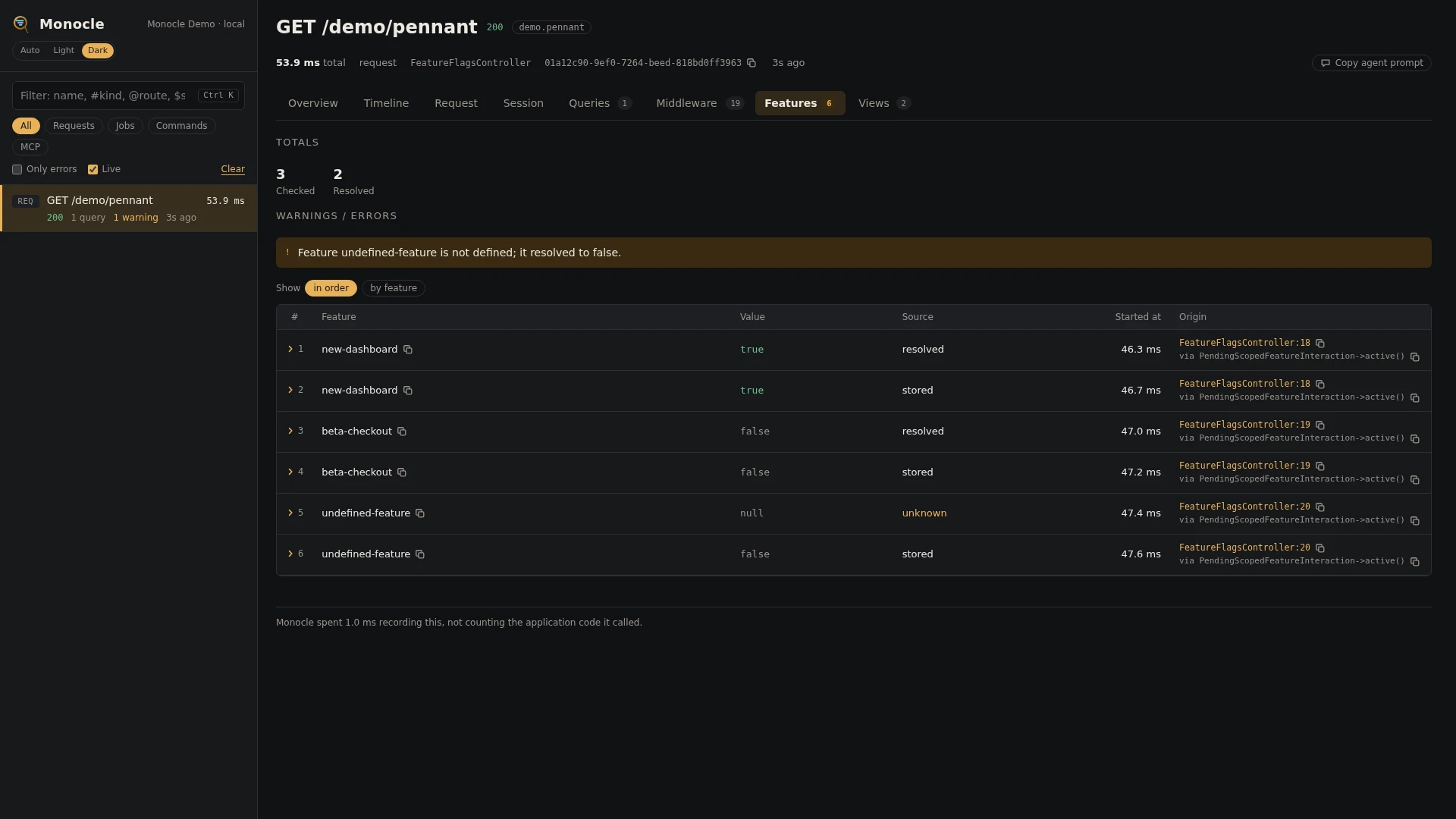
The feature flags lens records the Laravel Pennant feature checks a request, job, command or MCP call made: which feature, for which scope, the value it got, and whether that value came from storage or was resolved just now. Updates and deletions of stored values are recorded too. Use it to see why a request took one branch rather than another.
Rows
Section features: one row per event Pennant reports
| Field | Meaning | Unit | Missing when |
|---|---|---|---|
feature | The feature's name. | - | never |
scope | Who the feature was checked for. A model shows as Class#id, such as App\Models\User#42. | - | the feature was checked without a scope (global) |
value | The value the feature had, or the value it was set to. | - | unknown and deleted rows |
source | Where the value came from, see below. | - | never |
time | When it happened, counted from the start of the capture. | ms | never |
origin | The line in your code that checked or changed the feature. | - | no application code was on the way |
source is one of:
| Source | Meaning |
|---|---|
stored | The value was read from Pennant's storage. |
resolved | The value was worked out just now and stored. |
unknown | The feature is not defined. Pennant treats it as false. |
updated | The stored value was changed. |
deleted | The stored value was removed. |
Totals, warnings and errors
The summary gets these totals when the capture has at least one row:
| Total | Label | Value |
|---|---|---|
features_checked | checked | The number of different features in the rows. |
features_resolved | resolved | The number of rows with source resolved. |
Warning, once per feature:
Feature {name} is not defined; it resolved to false.- a row has sourceunknown. Usually a typo in the feature name, or a feature whose definition is not loaded.
This lens reports no errors. See Warnings and errors for how warnings are shown.
In the dashboard
The Features tab lists the rows in the order they happened, or grouped by feature with the grouping chips. A group shows how many rows it has and folds out to them.
The value is shown as true in green or false in grey. A source of unknown is shown in yellow. The columns are the fields that have a value in some row. Click a row to fold it out to every field and the line in your code that made the check.
For agents
See every flag the latest capture checked and the value it got:
{
  "tool": "monocle-rows",
  "arguments": {
    "section": "features",
    "fields": ["feature", "scope", "value", "source", "origin"]
  }
}
Find checks of features that are not defined:
{
  "tool": "monocle-rows",
  "arguments": {
    "section": "features",
    "where": [{"field": "source", "op": "=", "value": "unknown"}]
  }
}
Follow one flag through a capture: every check, for which scope, and whether it was read or worked out:
{
  "tool": "monocle-rows",
  "arguments": {
    "section": "features",
    "where": [{"field": "feature", "op": "=", "value": "new-checkout"}],
    "fields": ["scope", "value", "source", "origin"]
  }
}
To find captures that checked flags at all, use monocle-list with "has": ["features"]. See For AI agents for every argument.
Configuration
Turn the lens on or off under lenses in config/monocle.php, keyed by PennantLens::class: true runs it, false turns it off. See Lenses. The lens has no options of its own.
Other settings that affect this lens:
origin- whether rows get anorigin, and how many lines of the call chain it has.except- checks made in a request or command that is not recorded are not recorded either.dashboard.tabs- where the Features tab sits among the tabs.- Masking does not apply to this lens.
use ExeQue\Monocle\Lenses\Packages\Laravel\PennantLens;

'lenses' => [
    // ...
    PennantLens::class => true,
],
Requirements and limits
- Needs
laravel/pennant. Without it the lens does nothing. - Records only what Pennant reports. A check Pennant answers without reporting it is not listed.
- How long a check took is not measured.
- The closure or class that resolves a feature is not recorded, only the value it returned.