
Request
RequestLens records what was asked and what was answered for every HTTP request that is not left out by except. It starts the capture for each request, so without it no request is recorded at all, and it splits the request into timed phases on the timeline.
Rows
The request section is one set of facts per capture, not a list of rows.
| Key | Meaning | Unit | Missing when |
|---|---|---|---|
method | HTTP method | - | - |
url | full URL, query string included | - | - |
host | the host the request was sent to, without the port | - | - |
path | path, starting with / | - | - |
query | query string parameters, masked | - | empty when there is no query string |
input | the payload without the query string parameters, masked | - | empty when there is no payload |
files | uploaded files, one entry per file: key (the field), name, size, mime | size in bytes | empty when nothing was uploaded |
headers | request headers, masked | - | - |
cookies | cookies, decrypted, masked | - | empty when there are none |
ip | client IP | - | - |
user_agent | the User-Agent header | - | null when not sent |
ajax | the request was sent with X-Requested-With: XMLHttpRequest | true/false | - |
livewire | the request has an X-Livewire header | true/false | - |
precognitive | the request has a Precognition header | true/false | - |
locale | the application locale when the request reached the router | - | - |
auth | the logged-in user as class and id | - | null for guests, or when the user could not be resolved |
route | name, action (Controller@method, or Closure (file:line)), uri, methods, parameters, middleware (the route's middleware list as written) and domain | - | no route matched, for example a 404 |
folio | the matched Folio page, see Folio | - | the request was not a Folio page |
missing_parent_id | the capture id sent in X-Monocle-Parent when this store does not hold that capture, see Linking a page to its calls | - | trace.browser.enabled is off, no valid header was sent, or the parent was found |
status | response status code | - | the request ended before a response, for example with dd() |
content_type | the response Content-Type header | - | null when the response has none |
response_bytes | size of the response body | bytes | null for streamed and file responses |
response_headers | response headers, masked | - | - |
redirect | the Location header | - | null unless the status is a redirect |
response_capture | the response as cards, the raw body and the capture class that made them, see Response captures | - | null when no capture applies or the capture returned nothing |
input_formats | payload fields the capture shows in a format, by dotted key: format (such as graphql) and the text shown, see Payload formats | - | missing when the capture formats no field |
Route parameters bound to a model show as Class#key, other objects as their class name.
Cookies are recorded after the application decrypted them. A cookie it could not decrypt (an unencrypted cookie, or another application's on the same host) keeps the value the browser sent, cut to 80 characters.
Input, headers and cookies are masked as set under Masking. By default that covers input keys containing pass, token, secret or authorization, the Authorization, Proxy-Authorization, Cookie, Set-Cookie and CSRF headers, the session cookie, XSRF-TOKEN and remember_* cookies, and cookies whose name matches the input pattern. The response cards are masked like input, and so is the raw body when it is JSON or form-encoded; other raw bodies are kept as they are.
Timeline phases
The lens lays the request out as phases at the root of the timeline. Each phase span carries the memory in use when it started.
| Phase | Covers |
|---|---|
bootstrap | starting the framework |
middleware (request) | global middleware, before the request reaches the router |
routing | finding the route |
handle | route middleware, the controller and building the response |
controller | the controller itself, nested under handle |
terminate | work done after the response was sent |
The controller span starts where the last middleware handed the request on and ends where the response was prepared. Spans opened while it ran are placed under it. There is no controller span when no route matched or a route middleware stopped the request.
Response headers Monocle adds
Every recorded response gets two extra headers:
| Header | Holds |
|---|---|
X-Monocle-Id | the capture id, to pass to monocle-show |
Server-Timing | app (the request so far), each finished phase (bootstrap, middleware-request, routing, handle) and db (total query time, when there were queries), in milliseconds. Browser developer tools show these in the network panel. |
Send an X-Monocle-Label header with a request to label its capture, so you can find it with monocle-list (label) or compare it with monocle-compare.
Linking a page to its calls
With trace.browser.enabled on (it is off by default), recorded HTML pages get a small inline script before </body> that sends X-Monocle-Parent: <capture id of the page> with the page's own fetch() and XMLHttpRequest calls. Calls to other origins are left alone. Pages that move on without a full reload (wire:navigate, Inertia and other SPA routers that fetch the next page from the server) hand the script on to the next page.
A request carrying X-Monocle-Parent with a capture id becomes a child of that capture, in its trace, when the capture is in this application's Monocle store. When it is not (another application with its own store, a capture already pushed out of the ring buffer, or a call that arrived before the page's capture was stored), the request is recorded as a capture of its own and its request section holds missing_parent_id; the dashboard header says Asked to link to <id>, not found. Anything that is not a capture id is ignored, and so is the header while trace.browser.enabled is off.
A Content Security Policy that forbids inline scripts blocks the script: nothing is linked and the page works as before. A nonce set with Laravel's Vite::useCspNonce() is added to the script. See Tracing.
Totals, warnings and errors
| Total | Meaning | Unit |
|---|---|---|
response_bytes | response size, shown at the top of the overview | bytes |
It is left out when the size is not known (streamed and file responses).
Error: a response with status 500 or higher adds Response status <status>. to the capture's errors, reported under the request section. The capture is marked red in the list and matches has_errors in monocle-list.
The lens raises no warnings.
The duration and peak memory at the top of the overview are recorded for every capture and do not depend on this lens.
In the dashboard
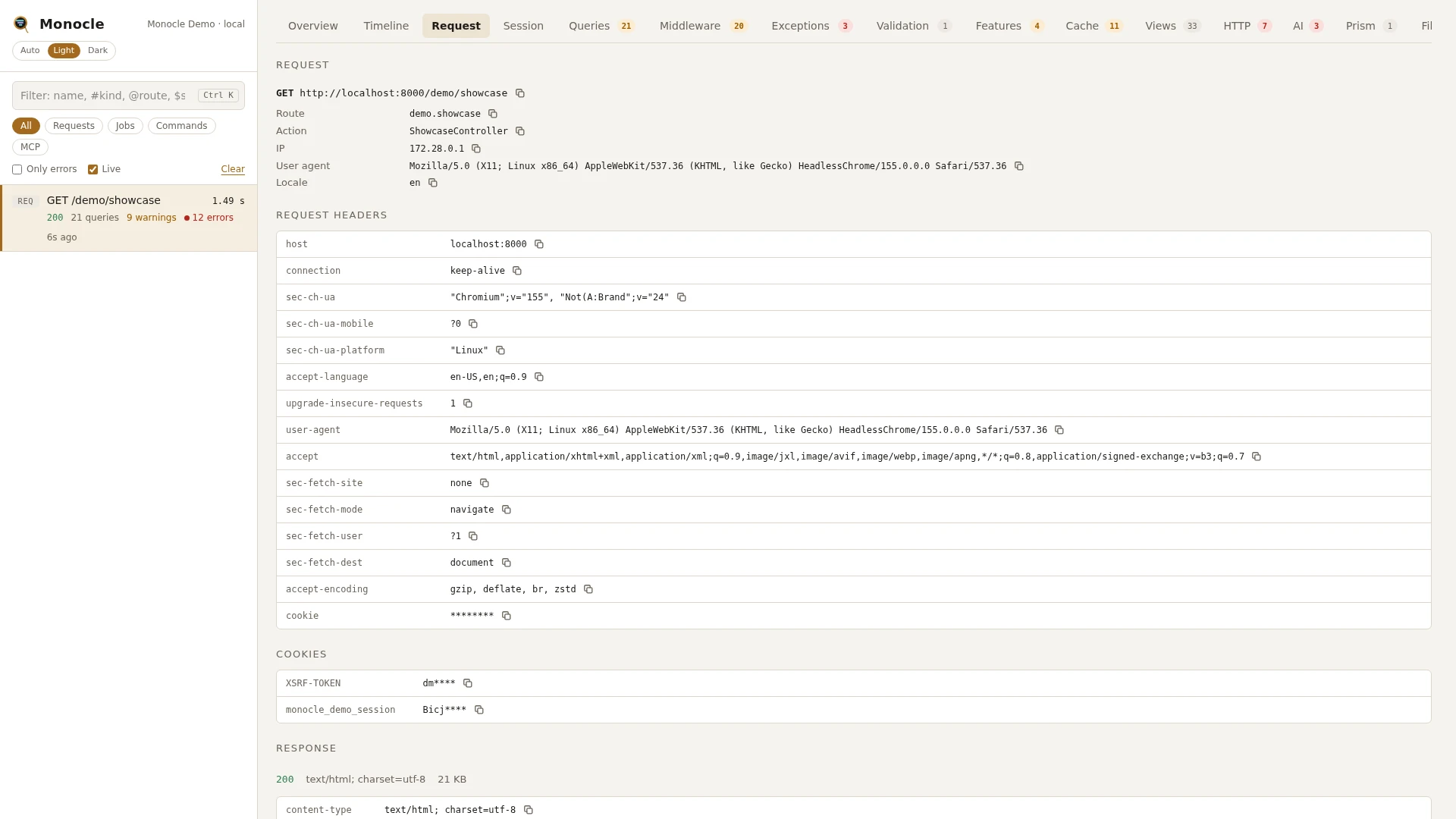
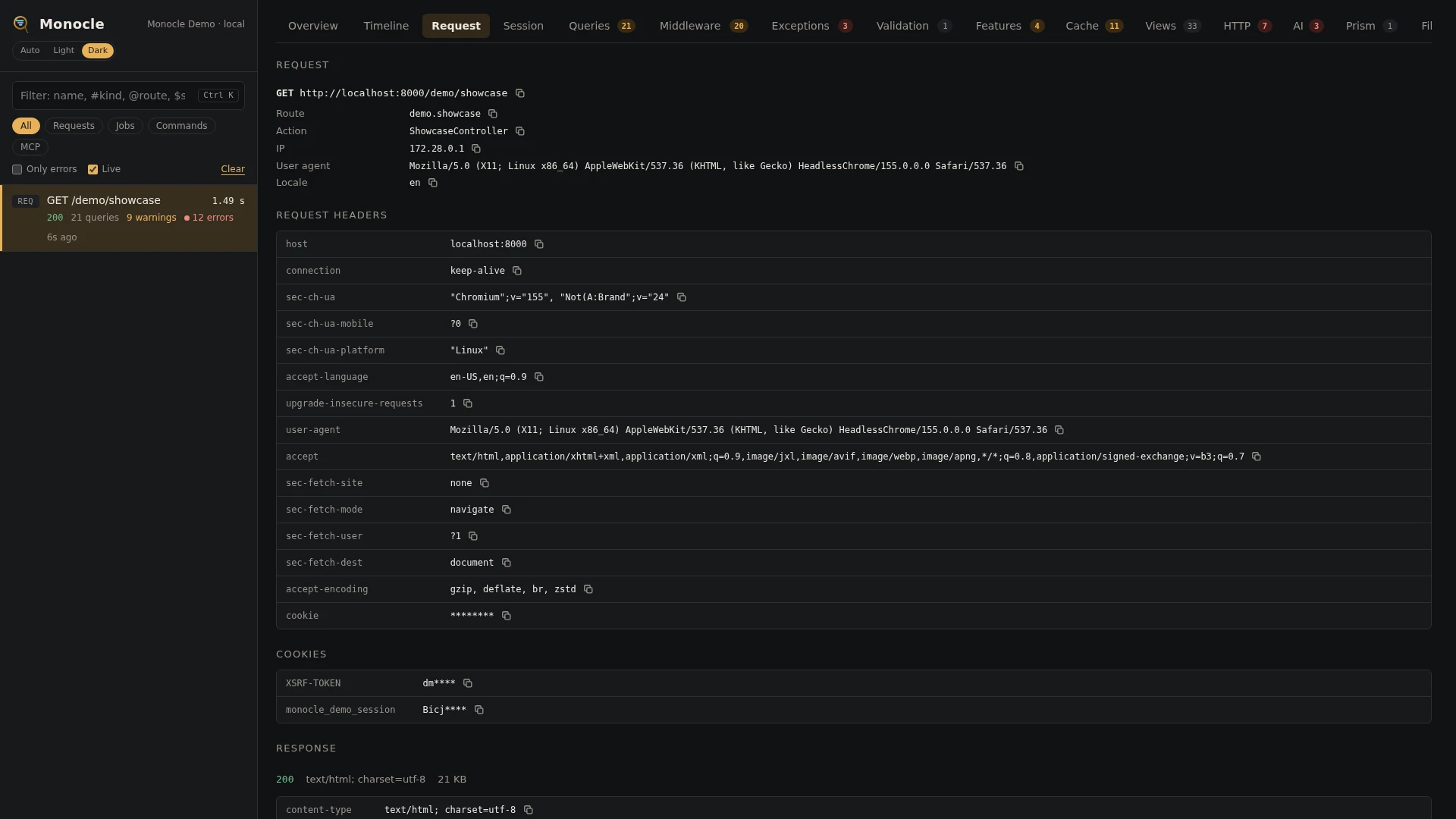
The Request tab has no table and no groupings. It shows, top to bottom:
- Request: method and URL, route name (or URI), action, the user and how they were authenticated, IP, user agent and locale, each with a copy button.
- Authentication: logins, failures, logouts, lockouts and tokens from the Auth lens, when there were any. Click a row for its details.
- Query: the query string parameters.
- Payload: the input as a table of fields or, with Raw, as JSON, and a table of uploaded files with field, name, type and size.
- Request headers and Cookies.
- Response: status, content type, size, the redirect target, the response headers and the body. When a capture applied, Pretty shows the cards and Raw the body as sent, with a button to copy it.
For a GET request, the capture's title in the header opens the URL in a new window, so you can run it again. The phases are on the overview under where the time went, and on the Timeline tab.
For agents
The request facts of the latest capture, next to the summary:
monocle-show {"id": "latest", "sections": ["summary", "request"]}Answers what was called, with which payload and headers, which route and action handled it, and what came back, including a JSON or Livewire response as cards.
Recent server errors:
monocle-list {"type": "request", "has_errors": true, "since": "1h"}Lists the requests of the last hour that ended with a 5xx status or reported another error.
Where the time went, phase by phase:
monocle-rows {"id": "latest", "section": "timeline", "kinds": ["phase", "controller"]}Returns the phase spans and the controller span with their start and duration in milliseconds.
Configuration
The lens is listed under lenses in config/monocle.php, keyed by RequestLens::class: true runs it with defaults, an array passes options, false turns it off (and with it the recording of requests). See Lenses.
| Option | Default | Effect |
|---|---|---|
capture.response_types | application/json and application/*+json with JsonCapture, text/html with InertiaCapture | content type (wildcards allowed) => capture class |
capture.headers | X-Inertia with InertiaCapture | response header => capture class |
capture.routes | *livewire.update with LivewireUpdateCapture, graphql and graphql.* with GraphQLCapture | route name (wildcards allowed) => capture class |
capture.max_bytes | 1048576 (1 MB) | responses larger than this are not formatted and their raw body is not kept: response_capture holds one "Response not captured" card with the size. Decoding and masking a body takes several times its size in memory, so a large response could exhaust the request's memory_limit. null turns the limit off. |
Each key replaces its default when you set it, so list the entries you want to keep. With RequestLens::class => true, all three defaults apply, so Livewire updates get one card per component.
Other configuration that affects this lens:
| Key | Effect |
|---|---|
except.paths | request paths (wildcards allowed) that are never recorded. The dashboard path is always left out. |
except.livewire | Livewire updates are not recorded when every component in them matches (default pulse.*) |
mask.inputs | input keys, cookie names and response card keys to mask, and mask.using the mask for them |
mask.headers | request and response headers to mask |
mask.cookies | cookies to mask; the session cookie is always masked |
dashboard.tabs | where the Request tab sits; it comes first by default |
trace.browser.enabled | put the trace script into HTML pages and link requests that carry X-Monocle-Parent; off by default |
Mask entries keyed by RequestLens::class apply to this lens only and win over the shared ones.
use ExeQue\Monocle\Lenses\Packages\GraphQL\GraphQLCapture;
use ExeQue\Monocle\Lenses\Packages\Inertia\InertiaCapture;
use ExeQue\Monocle\Lenses\Packages\Livewire\LivewireUpdateCapture;
use ExeQue\Monocle\Lenses\Request\JsonCapture;
use ExeQue\Monocle\Lenses\Request\TextCapture;
use ExeQue\Monocle\Lenses\RequestLens;
use ExeQue\Monocle\Support\Masks\FullMask;
use ExeQue\Monocle\Support\Masks\PartialMask;

'lenses' => [
    RequestLens::class => [
        'capture' => [
            'response_types' => [
                'application/json' => JsonCapture::class,
                'application/*+json' => JsonCapture::class,
                'text/html' => InertiaCapture::class,
                'text/plain' => TextCapture::class,
            ],
            'headers' => [
                'X-Inertia' => InertiaCapture::class,
            ],
            'routes' => [
                '*livewire.update' => LivewireUpdateCapture::class,
                'graphql' => GraphQLCapture::class,
                'graphql.*' => GraphQLCapture::class,
                'api.orders.*' => OrderResponseCapture::class,
            ],
        ],
    ],
],

'except' => [
    'paths' => ['up', 'telescope/*', 'admin/health'],
    'livewire' => ['pulse.*'],
],

'mask' => [
    'headers' => [
        'cookie' => FullMask::class,
        RequestLens::class => ['x-tenant' => PartialMask::class],
    ],
    'inputs' => ['/pass|token|secret|authorization/i', RequestLens::class => '/iban/i'],
    'using' => PartialMask::class,
],
Response captures
A response capture turns a response body into cards for the Request tab. Only responses that have a capture keep their body; for the others only the size is recorded.
Monocle picks one capture per response:
- a capture under
capture.routeswhose pattern matches the route name, - otherwise a capture under
capture.headersfor a header the response has, - otherwise a capture under
capture.response_typeswhose pattern matches the content type. Parameters such as; charset=utf-8are ignored, and matching ignores case.
Within each list the first matching entry wins. An entry whose package is not installed is skipped and the next match is used. When the capture returns nothing (for example HTML that is not an Inertia page), no body is kept.
The captures that come with Monocle:
| Capture | Shows |
|---|---|
JsonCapture | one card titled JSON: an object's top-level keys as items, a list as one data item with its count, a scalar as one data item |
TextCapture | one card titled with the content type, holding the body as it is. Not used by default; add it for text/plain, text/* or another text format you want to read in full. |
InertiaCapture | the Inertia page: component, props and, on a partial reload, which props were asked for. Works for Inertia visits and for the page embedded in the first HTML load. See Inertia. |
LivewireUpdateCapture | one card per component in a Livewire update: methods called with their parameters, properties that changed, events dispatched and what was returned. See Livewire. |
GraphQLCapture | one card per GraphQL operation, a batch included: the query, variables, data, errors and extensions. See GraphQL. |
To show your own responses as cards, write a class implementing ExeQue\Monocle\Contracts\FormatsCapture and map a route name, header or content type to it (see the example under Configuration):
use ExeQue\Monocle\Contracts\FormatsCapture;
use ExeQue\Monocle\Data\Card;
use ExeQue\Monocle\Data\Formatted;
use Illuminate\Http\Request;
use Symfony\Component\HttpFoundation\Response;

final class OrderResponseCapture implements FormatsCapture
{
    public function format(Request $request, Response $response): Formatted
    {
        $order = json_decode($response->getContent(), true);

        if (! is_array($order)) {
            return Formatted::make();
        }

        return Formatted::make()->card(
            Card::titled('Order '.$order['number'])
                ->item('status', $order['status'])
                ->item('lines', count($order['lines'])),
        );
    }
}
Payload formats
A capture can also say how fields of the request's payload read best, with field() and replace() on the Formatted it returns. GraphQLCapture does this for the GraphQL query: the Payload table shows query (or 0.query, 1.query... in a batch) printed one field per line and coloured, and records the query with secrets written into it masked. A field that input masking changes keeps its masked value and is not formatted, so the text cannot show what the mask hides.
If a capture throws, the request is still recorded without a capture, and the capture carries a "Monocle failed to record part of this capture" warning. See Extending the request lens for the card format.
Folio
For a request served by a Laravel Folio page, the page file (relative to your project) is shown as the route's action, and the folio key holds:
| Key | Meaning |
|---|---|
page | the page file, relative to your project |
name | the page's route name, when it has one |
mount_path | the folder the page was mounted from |
parameters | the parameters taken from the URL |
Empty keys are left out. Built in; it works as soon as laravel/folio is installed.
Octane
Under Laravel Octane, each request a worker handles is its own capture. It starts when the request arrived, before global middleware runs, so the middleware (request) phase is complete. There is no bootstrap phase, since the worker booted once before. Built in; it works as soon as laravel/octane is installed.
The same holds when one process handles several requests in a row, as in a test: each request gets its own capture.
Requirements and limits
- No package is needed. Folio, Octane, Inertia and Livewire support is used only when that package is installed.
- Only HTTP requests are recorded by this lens. Jobs and commands are captured by the Queue and Artisan commands lenses.
- Response bodies are kept only when a capture applies. Binary bodies, plain HTML (other than Inertia pages) and streamed responses are not kept; streamed and file responses also have no size.
- Requests that end before a response is sent (
dd(),exit) have no response facts. - The payload is recorded as Laravel parses it into input. A raw body Laravel does not parse (for example XML) is not recorded.