
Cache
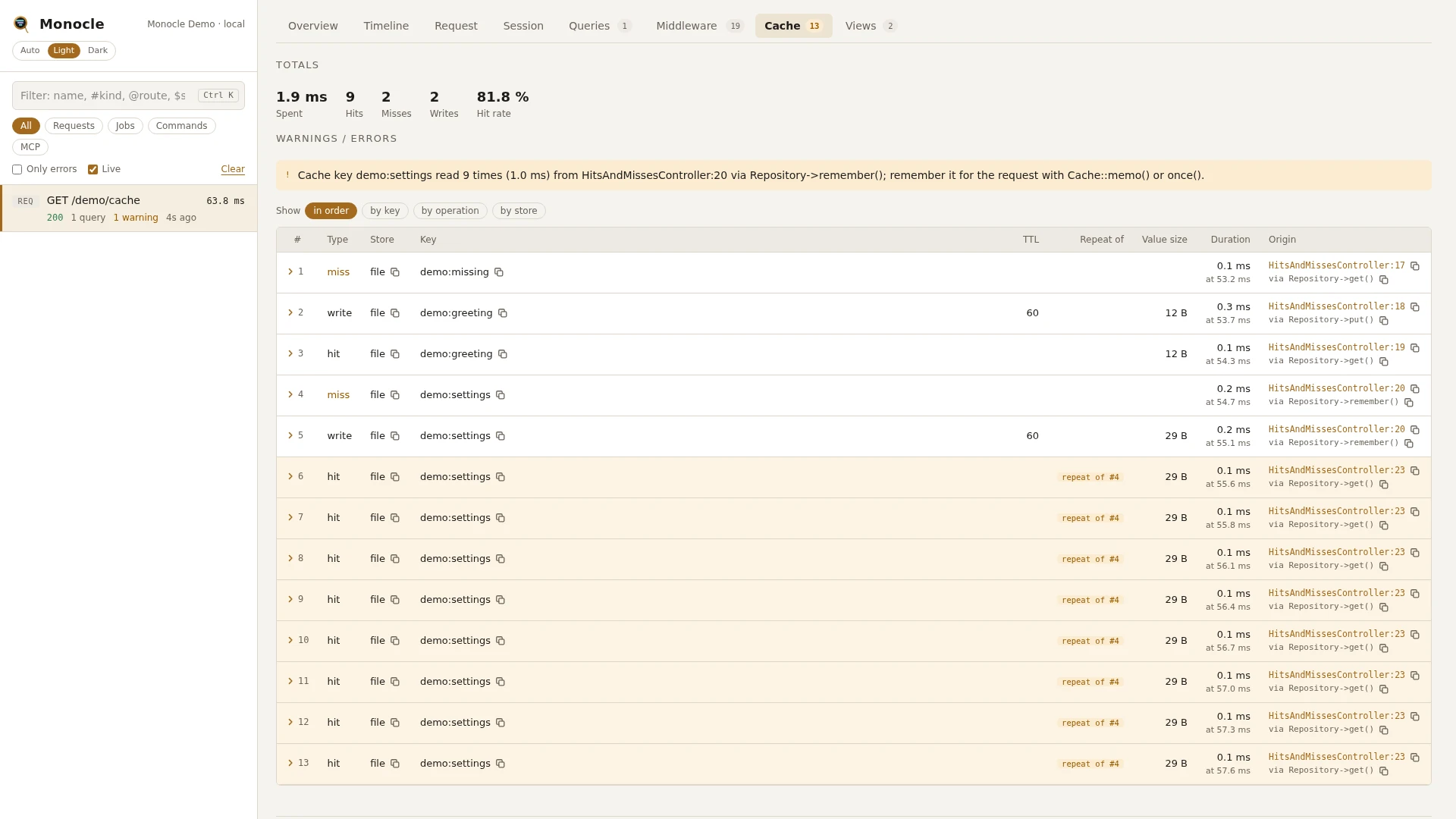
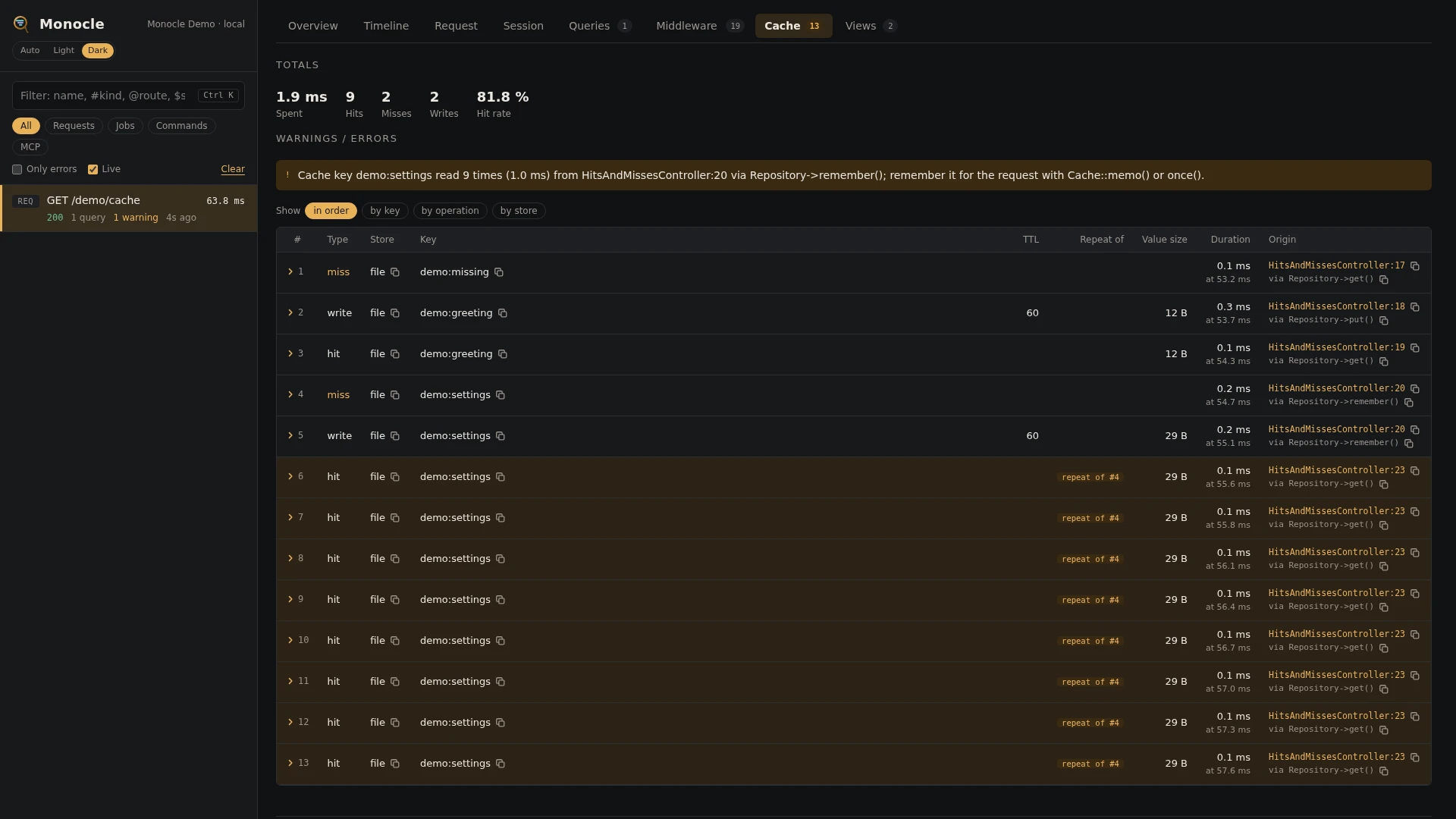
The cache lens records every cache hit, miss, write, forget and flush made through Laravel's cache while a request, job or command is captured, including failed writes, forgets and flushes. Repeated reads of the same key point back at the first read, so you can see what could be remembered for the request.
Rows
Section cache, one row per operation, in the order they happened.
| Field | Meaning | Unit | Missing when |
|---|---|---|---|
n | Row number in the capture. | - | absent on flushes |
type | hit, miss, write, write_failed, forget, forget_failed, flush or flush_failed. | - | never |
store | Name of the cache store, as in config/cache.php. | - | null when the store has no name |
key | The cache key, without the store prefix. | - | null on flushes |
tags | Cache tags used for the call. | - | empty list without tags; absent on flushes |
duration | How long the call took. | ms | null when the call fired no start event, for example reads made with many(), and on flushes |
slow | true when duration is at least slow_ms. | - | absent on flushes |
ttl | Time to live given with the write. | seconds | null on reads and forgets, and on writes without expiry; absent on flushes |
value_size_bytes | Size of the value, serialized. | bytes | absent on misses, forgets, failed operations and flushes; null when the value cannot be serialized |
value | The value read or written, masked when the key matches the input masking pattern. | - | absent unless values is true; only on hits and writes |
repeat_of | On a read: row number of the first read of the same key on the same store. | - | null on the first read; absent on writes, forgets and flushes |
time | When the call started, from the start of the capture. | ms | never |
origin | The line in your code that made the call. | - | null when origin is turned off |
Totals, warnings and errors
| Total | Label | Meaning |
|---|---|---|
cache_ms | spent | Sum of all known durations, in ms. |
cache_hits | hits | Number of hits. |
cache_misses | misses | Number of misses. |
cache_writes | writes | Number of writes. |
cache_forgets | forgets | Number of forgets. |
cache_hit_rate | hit rate | Hits out of all reads, in percent. Only given when there was at least one read. |
cache_hottest_keys | - | The five keys used most, counting every operation on them. |
Warnings:
- Slow cache call -
Slow cache hit (31.2 ms) on the "redis" store: user:1 from app/Http/Controllers/UserController.php:22. One call took at leastslow_ms. Every slow call gets its own warning, wherever it came from. When the store's driver differs from its name, the driver is added, for examplethe "sessions" store (redis). - Cache key read repeatedly -
Cache key settings read 8 times (2.4 ms) from app/Support/Settings.php:14; remember it for the request with Cache::memo() or once().One key on one store was read (hit or miss) at leastrepeat_thresholdtimes and took at leastrepeat_msin all. Not given for stores with thearraydriver, or when the first read came from package code alone.
This lens reports no errors.
In the dashboard
The Cache tab starts with the totals and lists the operations in order. Misses, failed writes and failed forgets are shown in yellow. A repeated read carries a repeat of #n badge, and repeated reads and slow calls are tinted yellow.
Group the rows with the chips at the top:
- in order - every operation as it happened.
- by key - all operations on one key together.
- by operation - hits, misses, writes and so on.
- by store - one group per cache store.
Each group shows its count and its total, average and longest time, and folds out to its rows. A row folds out to every field in full, including slow and, with values turned on, the value.
For agents
Find the reads that missed with monocle-rows:
{
  "section": "cache",
  "where": [{"field": "type", "op": "=", "value": "miss"}],
  "fields": ["n", "store", "key", "origin"]
}
Find keys read more than once and where each repeat came from with monocle-rows:
{
  "section": "cache",
  "where": [{"field": "repeat_of", "op": "not_null"}],
  "fields": ["n", "key", "repeat_of", "origin"]
}
Find the slowest cache calls with monocle-rows:
{"section": "cache", "sort": "duration", "dir": "desc", "limit": 10}The hit rate and the hottest keys are in the summary from monocle-show.
Configuration
The lens is listed in the lenses block of config/monocle.php, keyed by its class. Set it to true to run it with the defaults, false to turn it off, or an array of options. See Lenses.
| Option | Default | Effect |
|---|---|---|
values | false | true also records the value of each hit and write in value. |
slow_ms | 20 | A call taking at least this many ms is marked slow and gives a slow cache call warning. |
repeat_threshold | 5 | How many reads of one key it takes to give a repeated read warning. |
repeat_ms | 0 | How many ms those reads must take in all to give the warning. 0 warns on the count alone. |
Other settings that affect this lens:
enabled- when Monocle is off, nothing is recorded.except- requests and commands listed there are not recorded.origin- whether each call gets the line of your code that made it, and which of your own packages invendor/count as your code for the repeated read warning.dashboard.tabs- where the Cache tab goes among the tabs; it is listed asCacheLens::class.- Masking - with
valueson, the value of a key that matches the input pattern (such asapi_token) is masked. Other values are kept as they are, so leavevaluesoff when cached values should not be kept. - Laravel's own
config/cache.phpnames the stores; the slow call warning reads the store's driver from there.
use ExeQue\Monocle\Lenses\CacheLens;

'lenses' => [
    CacheLens::class => [
        'values' => false,
        'slow_ms' => 10,
        'repeat_threshold' => 3,
        'repeat_ms' => 1,
    ],
],
Requirements and limits
No extra packages are needed.
- Only calls made through Laravel's cache repository are recorded.
increment(),decrement(), locks, andadd()with an expiry on stores that support it fire no cache events and do not appear. On Redis they show up in the Redis lens. - Reads made with
many()have no duration. - Values are only kept with
valuesturned on.