
GraphQL
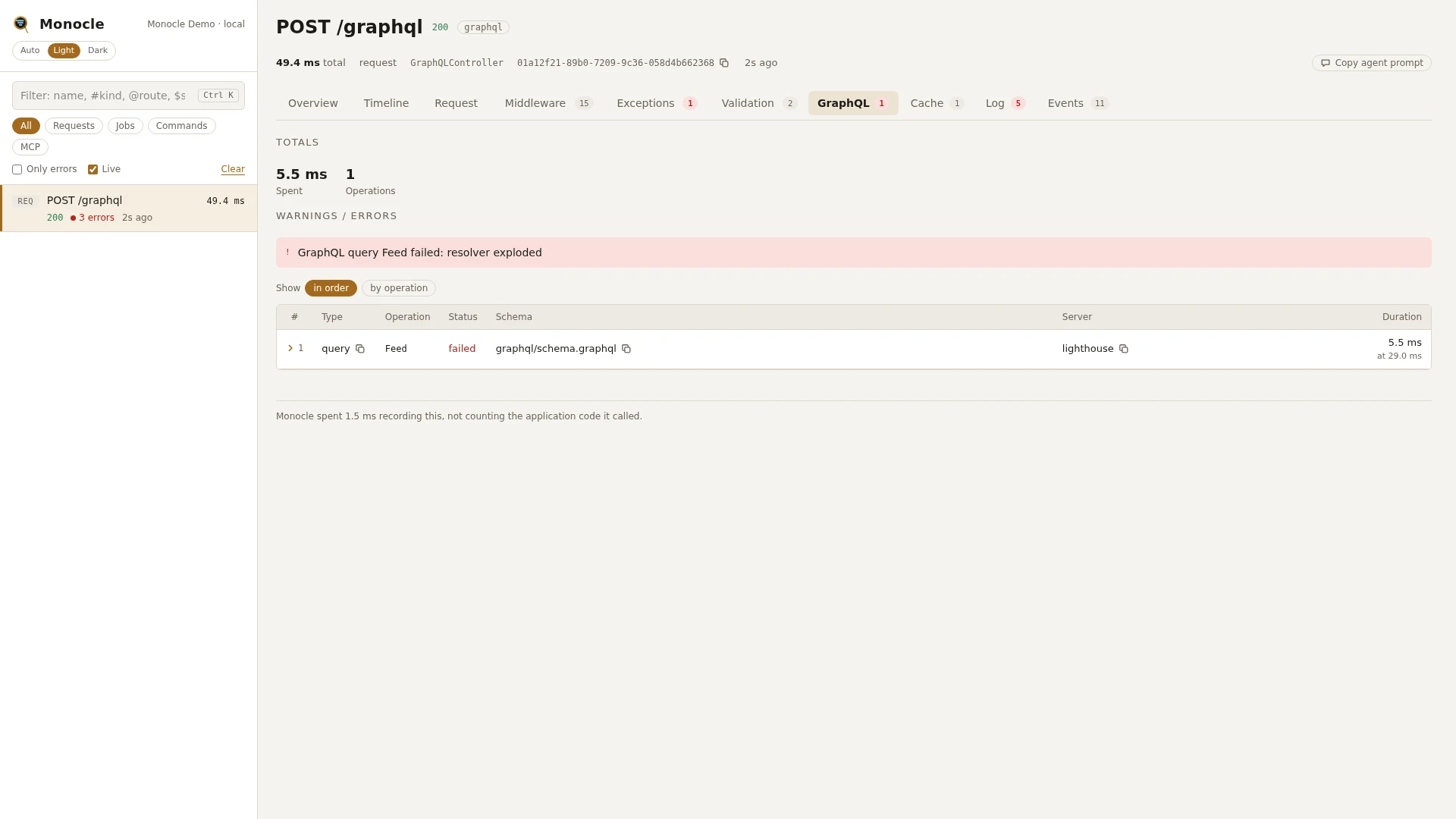
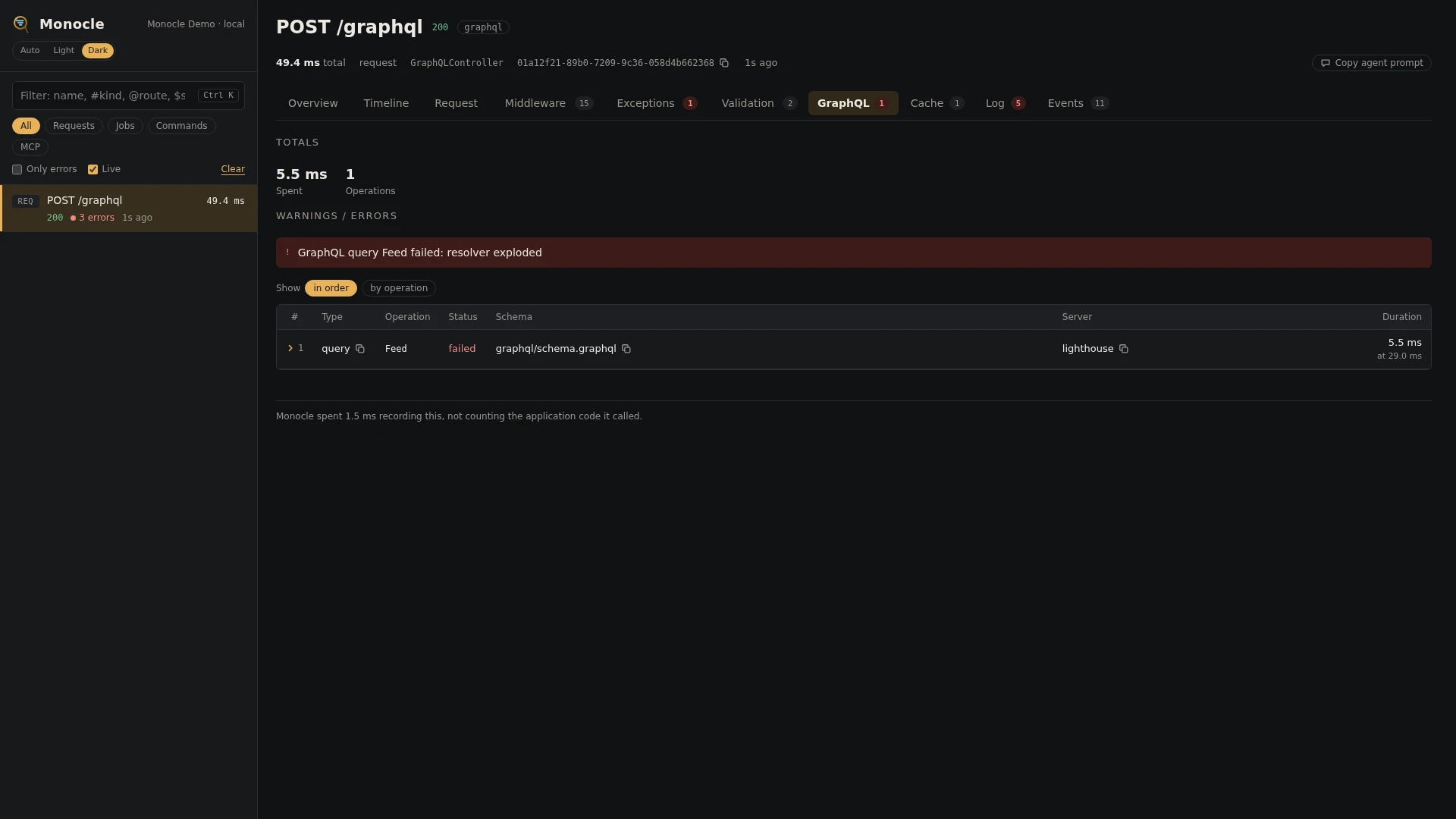
The GraphQL lens records every GraphQL operation served by Lighthouse (nuwave/lighthouse), rebing/graphql-laravel, or both in the same application. It writes one row per operation to section graphql: which operation ran, its query and variables, how long it took and the errors it returned. A GraphQL endpoint answers 200 even when an operation fails, so without the lens a failed query looks like a request that went well.
Rows
| Field | Meaning | Unit | Missing when |
|---|---|---|---|
server | the server that ran it: lighthouse, rebing, or the name a hook of your own gives | - | never |
schema | the schema the operation ran on: the rebing schema name, such as default, or Lighthouse's root schema file (lighthouse.schema_path), such as graphql/schema.graphql | - | null when Lighthouse's schema file is not found |
type | query, mutation or subscription | - | null when the query did not parse |
operation | the operation name, from operationName or the query itself | - | null for an anonymous operation |
status | ok, or failed when the result has errors | - | never |
errors | the errors in the result: message, path, locations (line and column) and exception, the exception a resolver threw (class, message, file and previous) | - | empty list when there were none; null for an operation of a Lighthouse batch that failed validation, see Requirements and limits |
query | the query as it was sent | - | null for an automatic persisted query that was not found |
variables | the variables, masked like request input | - | empty list when none were sent |
fields | the root fields the operation selected, fragments included: field, resolver (Class@method) and definition (the schema file and line that defines the field, Lighthouse only) | - | null when the query did not parse or selected no field the schema knows |
time | when the operation started | ms since the capture started | never |
duration | how long the operation took | ms | never |
A resolver that throws shows as Internal server error in the response when debugging is off. The row keeps the exception itself under errors.*.exception.
Each operation is also a span of kind graphql on the Timeline, named after its type and operation (query GetUser), so the queries, cache calls and HTTP calls its resolvers made sit under it. An operation that fails to parse on Lighthouse gets a row but no span.
Totals, warnings and errors
When the section has rows, the summary gets:
| Total | Label | Value |
|---|---|---|
graphql_ms | spent | the time of all operations together, in ms |
graphql_operations | operations | the number of operation rows |
Error: one for each failed operation, at most five, reading "GraphQL type operation failed: first error message", with "(+N more)" when there were more errors.
The GraphQL lens gives no warnings.
In the dashboard
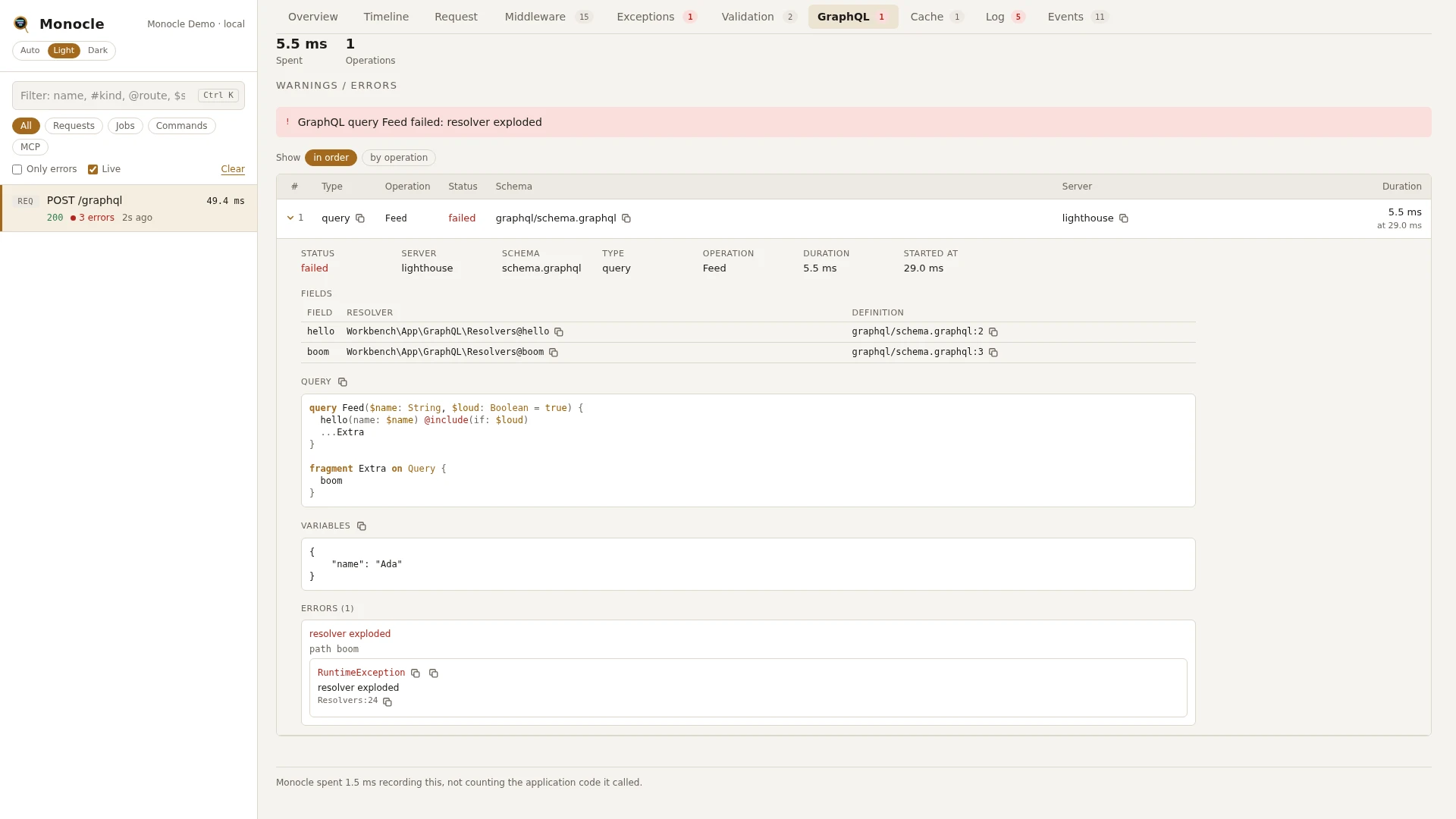
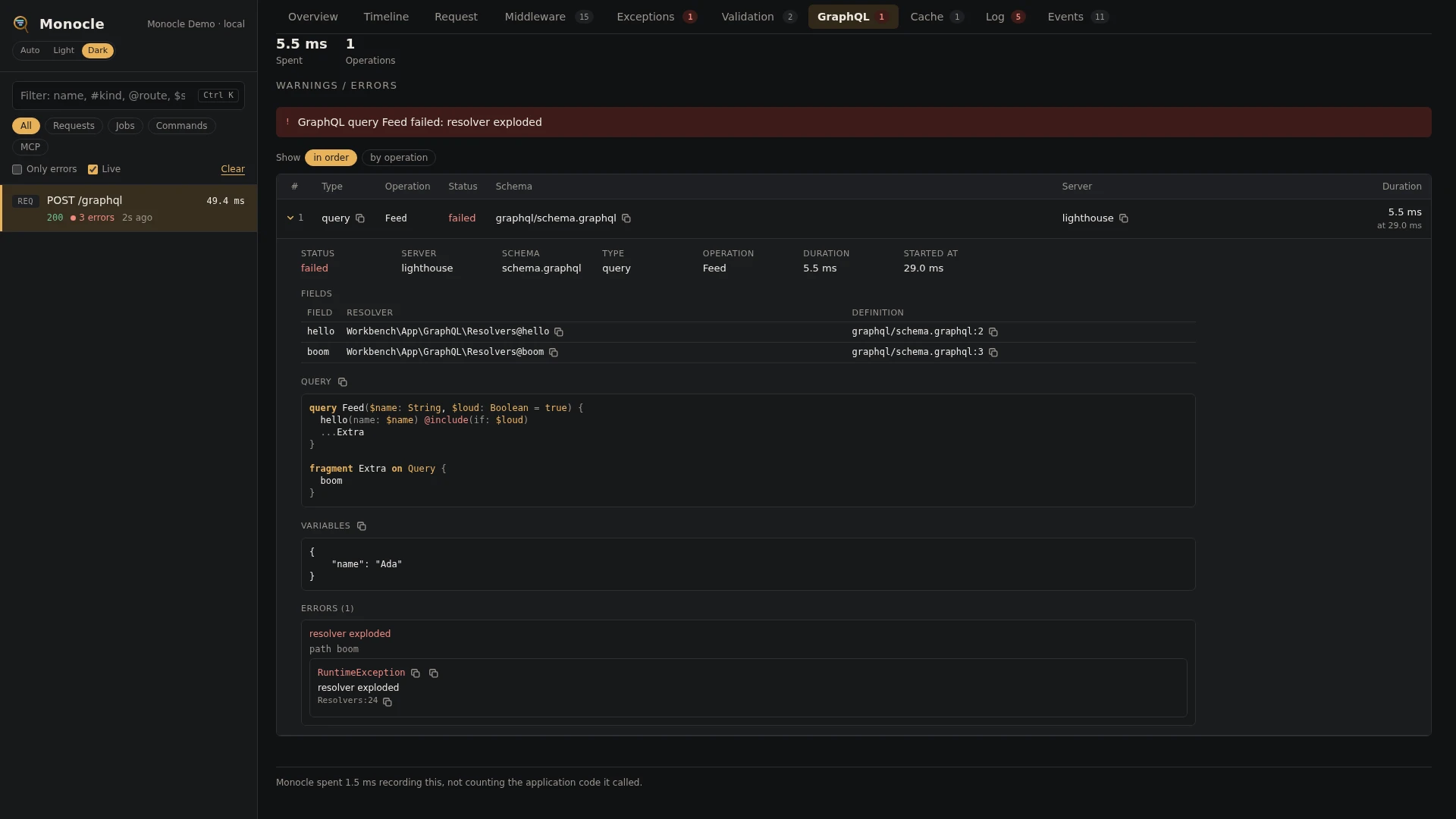
The GraphQL tab shows the totals above a table with one row per operation: type, operation, status, schema, server and duration. A failed operation is reported on the tab as an error. Rows can be grouped by operation. Each row folds out to:
- the facts of the operation
- Fields: one line per root field with its resolver and, on Lighthouse, its definition. With an editor set, both open in your editor.
- Query: printed one field per line, with keywords, types, variables, directives, arguments and values in their own colours
- Variables
- Errors: message, path and location, and the exception a resolver threw
How the resolver is found:
- Lighthouse: the class and method named by
@field(resolver: ...), the directive that resolves the field (such as@all, asAllDirective@resolveField), or the class Lighthouse finds by the field's name inlighthouse.namespaces(App\GraphQL\Queries\Users@__invoke). The definition is found by reading the schema files, following#import. - rebing: the field class whose
resolve()runs (App\GraphQL\Queries\UsersQuery@resolve). rebing fields are classes, so there is no schema file to point to.
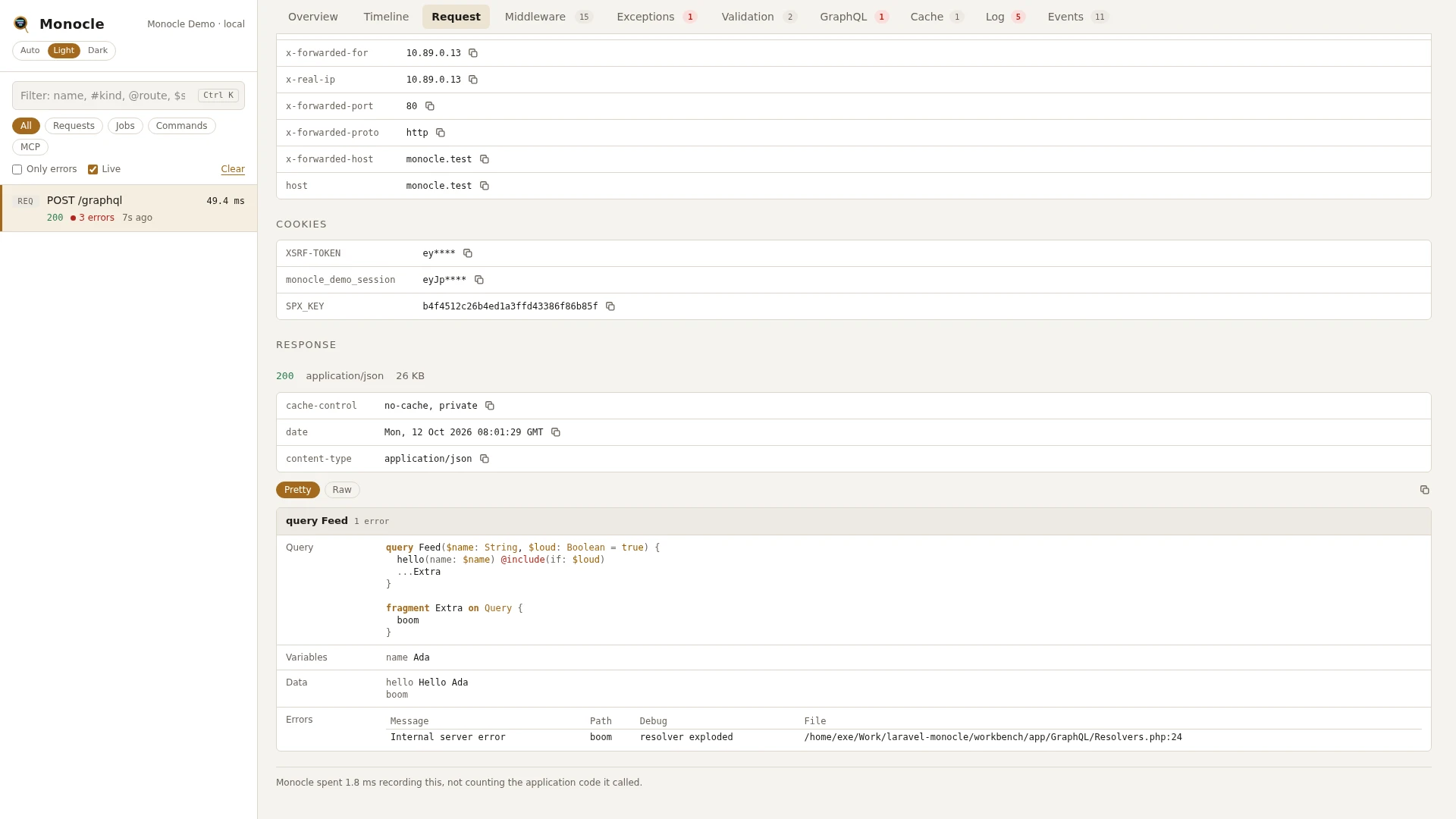
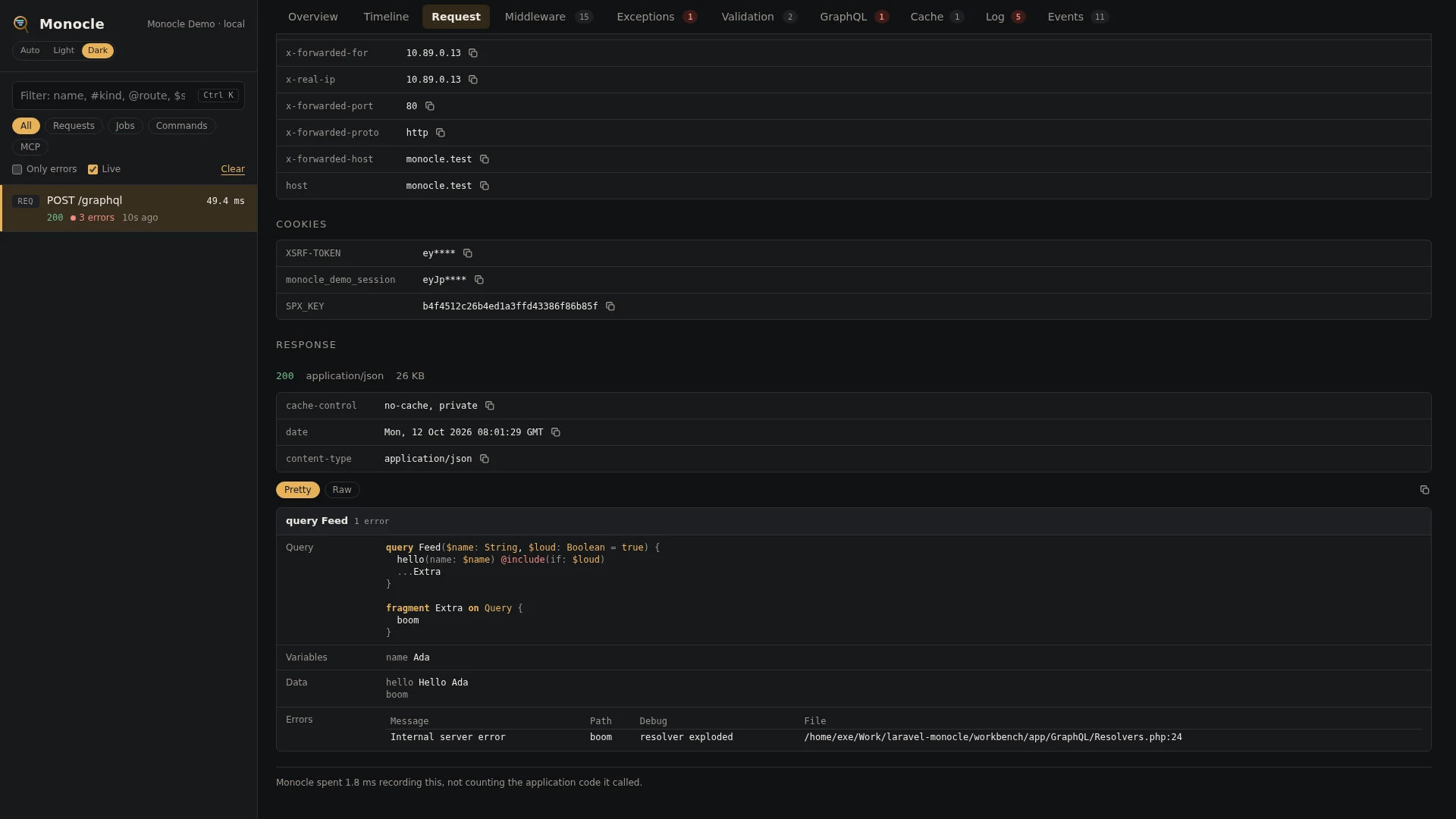
The Request tab of a GraphQL request shows the response as one card per operation, a batch included, titled with the type and operation name and counting its errors:
query- the query, printed one field per linevariables- the variablesdata- the data the operation returnederrors- the errors it returned, one row each: message, path, location and, when the server adds them, the debug message and file. Debug traces are left out; the Raw view of the response has them.extensions- the extensions of the result, such as Lighthouse's tracing
Variables and data on the card are masked like request input, and so are values written into the query. See Response captures.
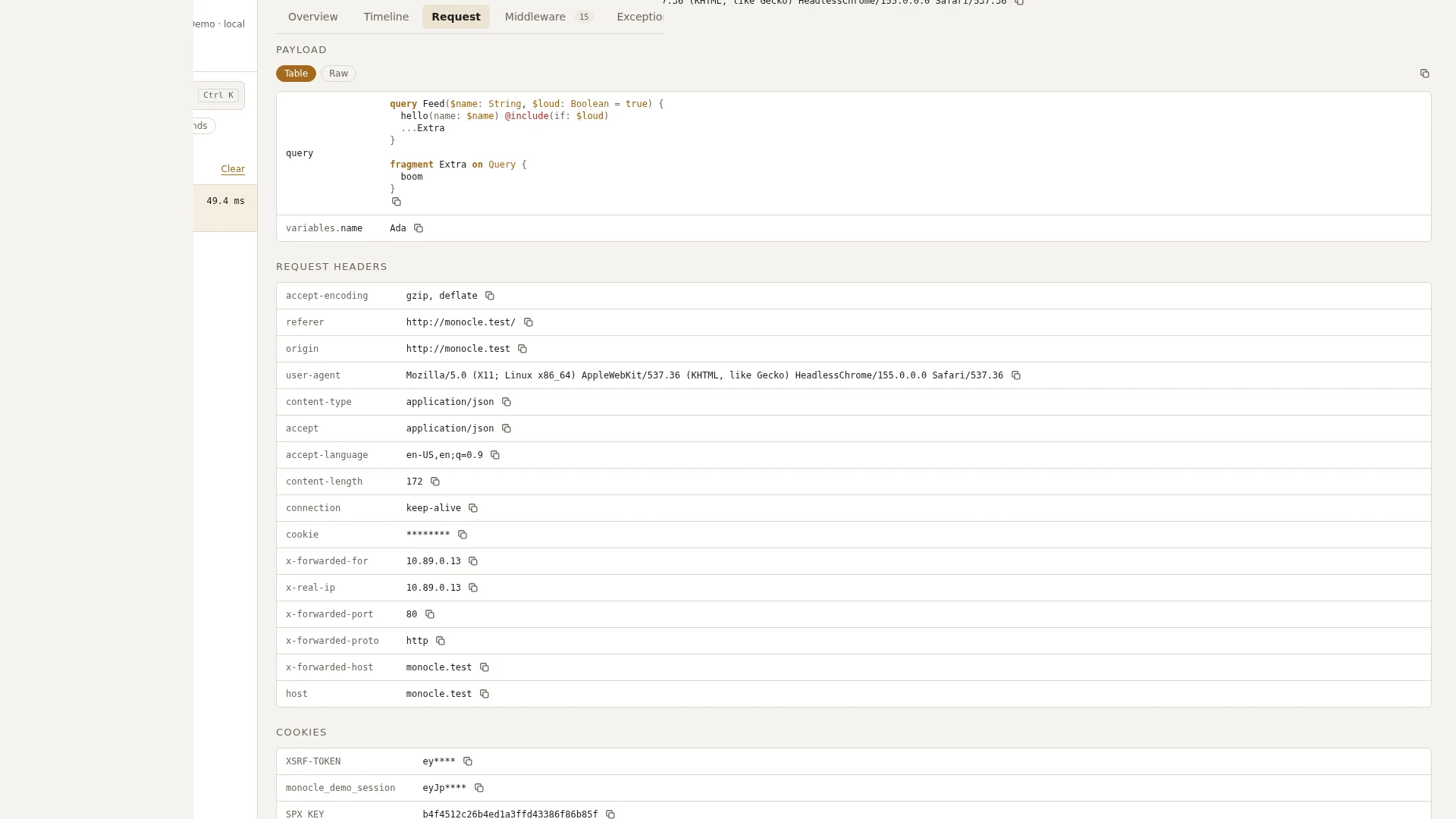
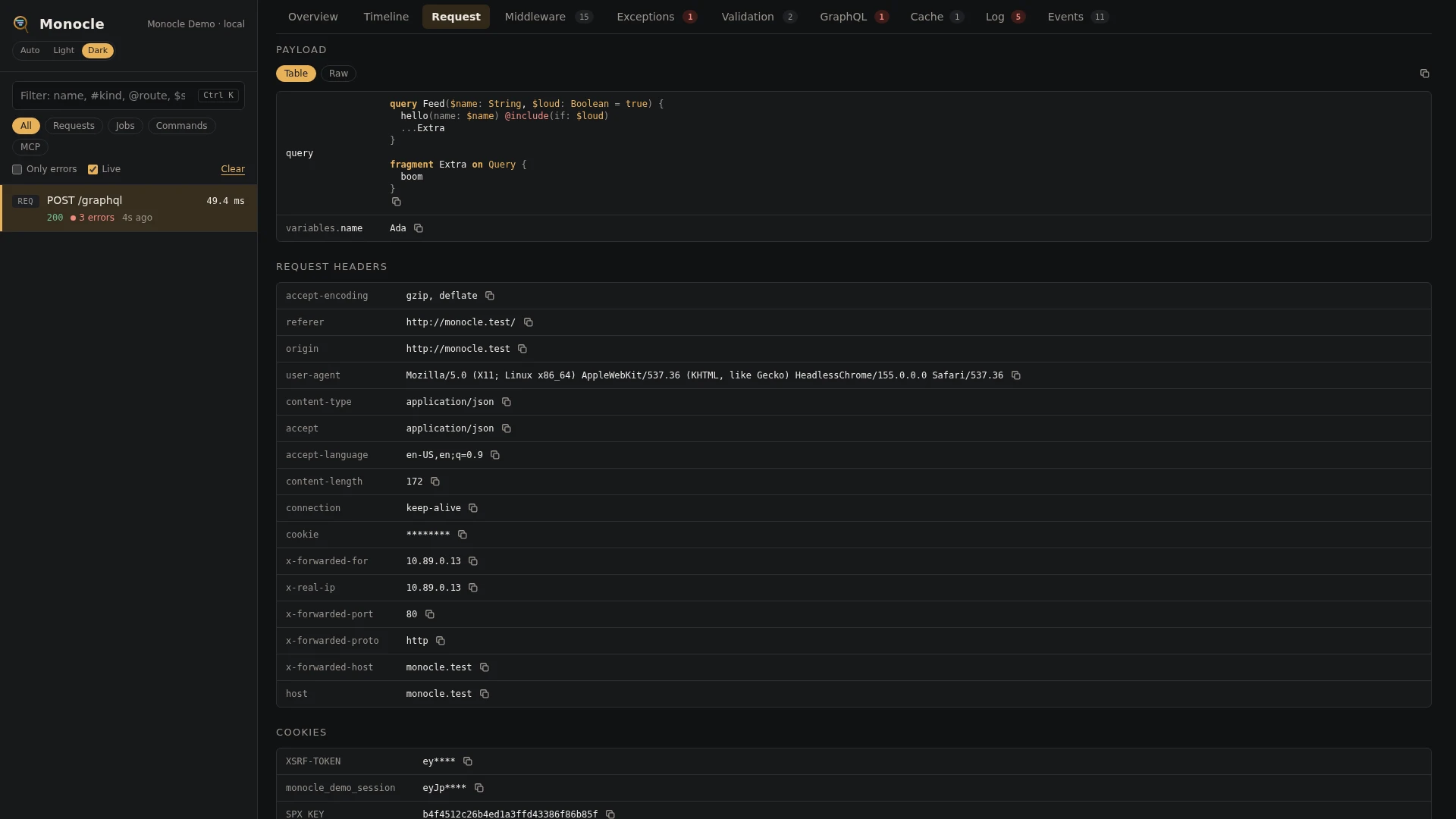
The Payload of a GraphQL request shows the query printed one field per line and coloured, with the same masking. See Payload formats.
The Timeline tab shows a graphql span per operation.
For agents
Which GraphQL operations did the latest request run, and did any of them fail?
{ "tool": "monocle-show", "id": "latest", "sections": ["summary", "graphql"] }Failed operations with their query, variables and errors:
{
  "tool": "monocle-rows",
  "section": "graphql",
  "where": [{ "field": "status", "op": "=", "value": "failed" }],
  "fields": ["operation", "query", "variables", "errors"]
}
Where the time of a slow operation went:
{ "tool": "monocle-show", "id": "latest", "sections": ["timeline"], "kinds": ["graphql", "query"] }To find GraphQL requests among recent captures, use monocle-list with "has": ["graphql"]. See For AI agents for every filter monocle-rows accepts.
Configuration
The lens is listed in the lenses block of config/monocle.php under its class, ExeQue\Monocle\Lenses\Packages\GraphQL\GraphQLLens. true runs it with its defaults, false turns it off, and an array sets its options. See Lenses.
| Option | Default | Effect |
|---|---|---|
hooks | [LighthouseHook::class, RebingHook::class] | the GraphQL servers recorded, one hook each. Leave one out to stop recording that server, or add your own, see Writing a GraphQL hook. A hook whose server is not installed is skipped. |
Other settings that affect it:
RequestLensoptioncapture.routes-'graphql'and'graphql.*'withGraphQLCapture::classgive the Request tab its operation cards. Lighthouse names its routegraphql, rebing names its routesgraphqlandgraphql.<schema>. If you renamed a route, add its name. See Request.- Masking -
mask.inputsmasks variables, and values written straight into the query: an argument, input object field or variable default whose name matches, such aslogin(password: "..."). Both are masked on thegraphqlrows, on the Request tab cards and in the payload. Entries keyed byGraphQLLens::classapply to the rows only. dashboard.tabs-GraphQLLens::classin the list places the GraphQL tab.
use ExeQue\Monocle\Lenses\Packages\GraphQL\GraphQLCapture;
use ExeQue\Monocle\Lenses\Packages\GraphQL\GraphQLLens;
use ExeQue\Monocle\Lenses\Packages\GraphQL\Lighthouse\LighthouseHook;
use ExeQue\Monocle\Lenses\RequestLens;

'lenses' => [
    RequestLens::class => [
        'capture' => [
            'routes' => [
                'graphql' => GraphQLCapture::class,
                'graphql.*' => GraphQLCapture::class,
            ],
        ],
    ],

    // Lighthouse only; rebing operations are not recorded.
    GraphQLLens::class => [
        'hooks' => [
            LighthouseHook::class,
        ],
    ],
],
Setting capture.routes replaces its default, so keep the other capture keys you want - see Request.
How it hooks in
Each server is recorded by a hook (GraphQLHook), listed under the hooks option. The built-in ones:
- Lighthouse (
LighthouseHook): the hook listens to Lighthouse's own events.StartExecutionandEndExecutiontime each operation. An operation that fails to parse never starts and one that fails validation never ends, so those are recorded fromEndOperationOrOperations, with the errors of the result. - rebing/graphql-laravel (
RebingHook): the hook puts its own execution middleware first ingraphql.execution_middleware, and first in theexecution_middlewareof every schema that has its own list. It times the rest of the pipeline, parsing and validation included, and records an operation that throws out of it before passing the exception on. It does not use rebing's tracing driver, so an OpenTelemetry driver you set there keeps working.
Your own GraphQL server
Another GraphQL server - webonyx/graphql-php's StandardServer, a controller of your own that calls GraphQL::executeQuery(), another package - is recorded through a hook of your own, added to the hooks option. Its operations then show on the GraphQL tab like Lighthouse's and rebing's. Writing a GraphQL hook shows how, with an example and how to test it.
Requirements and limits
- Needs
webonyx/graphql-php, which both servers install, and Lighthouse, rebing/graphql-laravel, both, or a hook of your own. Without them the lens does nothing. - Each operation is one row and one span. How long single fields took to resolve is not recorded; the queries and calls they made are on the Timeline under the operation's span.
fieldslists the root fields only. Nested fields with their own resolvers are not listed.- The Lighthouse definition is found by a line scan of the schema files, kept for the life of the PHP process. A long-running worker (Octane) shows old lines after a schema edit until it restarts.
- In a Lighthouse batch, an operation that fails validation gets a row with
status: failedanderrors: null, since the result does not say which operation the errors belong to. The Request tab card of the batch still shows them. An operation of a batch that fails to parse gets no row. A request with one operation always has its errors. - rebing schemas added at runtime with
GraphQL::addSchema()and a list of execution middleware of their own are not recorded. - Operations run outside an HTTP request, such as
GraphQL::executeQuery()called from your code, are recorded on Lighthouse and rebing alike, but get no Request tab cards.