
Queue
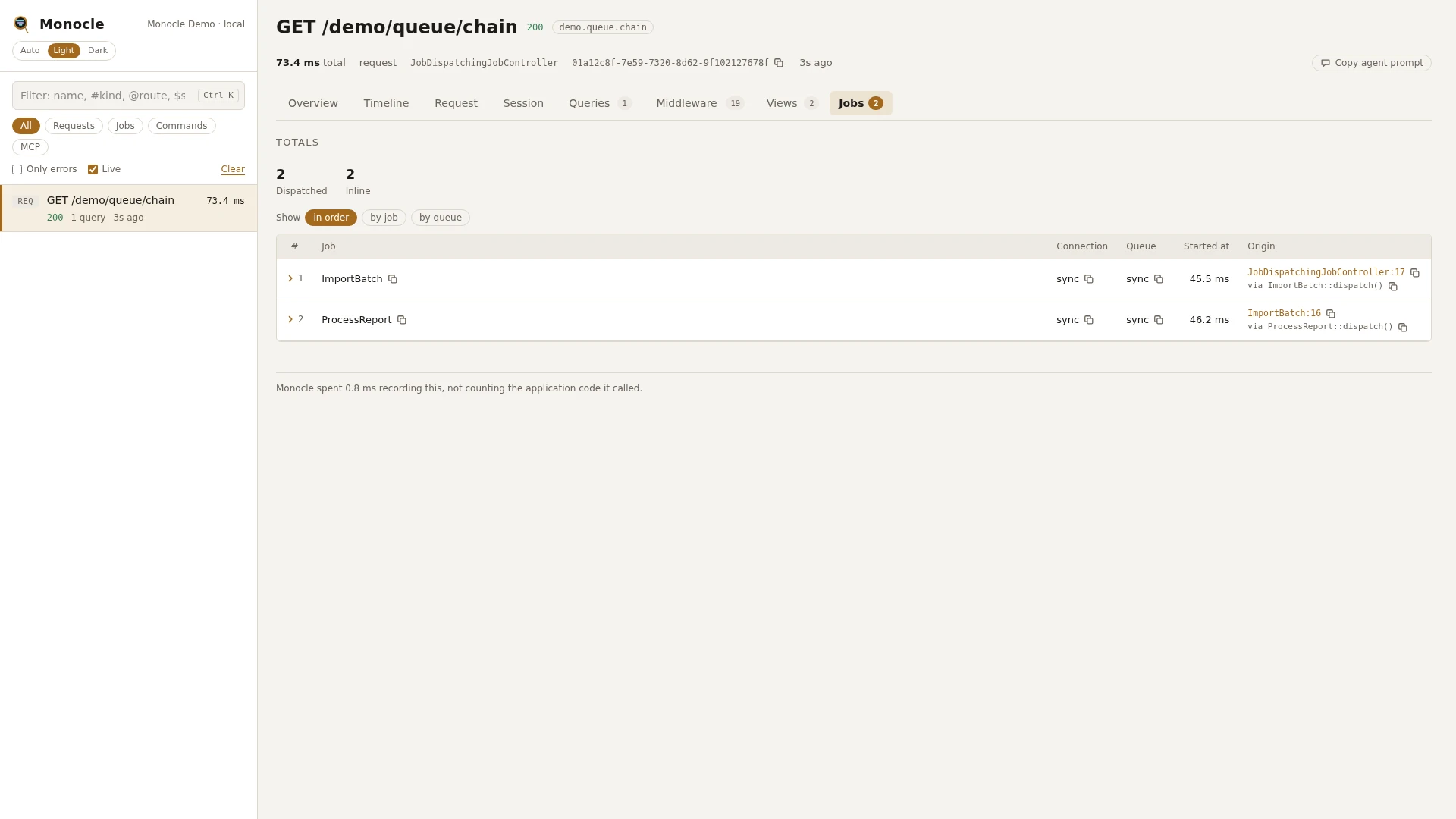
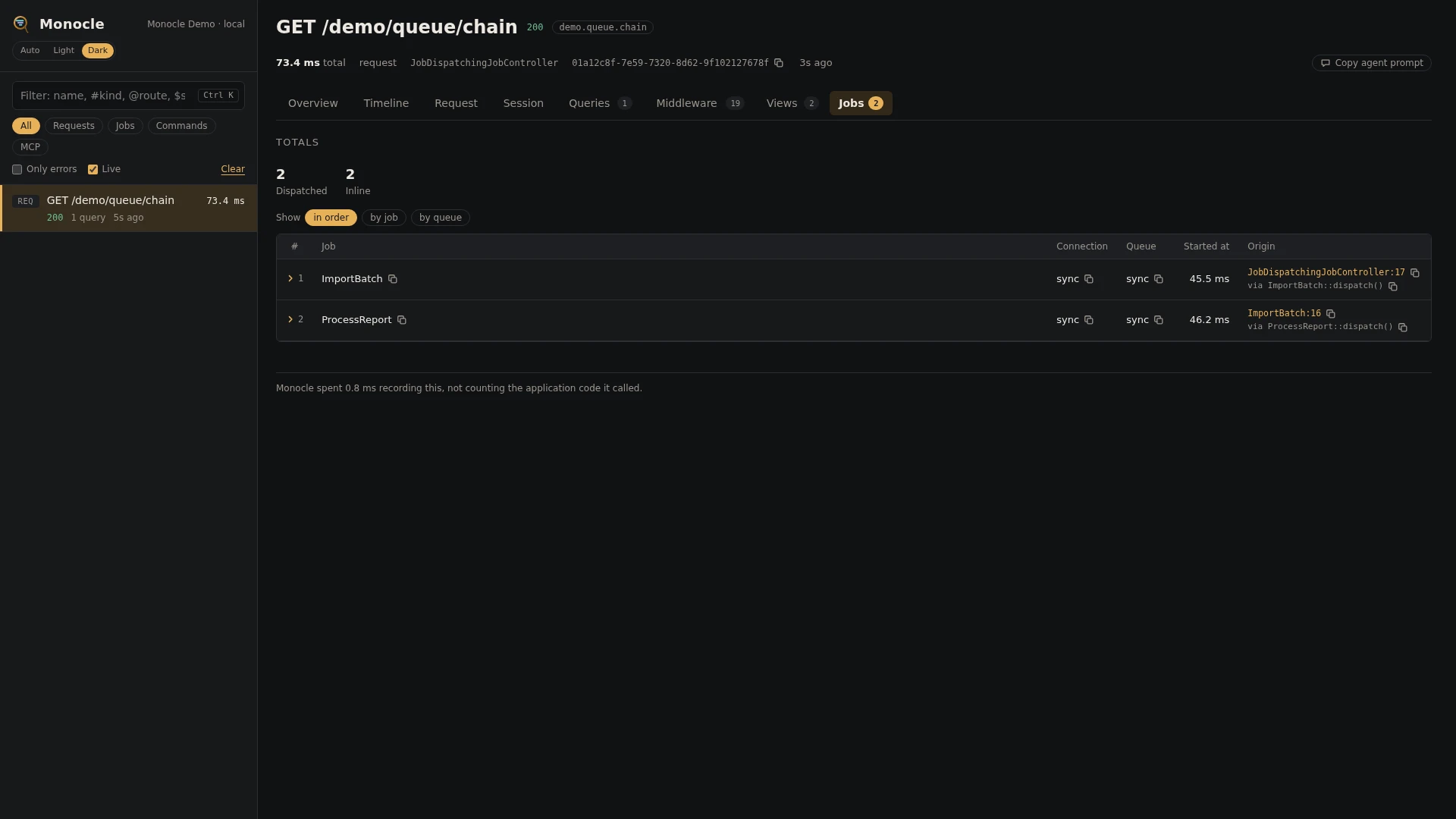
The Queue lens records every job a capture dispatches, and records each queued job as a capture of its own when a worker runs it, linked to the request, command or job that dispatched it. Jobs that run on the spot (the sync connection, dispatchSync()) are timed inside the capture that ran them instead.
How jobs are linked
Seen from your side, one request can set off a chain of captures:
- A request (or command, or job) dispatches a job. The job is a row in that capture's
jobssection, with its job id. - When a worker picks the job up, the job is recorded as its own capture of type
job, named after the job class. It belongs to the same trace as the capture that dispatched it, and points back to it as its parent. - Jobs that job dispatches are linked to it in turn, as deep as the chain goes.
Every attempt of a job is a capture of its own, so a job that is retried shows up once per attempt, each with its attempt number. Until a worker has run a queued job, the dispatching capture shows it as pending.
Jobs on the sync connection never reach a worker: they run inside the capture that dispatched them, as a job span on its timeline, and their queries, cache calls and so on belong to that capture. Jobs run with dispatchSync() or dispatchNow() are a job span on the timeline only; they get no row in jobs.
Rows
Section jobs, on any capture that dispatched jobs, has one row per job.
| Field | Meaning | Unit | Missing when |
|---|---|---|---|
job | The job's display name, usually its class | - | never |
connection | The queue connection, such as redis or sync | - | never |
queue | The queue name given at dispatch | - | null when the job went to the connection's default queue without a name |
delay | The delay the job was dispatched with | seconds | null without a delay; always null for jobs on the sync connection |
job_id | The job's unique id | - | never |
batch_id | The batch the job belongs to | - | null when the job is not part of a batch |
chained | How many jobs are chained to run after it | count | 0 without a chain |
sync | true when the job ran on the spot on the sync connection | - | never |
run | The job id again, linking the row to the job's own capture | - | absent or null for jobs that ran on the spot |
time | When the job was dispatched, counted from the start of the capture | ms | never |
origin | The file and line in your code that dispatched it, with a short call chain | - | when origins are turned off |
The job's own capture
A capture of type job has the section job, a set of facts rather than rows:
| Key | Meaning | Missing when |
|---|---|---|
class | The job class | never |
connection | The connection the worker took it from | never |
queue | The queue it was taken from | never |
job_id | The job's unique id, the same as in the dispatching row | never |
attempts | Which attempt this is, starting at 1 | never |
max_tries | The most attempts the job may take | null when no limit is set on the job |
batch_id | The batch the job belongs to | null when not batched |
chained_remaining | Chained jobs still to run after this one | 0 without a chain |
payload_bytes | Size of the job's queued payload | never |
exception | class, message, file (relative path and line) and previous (earlier exceptions in the chain) of the exception the job threw | only present when the job threw |
The capture's status is processed, failed (the job failed for good) or exception (this attempt threw and the job may be retried). Its timeline starts with a job phase covering the whole run.
Totals, warnings and errors
On every capture:
| Total | Label | Meaning |
|---|---|---|
jobs_dispatched | dispatched | Rows in jobs: jobs dispatched, including those that ran on the sync connection |
jobs_inline | inline | Of those, the jobs that ran on the spot on the sync connection |
On a job's own capture, also:
| Total | Label | Meaning |
|---|---|---|
job_attempt | attempt | The attempt number of this run |
Error, on a job's own capture: Job failed: <exception class> - <message> whenever the job threw, both when it failed for good and when the attempt will be retried. The capture counts as having errors, so it shows up with has_errors and the dashboard's error filter.
The lens reports no warnings. A failure inside a job run on the sync connection or with dispatchSync() is marked on its job span; the exception itself is reported by the Exceptions lens when it is reported.
In the dashboard
The Jobs tab lists the jobs a capture dispatched, in order. Group the rows by job or by queue. The run column links each queued job to its own capture, or shows pending until a worker has run it; when a job ran more than once, it links to the newest attempt. Click a row to fold it out: every field in full and the line of your code that dispatched it.
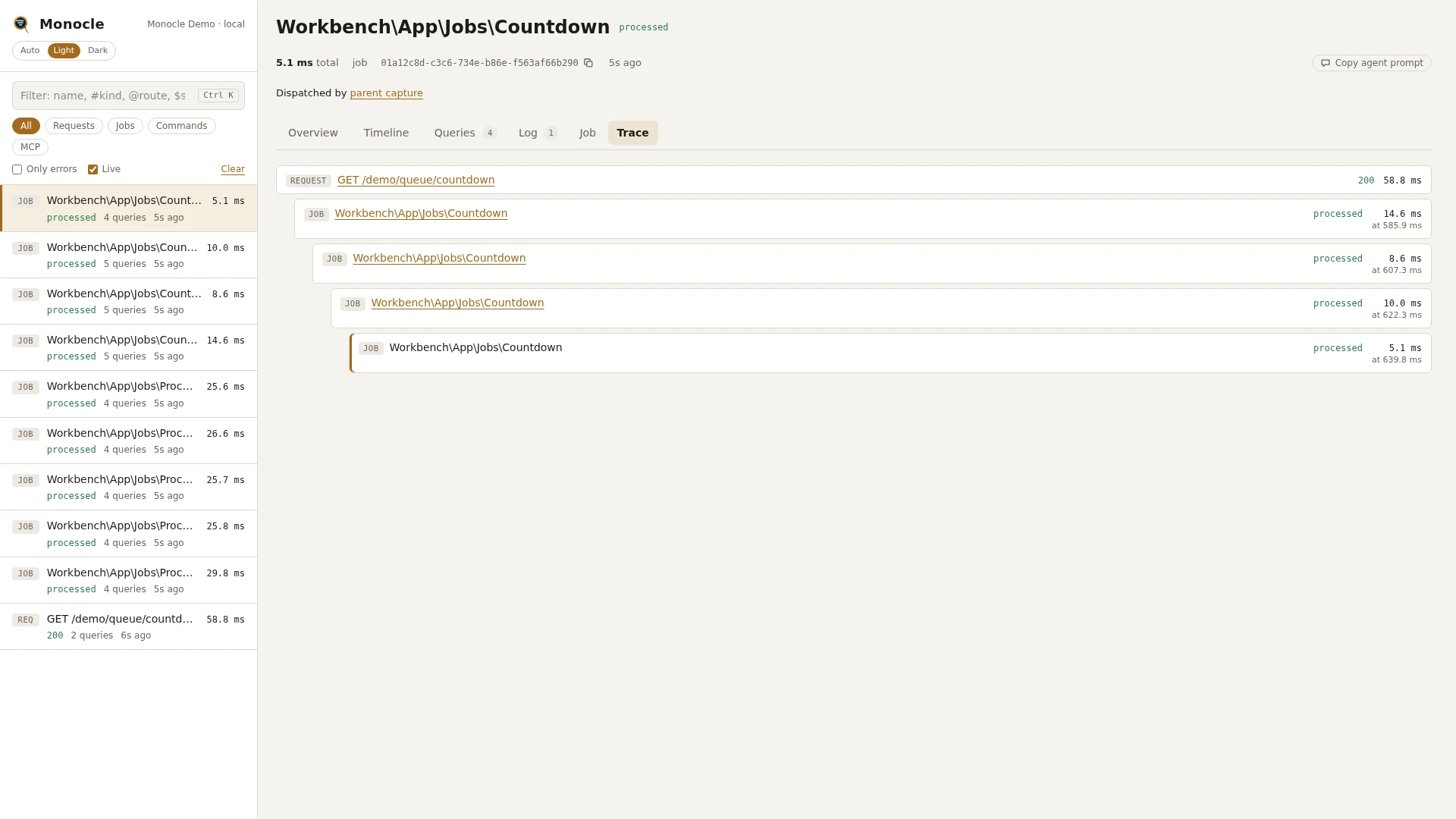
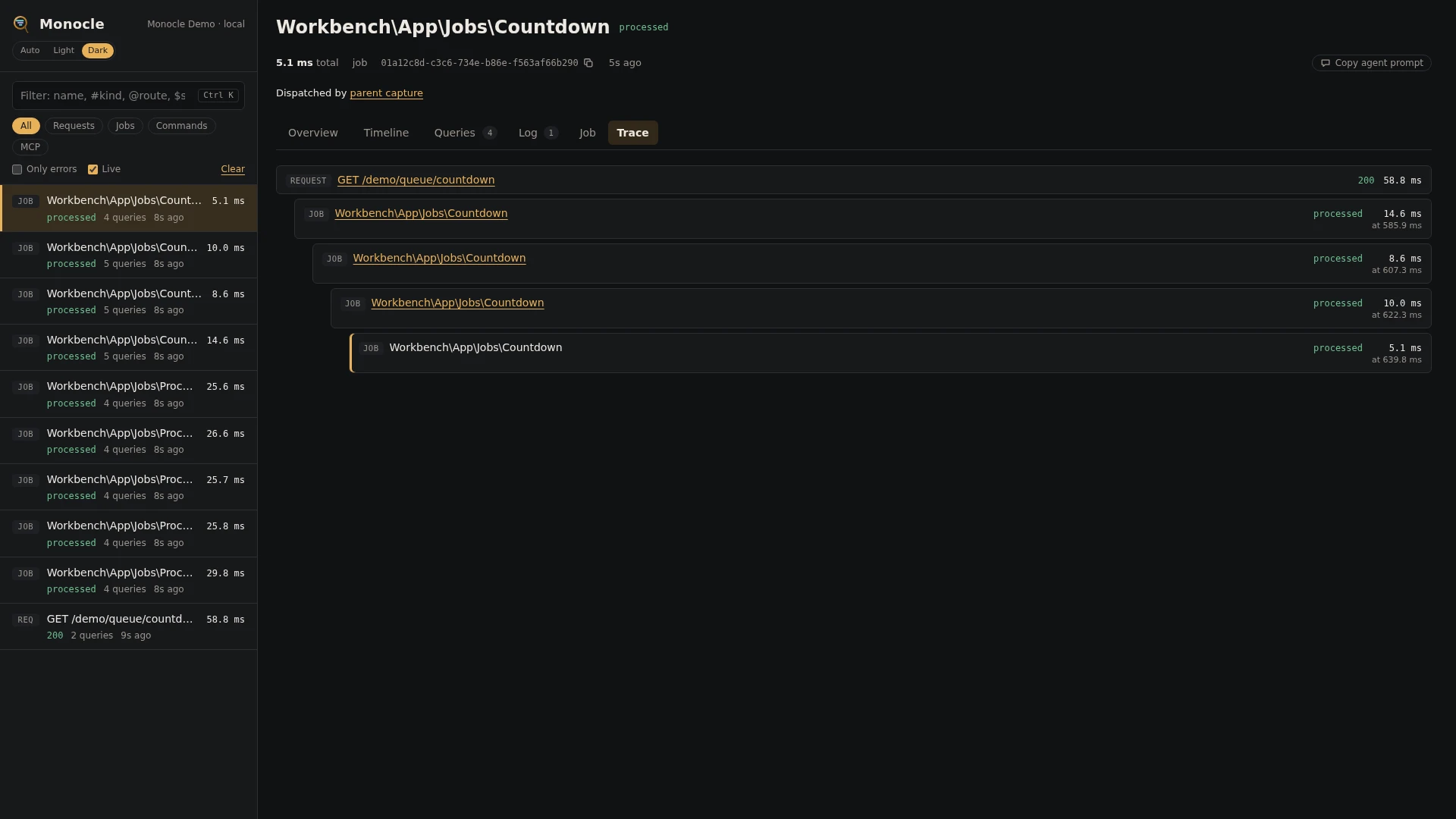
In the capture list, the Jobs filter shows only job captures. A job capture's header says Started by parent capture, linking back. A capture that dispatched queued jobs says Started N child capture(s), which opens the Trace tab: the request or command with every job it set off, nested, each with its status, duration and when it started. See Jobs and traces.
A job capture has a Job tab with the facts of the job section: class, connection, queue, job id, attempt, maximum tries, batch, remaining chain, payload size and the exception it threw. Jobs that ran on the spot show on the Timeline as job spans.
For agents
What happened after a request: the request and every job it set off, with their status, and the queued jobs no worker has run yet (pending). monocle-trace with:
{"id": "latest"}id can be any capture in the trace, the request or any of its jobs.
Recent failed jobs, then the details of one. monocle-list with:
{"type": "job", "has_errors": true, "since": "1h"}then monocle-show with the id it returned:
{"id": "01a12c76-...", "sections": ["summary", "job", "exceptions"]}The job section gives the attempt, the maximum tries and the exception.
Which jobs a request dispatched, and to which queue. monocle-rows with:
{"section": "jobs", "fields": ["job", "connection", "queue", "delay", "run", "origin"]}See For AI agents for the trace tool.
Configuration
Turn the lens on or off in the lenses block of config/monocle.php, keyed by the lens class: true runs it, false turns it off. See Lenses. Turning it off stops both the jobs rows and the job captures.
The lens has no options.
Other settings that affect this lens:
except.commands: worker commands (queue:work,queue:listen,horizon*) are listed by default so the worker itself is not one endless capture. The jobs they run are still recorded, each as its own capture. Do not remove these entries.except.pathsandexcept.commands: a request or command that is not recorded does not link the jobs it dispatches, so those jobs become captures without a parent.storage.limit: captures are kept in a ring buffer, so in a busy application old job captures, or the request that dispatched them, may already be gone when you look at a trace.origin: whether rows carry the line of your code that dispatched the job.
use ExeQue\Monocle\Lenses\QueueLens;

'lenses' => [
    QueueLens::class => true,
],

'except' => [
    'commands' => [
        // keep the worker commands listed; their jobs are recorded one by one
        'queue:work', 'queue:listen', 'horizon*',
        // ...
    ],
],
Requirements and limits
No extra packages are needed. Job captures are only made when Monocle is enabled in the worker process too (see enabled).
- Jobs are linked to the capture that dispatched them only when that capture was being recorded at dispatch time.
- Jobs dispatched with
dispatchSync()ordispatchNow()get ajobspan but no row injobs, and are not counted in the totals. - The job's payload data (its constructor arguments) is not recorded, only its size.
- Listeners, mail and notifications that are queued are recorded as jobs like any other.
- With a custom bus dispatcher that has no pipes, jobs run with
dispatchSync()are not timed.