
Middleware
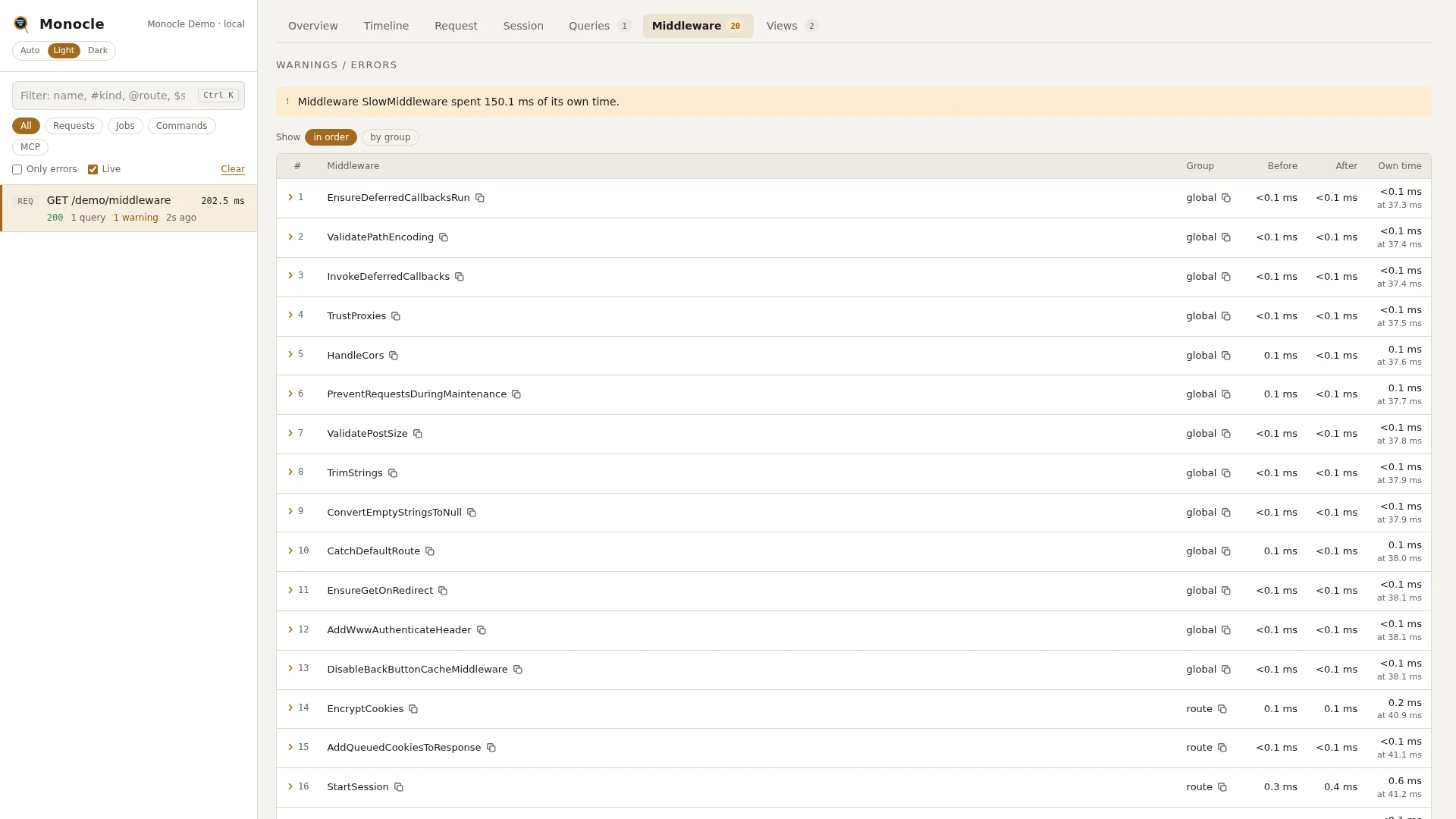
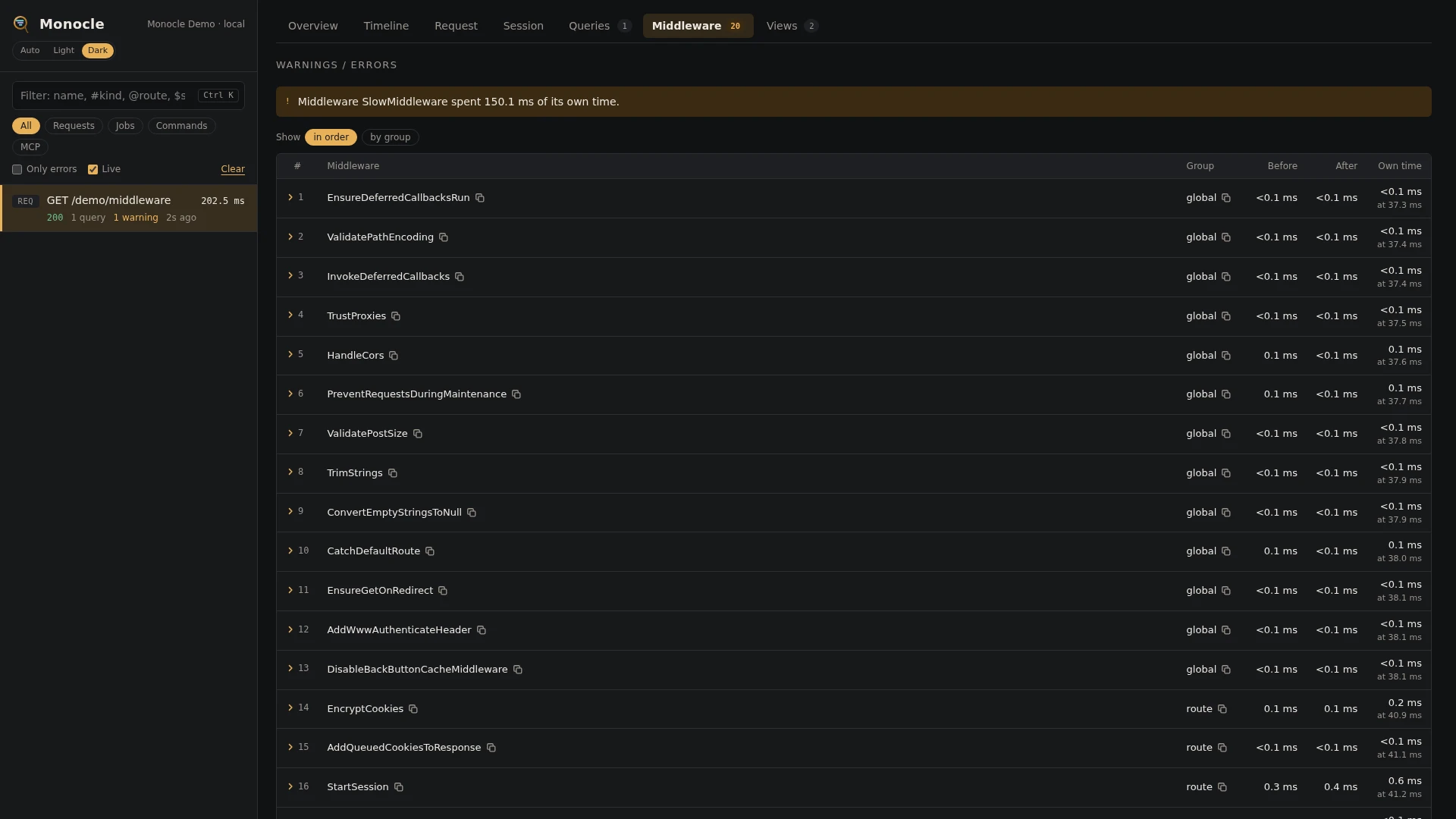
MiddlewareLens times every class-based HTTP middleware a request passes through, global and route middleware alike: the work it did before handing the request on, the work it did once the response came back, and whether it stopped the request itself.
Rows
One row per middleware run, in the order the request passed through them.
| Field | Meaning | Unit | Missing when |
|---|---|---|---|
middleware | the middleware class | - | - |
group | global (the application's global stack) or route (route and group middleware). Global middleware listed on a route again stays global. | - | - |
parameters | the parameters it was given, such as ['admin'] for role:admin | - | empty when it has none |
request_ms | time spent before it handed the request on | ms | - |
response_ms | time spent after the rest of the request returned | ms | null when it did not hand the request on |
duration | its own time: request_ms and response_ms together. The time of the middleware further in and of the controller is not included. | ms | - |
time | when it started, from the start of the capture | ms | - |
passed | whether it handed the request on | true/false | - |
short_circuited_with | the status of the response it returned itself, for example 302 when guest redirects a logged-in user, or the status the exception it threw turns into: 401 for auth, 403 for can, 429 for throttle, 422 for a validation error, the exception's own status for HTTP exceptions and 500 for anything else | - | null when it handed the request on |
threw | the class of the exception it stopped the request with | - | null when it handed the request on or returned a response |
slow | its own time reached slow_ms and it is not package middleware | true/false | - |
On the timeline each middleware has a middleware.request span for the work before and a middleware.response span for the work after. Middleware with a terminate() method also gets a middleware.terminate span (named Class::terminate) in the terminate phase; that time is not part of its row.
Totals, warnings and errors
| Total | Meaning | Unit |
|---|---|---|
middleware_self_ms | own time of all middleware together, shown at the top of the overview as "middleware time" | ms |
middleware_count | number of middleware runs, shown at the top of the overview as "middleware" | count |
Warnings:
Middleware <Name> spent <n> ms of its own time.when one middleware's own time, before and after added up over all its runs in the request, is at leastslow_ms. Middleware shipped by a package (its class lives invendor/) is left out, since its time is not yours to fix.Middleware <Name> short-circuited the request (<status>).for every middleware that did not hand the request on and answered with status 400 or higher, such as an API key check answering 401. Answering early with a 2xx or 3xx is often the middleware's job (HandleCorsanswering a preflight,guestredirecting a logged-in user), so it is not flagged; the row still showspassed: falseand the status.Middleware <Name> short-circuited the request by throwing <Exception> (<status>).when it stopped the request by throwing, asauth,canandthrottledo. The exception is rethrown unchanged, so the application handles it as usual.
The lens raises no errors.
In the dashboard
The Middleware tab lists the rows with the columns Middleware, Group, Before (request_ms), After (response_ms), Passed (marked "short-circuited" in yellow when it stopped the request) and Own time. Rows flagged slow are highlighted in yellow.
by group groups the rows into global and route, each with its count and time.
Click a row to see all its fields, including the parameters, the status it stopped the request with, the exception it threw and when it started.
The middleware (request) and handle phases on the overview and the Timeline tab show the same spans in context: global middleware runs in middleware (request), route middleware in handle, around the controller span.
For agents
The slowest middleware of the latest request:
monocle-rows {"id": "latest", "section": "middleware", "sort": "duration", "dir": "desc", "limit": 5, "fields": ["middleware", "group", "request_ms", "response_ms", "duration"]}Answers which middleware took the time, and whether it was spent before or after the controller.
Why a request never reached its controller:
monocle-rows {"id": "latest", "section": "middleware", "where": [{"field": "passed", "op": "=", "value": "0"}], "fields": ["middleware", "parameters", "short_circuited_with", "threw"]}Returns the middleware that did not hand the request on (passed is false), with the status it answered with and, when it threw, the exception class.
The middleware spans in the timeline:
monocle-show {"id": "latest", "sections": ["timeline"], "kinds": ["middleware"]}middleware covers both middleware.request and middleware.response spans, so the result shows how the middleware nest around the controller.
Configuration
The lens is listed under lenses in config/monocle.php, keyed by MiddlewareLens::class: true runs it with defaults, an array passes options, false turns it off. See Lenses.
| Option | Default | Effect |
|---|---|---|
slow_ms | 50 | a middleware whose own time in a request reaches this many milliseconds is marked slow and raises a warning |
Other configuration that affects this lens:
| Key | Effect |
|---|---|
except.paths, except.livewire | requests left out there are not recorded, so their middleware is not either |
dashboard.tabs | where the Middleware tab sits |
use ExeQue\Monocle\Lenses\MiddlewareLens;

'lenses' => [
    MiddlewareLens::class => [
        'slow_ms' => 25,
    ],
],
Requirements and limits
- No package is needed.
- Only HTTP middleware is recorded. Job middleware and the work of console commands are not.
- Middleware written as a closure is not timed and has no row.
- Middleware that is not a class Laravel can find (a misspelled alias, for example) has no row.
- The
terminate()work of terminable middleware is on the timeline only, not in the rows or totals.