
Filesystem
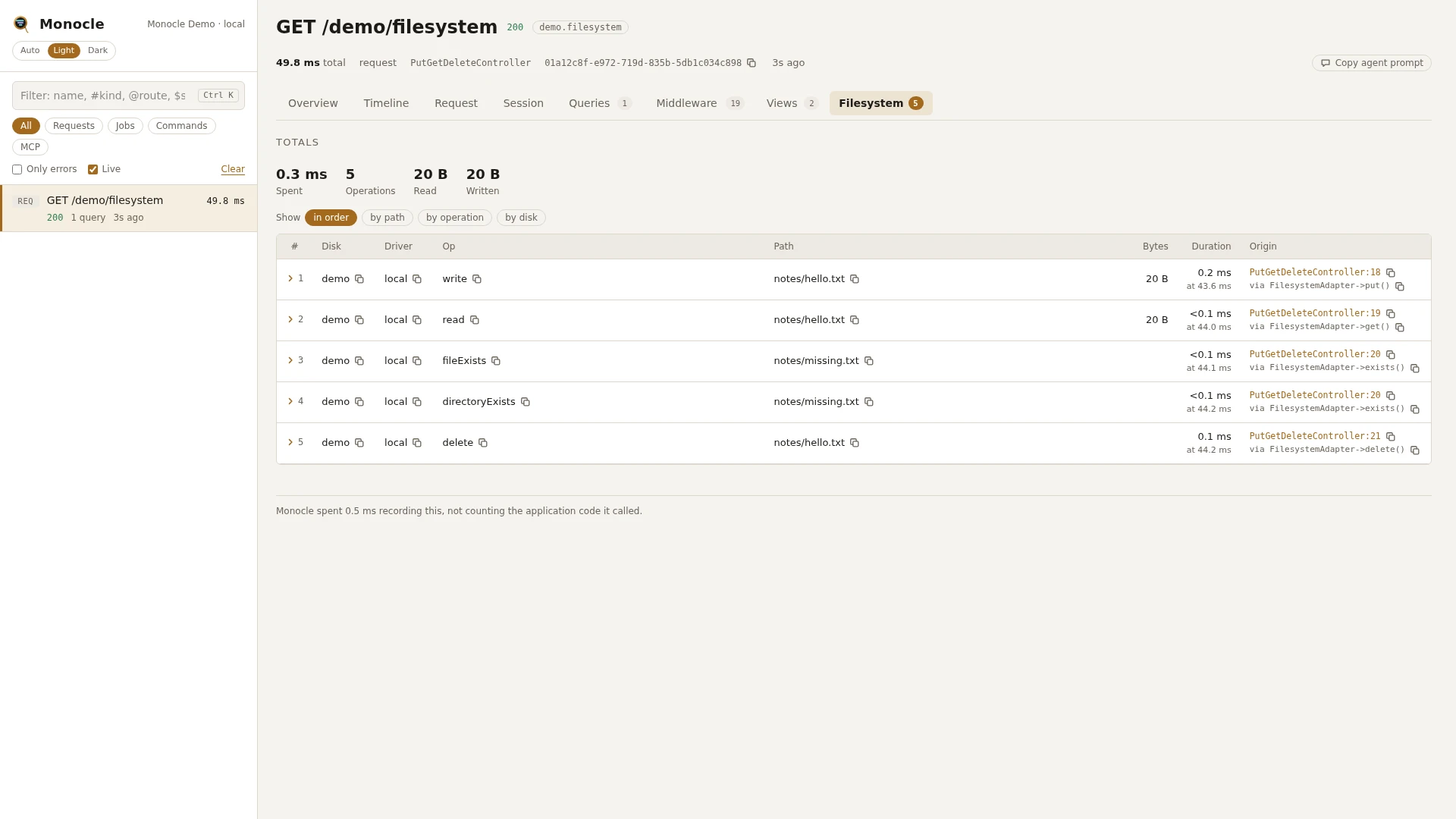
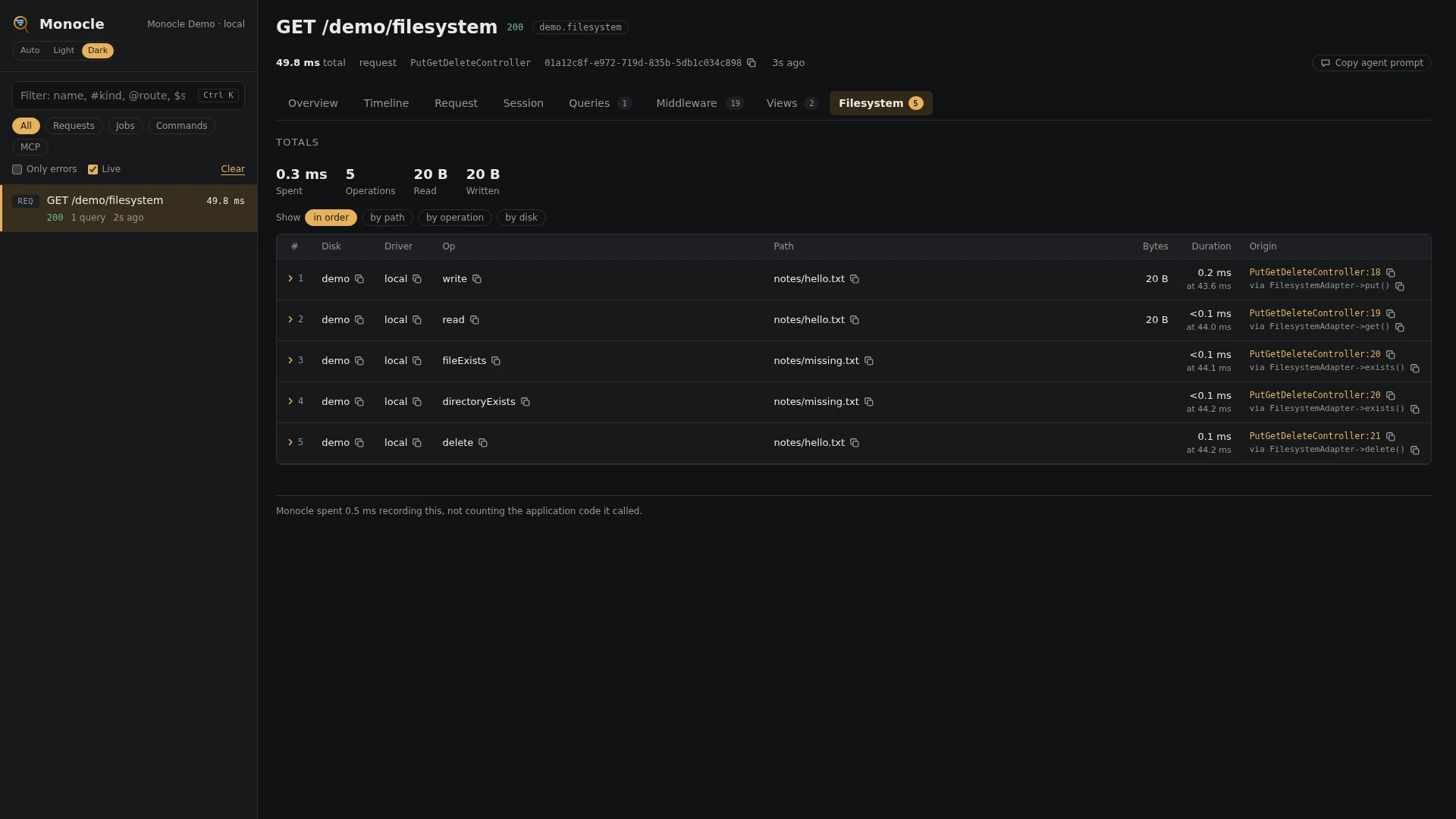
The filesystem lens records every operation on the Storage disks you choose: reads, writes, deletes, copies, moves, listings and checks. Nothing is recorded until you list the disks in the disks option (see Configuration).
Rows
Every row in the filesystem section has these fields:
| Field | Meaning | Unit | Missing when |
|---|---|---|---|
disk | Name of the disk, as in config/filesystems.php | never | |
driver | Driver of the disk, such as local or s3 | null when the disk has no driver set | |
op | The operation (see below) | never | |
path | Path on the disk; for move and copy the source | never | |
destination | Where a file was moved or copied to | null for other operations | |
bytes | Bytes written (write, writeStream), read (read, readStream) or reported (fileSize) | bytes | null for other operations, for a stream whose size cannot be read, and when the operation failed before the size was known |
visibility | The visibility set | only present on setVisibility | |
deep | Whether the listing was recursive | only present on listContents | |
items | Number of entries listed | only present on a listContents that succeeded | |
ok | true when the operation succeeded, false when it threw | never | |
exception | For a failed operation: class, message, file (file:line) and previous (the exceptions it wraps) | null when ok is true | |
duration | How long the operation took | ms | never |
time | When the operation started, counted from the start of the capture | ms | never |
origin | The file and line of your code that called Storage, with a short call chain | null when origin.enabled is off |
The operations are named after the storage adapter's own: fileExists, directoryExists, read, readStream, write, writeStream, delete, deleteDirectory, createDirectory, setVisibility, visibility, mimeType, lastModified, fileSize, listContents, move, copy and checksum. One Storage call can lead to several operations; Storage::disk('media')->put() is a write, exists() is a fileExists (followed by a directoryExists when no file is found), and files() is a listContents.
Totals, warnings and errors
The summary gets these totals when at least one operation was recorded:
| Total | Meaning |
|---|---|
filesystem_ms | Time spent in all operations together, in ms |
filesystem_by_disk | Number of operations per disk |
filesystem_ops | Number of operations |
filesystem_bytes_read | Bytes read by read and readStream |
filesystem_bytes_written | Bytes written by write and writeStream |
Errors: every operation that failed is an error, also when the disk's throw setting is off and your code only got false back. The summary lists the first three as Filesystem {op} failed on {disk}:{path} ({exception message}), such as Filesystem write failed on media:avatars/7.jpg (Unable to write file at location: avatars/7.jpg.). filesystem_ops counts all operations; the failed ones are the rows where ok is false.
This lens reports no warnings, and it has no threshold for slow operations.
In the dashboard
The Filesystem tab lists the operations in order with disk, driver, operation, path, size and outcome (ok or failed, in red), then duration and the line of code that made the call. Group the rows by path, by operation or by disk. Each group shows its count, how many failed, and the total, average and maximum time; grouping by path shows how often the same file was touched.
A row folds out to every field in full, each with a copy button, including the exception of a failed operation.
On the timeline, each operation is a line inside the span that made it. Time spent in operations shows as filesystem in the overview's time breakdown.
For agents
monocle-rows: which operations failed, and why.
{
  "section": "filesystem",
  "where": [{"field": "ok", "op": "=", "value": "0"}],
  "fields": ["disk", "op", "path", "exception.message", "origin"]
}monocle-rows: the slowest operations on one disk.
{
  "section": "filesystem",
  "where": [{"field": "disk", "op": "=", "value": "s3"}],
  "sort": "duration", "dir": "desc", "limit": 10,
  "fields": ["op", "path", "bytes", "duration", "origin"]
}monocle-show: the totals (bytes read and written, operations per disk) and the errors for the latest capture, with the first rows.
{"id": "latest", "sections": ["summary", "filesystem"], "limit": 10}Configuration
The lens is listed in config/monocle.php with an empty disks list, so it is enabled but records nothing. In the lenses block, key it by its class: an array passes options, false turns it off (see Lenses). true runs it with the defaults, which also records nothing.
| Option | Default | Effect |
|---|---|---|
disks | [] | Names of the disks to record. Wildcards are allowed: ['media', 'uploads-*'], or ['*'] for every disk. With an empty list, Storage is left untouched. |
Other settings that affect this lens:
origindecides whether rows carry the line of code that made the call.exceptkeeps whole requests and commands out of recording, including their file operations.
No mask settings apply to this lens. File contents are never kept, only paths and sizes.
// config/monocle.php
use ExeQue\Monocle\Lenses\FilesystemLens;

'lenses' => [
    // ...
    FilesystemLens::class => [
        'disks' => ['media', 'uploads-*'],     // or ['*'] for every disk
    ],
],
Requirements and limits
- Nothing to install: it works on the disks configured in
config/filesystems.php. - Only disks listed in
disksare recorded. - Plain PHP file functions (
file_put_contents(),fopen()) and theFilefacade are not recorded, since they do not go through aStoragedisk. - Disks created by a custom driver registered with
Storage::extend()are not recorded. - File contents are not kept.