
Media library
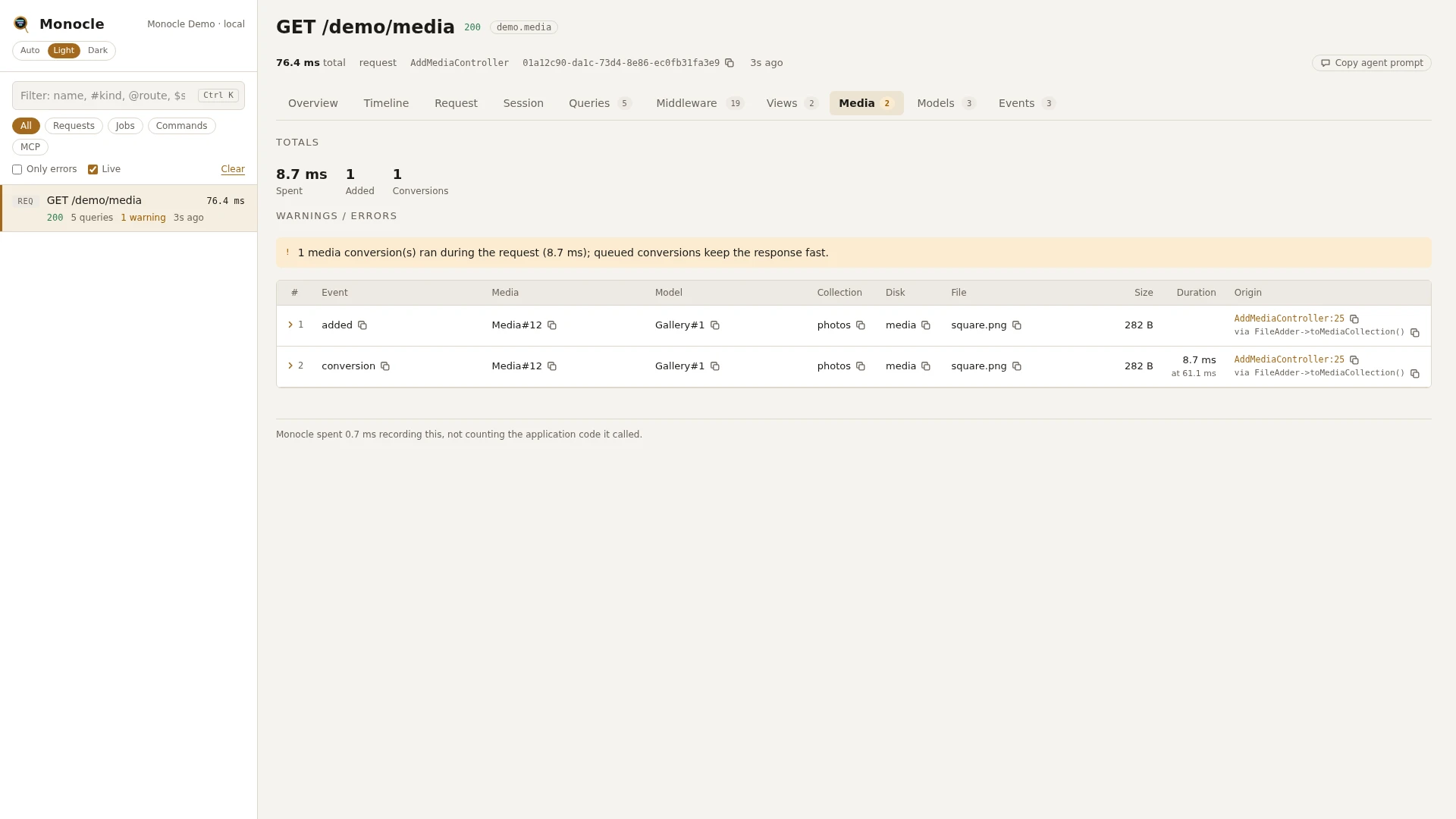
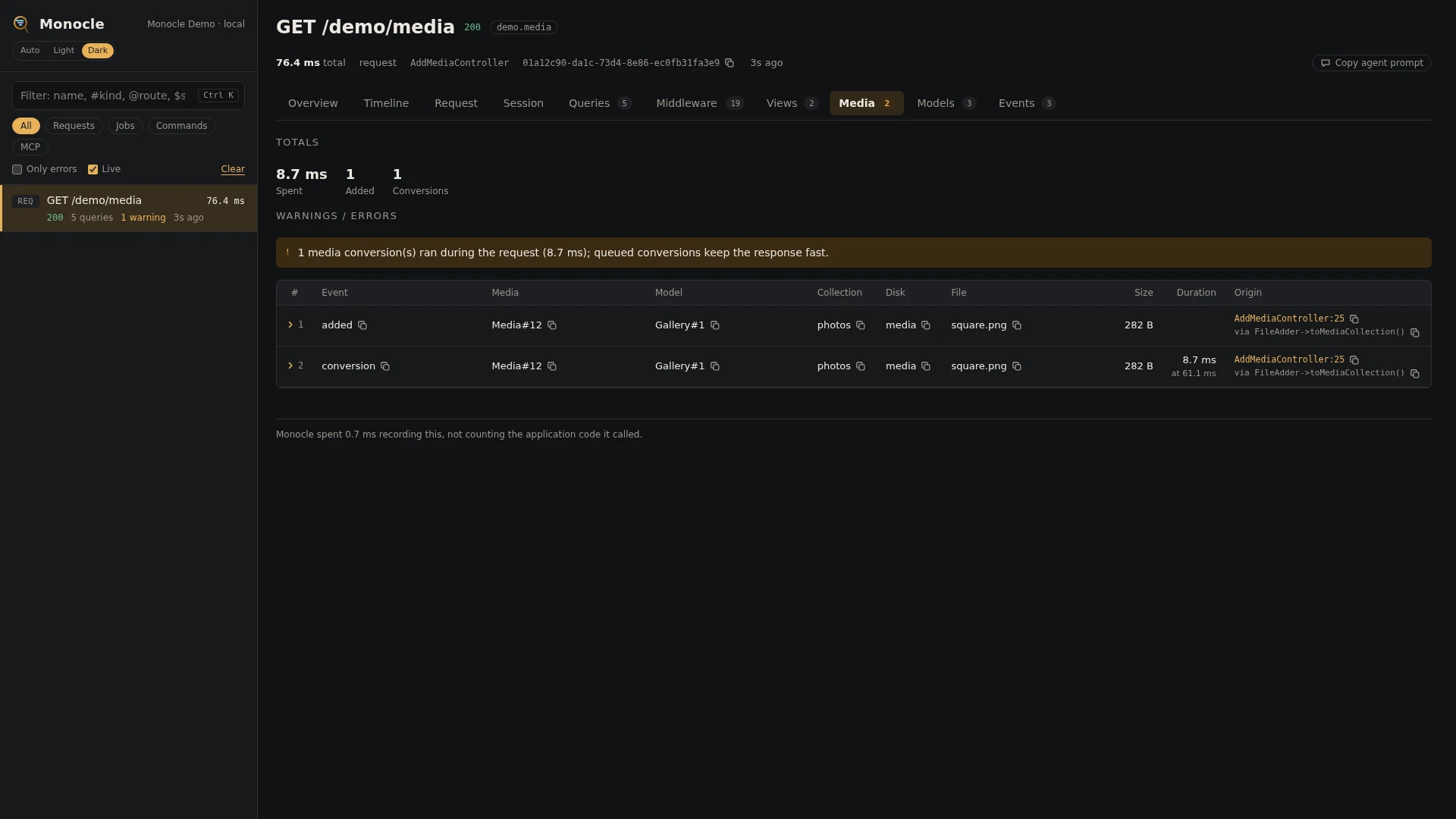
The media library lens records media added to models with spatie/laravel-medialibrary, and every conversion that ran, with how long it took. Use it to find uploads that are slow because conversions run during the request instead of on the queue.
Rows
Section media: one row per media added and per conversion
| Field | Meaning | Unit | Missing when |
|---|---|---|---|
event | added for media added to a model, conversion for a conversion that finished. | - | never |
media | The media record, as Class#id. | - | never |
model | The model the media belongs to, as Class#id. | - | the media has no model |
collection | The media collection. | - | the media has none |
disk | The disk the file is stored on. | - | the media has none |
file | The file name. | - | the media has none |
size | The size of the original file. | bytes | the media has none |
conversion | The conversion's name. | - | added rows |
queued | true when the conversion is set up to run on the queue. | - | added rows |
duration | How long the conversion took. | ms | added rows |
time | When it happened, counted from the start of the capture. | ms | never |
origin | The line in your code that added the media or led to the conversion. | - | no application code was on the way |
In the timeline
Each conversion is a media.conversion span named conversion {name}, with the media fields above.
Totals, warnings and errors
The summary gets these totals when the capture has at least one row:
| Total | Label | Value |
|---|---|---|
media_conversion_ms | spent | The duration of every conversion added up, in ms, rounded to 0.1 ms. Only when conversions ran. |
media_added | added | The number of added rows. Only when media was added. |
media_conversions | conversions | The number of conversion rows. Only when conversions ran. |
Warning, once per capture:
{n} media conversion(s) ran during the request ({ms} ms); queued conversions keep the response fast.- the capture is a request and at least one conversion ran in it. This counts every conversion row, also one set up to be queued that ran during the request anyway, for instance on thesyncqueue connection.
Conversions in a job or command capture give no warning. This lens reports no errors. See Warnings and errors for how warnings are shown.
In the dashboard
The Media tab lists the rows in the order they happened. The columns are the fields that have a value in some row, up to eight, with duration last. There are no grouping chips. Click a row to fold it out to every field and the line in your code that caused it.
The Timeline tab shows each conversion as a span, so you can see where in the request it ran.
For agents
List the conversions in the latest capture, slowest first:
{
  "tool": "monocle-rows",
  "arguments": {
    "section": "media",
    "where": [{"field": "event", "op": "=", "value": "conversion"}],
    "sort": "duration", "dir": "desc",
    "fields": ["conversion", "media", "file", "queued", "duration"]
  }
}
Find upload requests that ran conversions:
{
  "tool": "monocle-list",
  "arguments": {"type": "request", "has": ["media"], "since": "1h"}
}
Then check the warnings and the time spent with monocle-show:
{
  "tool": "monocle-show",
  "arguments": {"id": "<capture id>", "sections": ["summary", "media"]}
}
See For AI agents for every argument.
Configuration
Turn the lens on or off under lenses in config/monocle.php, keyed by MediaLibraryLens::class: true runs it, false turns it off. See Lenses. The lens has no options of its own.
Other settings that affect this lens:
origin- whether rows get anorigin, and how many lines of the call chain it has.except- media handled in a request or command that is not recorded is not recorded either.dashboard.tabs- where the Media tab sits among the tabs.- Masking does not apply to this lens.
use ExeQue\Monocle\Lenses\Packages\Spatie\MediaLibraryLens;

'lenses' => [
    // ...
    MediaLibraryLens::class => true,
],
Requirements and limits
- Needs
spatie/laravel-medialibrary. Without it the lens does nothing. - Queued conversions are recorded on the capture of the job that runs them, when that job is recorded, not on the request that added the media.
- A conversion that fails is not recorded as a row.
- Deleting media is not recorded.
- The file contents are not stored.