
Database
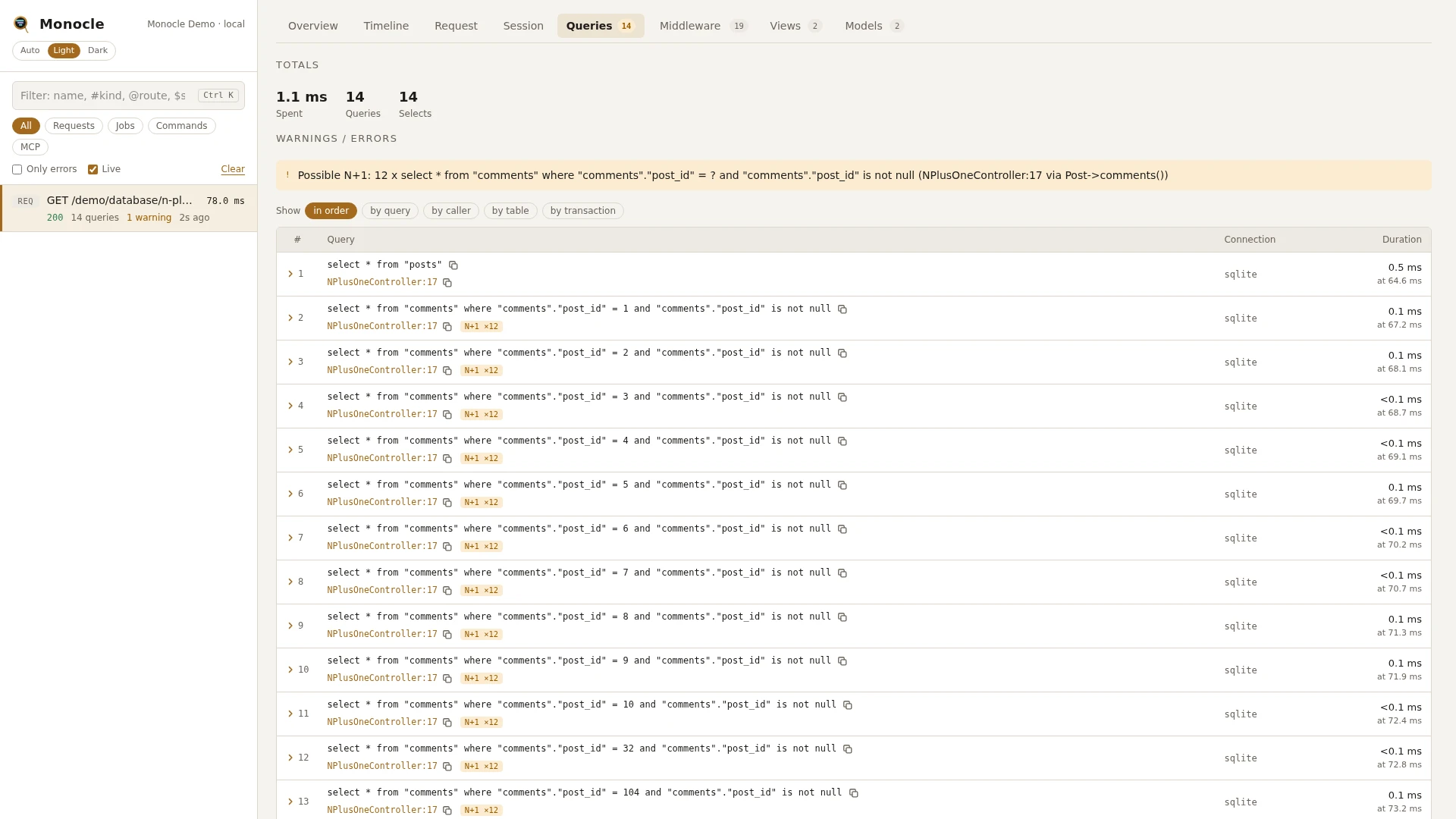
The database lens records every query your application runs through Laravel's database connections while a request, job or command is captured. Transaction statements are listed between the queries in the order they ran, and each transaction also shows up in the timeline.
Rows
Section queries, one row per query or transaction statement, in the order they ran.
| Field | Meaning | Unit | Missing when |
|---|---|---|---|
n | Row number in the capture, counting queries and transaction statements together. | - | never |
sql | The SQL with ? placeholders, as it was sent. For transaction rows: BEGIN TRANSACTION, COMMIT, ROLLBACK, SAVEPOINT transN, RELEASE SAVEPOINT transN or ROLLBACK TO SAVEPOINT transN. | - | never |
bindings | The values for the placeholders, in order. Values for a sensitive column are masked, see Masking. | - | empty list when bindings is false, and on transaction rows |
sql_with_bindings | The SQL with the values filled in, ready to copy and run. Masked values are filled in masked. | - | the same as sql when bindings is false; null when the values could not be filled in, use sql then |
connection | Name of the database connection. | - | never |
driver | Driver of the connection, such as mysql, pgsql or sqlite. | - | null on transaction rows, or when the driver could not be read |
duration | How long the query took. | ms | null on transaction rows |
type | select, insert, update, delete, other or transaction. A query starting with WITH counts as select. | - | never |
tables | Tables named after FROM, JOIN, INTO or UPDATE. | - | empty list when none were found, and on transaction rows |
shape | The SQL with literals and IN (...) lists replaced by ?, so the same query with other values has the same shape. | - | never |
shape_hash | A short hash of shape. | - | never |
transaction_id | Id of the transaction span the query ran in. | - | null outside a transaction |
slow | true when duration is at least slow_ms. | - | never (false on transaction rows) |
duplicate_of | Row number of the first query with the same SQL and the same values. | - | null on the first run of a query |
repeated | On the first of identical queries: how many later queries repeated it. | count | absent when nothing repeated it |
n_plus_one | On a select whose shape ran at least n_plus_one_threshold times with different values: how many times it ran. | count | absent below the threshold and on other types |
time | When the query started, from the start of the capture. | ms | never |
origin | The line in your code that ran the query (file, line, call), with via naming the library call it went through, for example the relation method behind a lazily loaded relation. | - | absent on transaction rows; null when origin is turned off |
Totals, warnings and errors
Totals (transaction statements are not counted as queries):
| Total | Label | Meaning |
|---|---|---|
query_ms | spent | Sum of all query durations, in ms. |
queries | queries | Number of queries. |
queries_by_type | - | Number of queries per type. |
selects, inserts, updates, deletes | selects, inserts, updates, deletes | Number of queries of each type. |
transactions | transactions | Number of transactions, savepoints included. |
slow_queries | slow | Slow queries that came from your code. |
duplicate_queries | duplicates | Repeated identical queries that came from your code. |
Warnings:
- Slow query -
Slow query (120.4 ms): select .... A query took at leastslow_ms. Only the three slowest are listed, slowest first. - Duplicate queries -
4 duplicate queries (same SQL and bindings). Use monocle-queries group_by=shape to inspect.At least one query ran again with the same SQL and the same values. The number counts the repeats, not the first run. - Possible N+1 -
Possible N+1: 12 x select * from "books" where "books"."writer_id" = ? ... (app/Http/Controllers/WriterController.php:31). The same select shape ran with different values at leastn_plus_one_thresholdtimes. One warning per shape, with the line of the first one.
Slow and duplicate queries are only warned about when your code caused them. A query that came from package code alone, with no application code on the way, still carries slow and duplicate_of, but gives no warning. Possible N+1 warnings are given wherever the queries came from.
This lens reports no errors.
In the dashboard
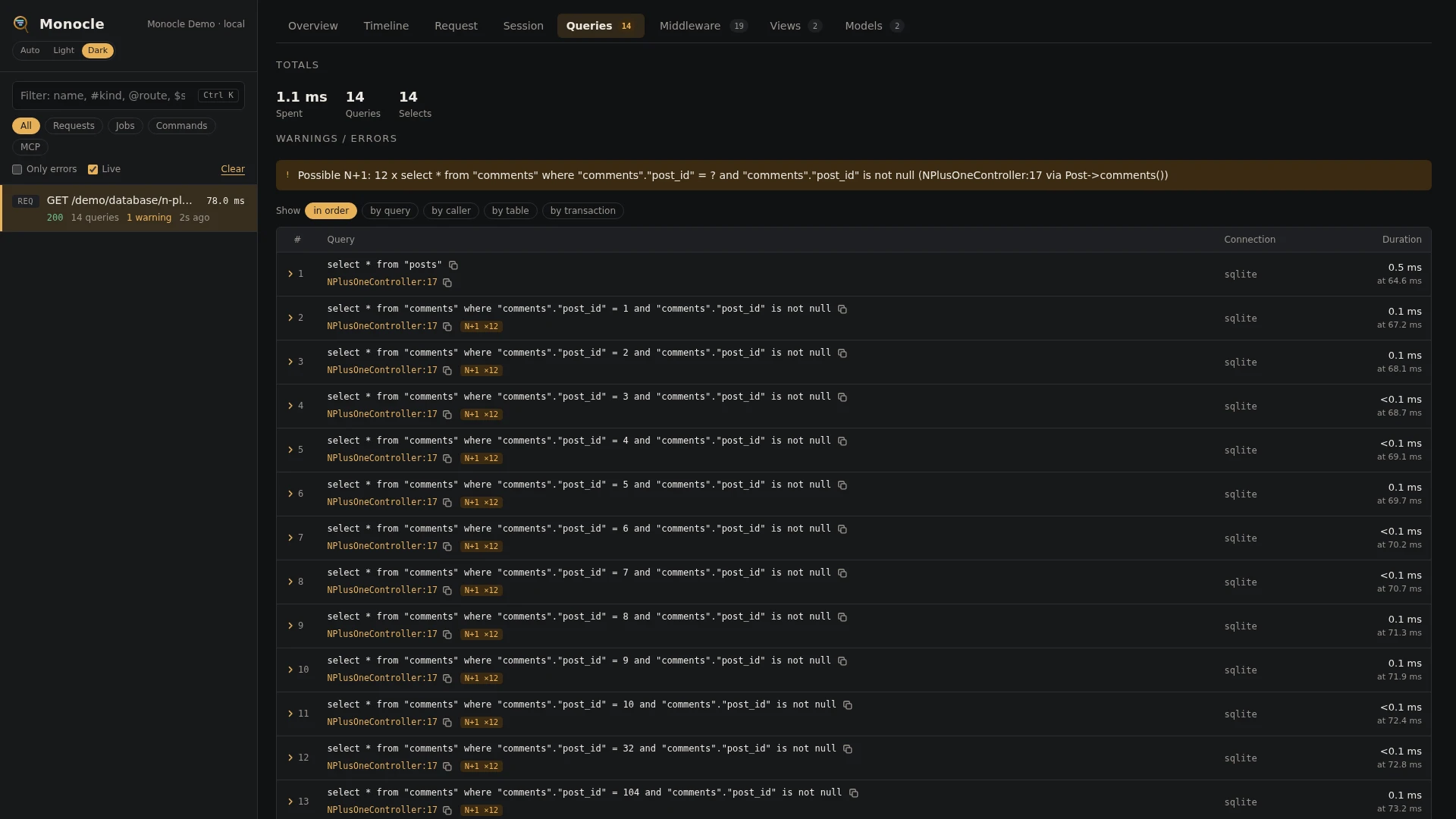
The Queries tab starts with the totals and lists the queries in order. Each row shows the query with its values filled in, a copy button, the line of your code that ran it, the connection and the duration. Badges mark a query as duplicate of #n, repeated n×, N+1 ×n or slow, and duplicates are tinted yellow. Transaction statements show no duration, only the time they ran at.
Group the queries with the chips at the top:
- in order - every query as it ran.
- by query - by shape, so the same query with other values lands in one group.
- by caller - by the line of your code that ran them.
- by table - a query that touches two tables appears in both groups.
- by transaction - queries outside a transaction are grouped as "outside a transaction".
Each group shows its count and its total, average and longest time, and folds out to its queries. Transaction statements are left out of the groups.
A query folds out to:
- Query - the SQL with the values filled in, with a copy button.
- Query with placeholders - the SQL as it was sent.
- Bindings - each value numbered
?1,?2, ... with its own copy button. - Connection, driver, type, tables, transaction, start time and duration.
- The line of your code that ran it and the call chain leading there.
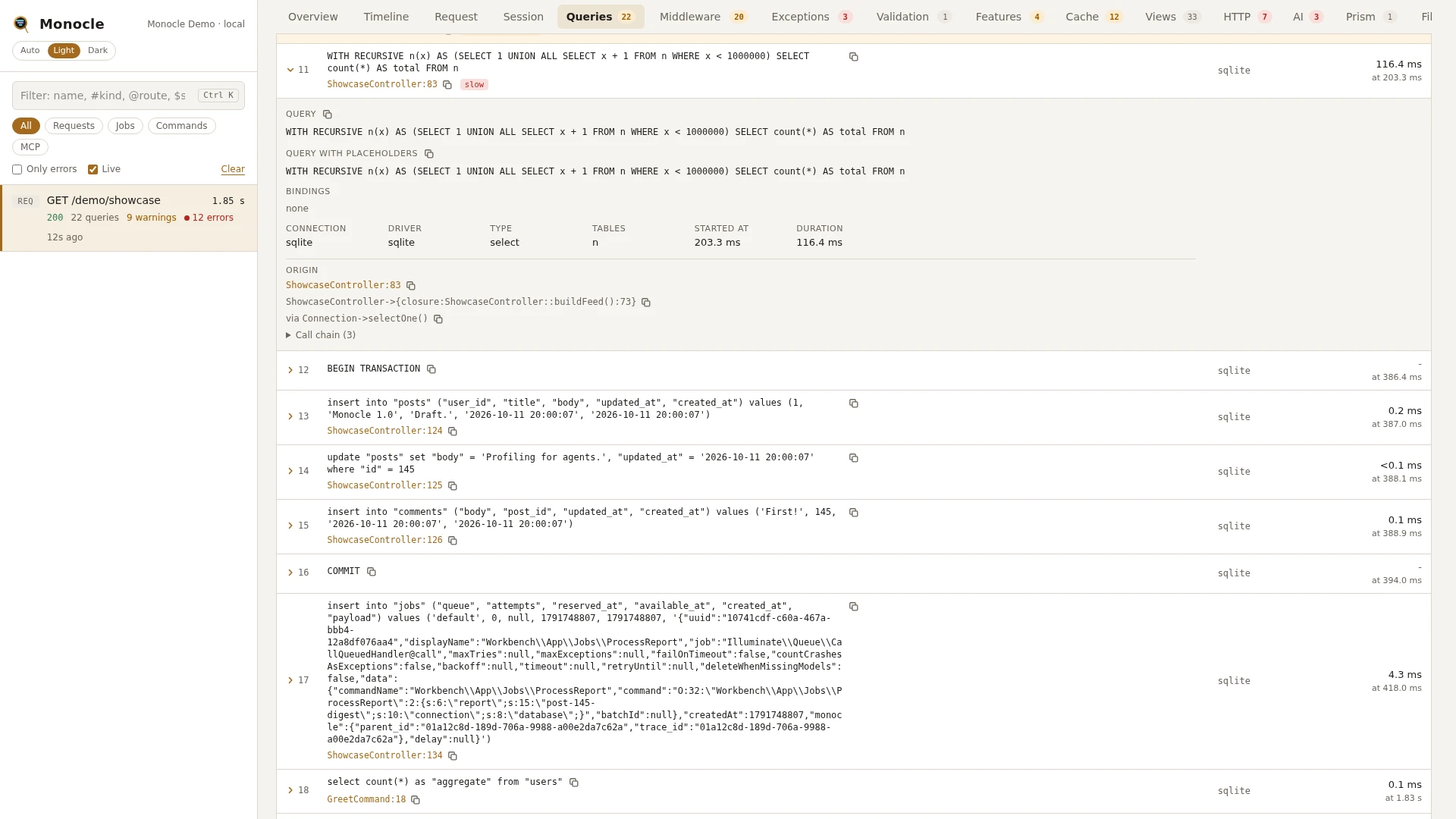
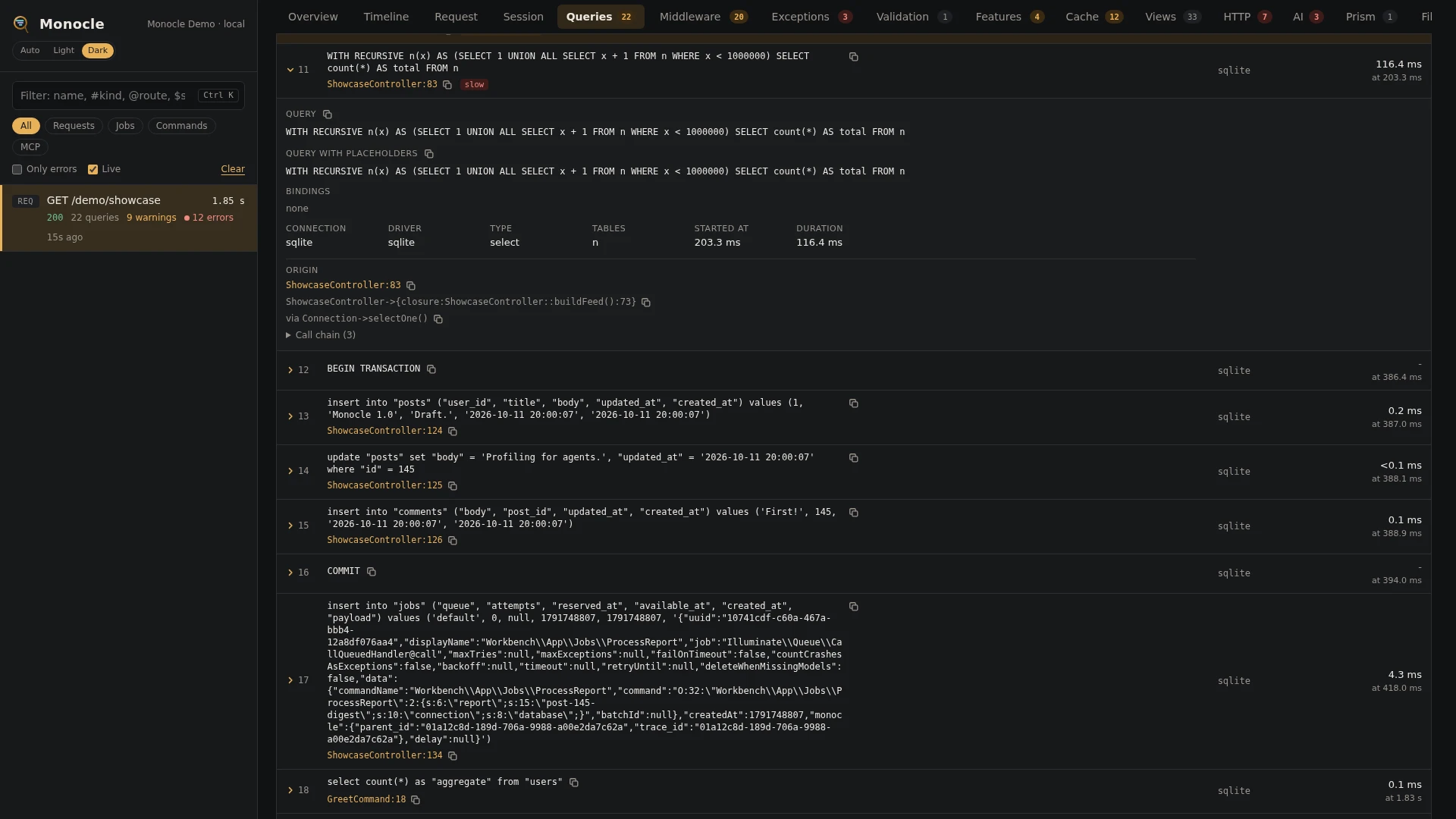
Transactions appear in the Timeline as spans named transaction (or transaction (savepoint n)), with their connection and outcome: committed, rolled_back, or left_open when the capture ended first.
For agents
Find repeated work by grouping the queries by shape, most frequent first, with monocle-queries:
{"id": "latest", "group_by": "shape", "sort": "count"}Each group has the count, total, average and max time, an example query, the line of the first caller and the row numbers in it. This answers "which query runs the most, and from where?".
List the queries behind an N+1 warning with monocle-rows:
{
  "section": "queries",
  "where": [{"field": "n_plus_one", "op": "not_null"}],
  "fields": ["n", "sql_with_bindings", "n_plus_one", "origin"]
}
Find the slowest queries and the lines that ran them with monocle-rows:
{
  "section": "queries",
  "where": [{"field": "duration", "op": ">=", "value": "20"}],
  "sort": "duration", "dir": "desc",
  "fields": ["sql_with_bindings", "duration", "tables", "origin"]
}
Use group_by: "caller" with monocle-queries to see which lines of code run the most queries, and group_by: "transaction" to see what each transaction did. See For AI agents.
Configuration
The lens is listed in the lenses block of config/monocle.php, keyed by its class. Set it to true to run it with the defaults, false to turn it off, or an array of options. See Lenses.
| Option | Default | Effect |
|---|---|---|
slow_ms | 70 | A query taking at least this many ms is marked slow and can give a slow query warning. |
n_plus_one_threshold | 3 | How many times a select shape must run with different values to be marked n_plus_one and give a possible N+1 warning. |
bindings | true | false leaves the values out of every recorded field: bindings is empty and sql_with_bindings keeps the ? placeholders. Duplicates are still found. |
ignore_tables | ['telescope_*', 'pulse_*'] | Queries that only touch these tables are not recorded. * is a wildcard. A query that also touches another table, or names no table, is kept. |
Other settings that affect this lens:
enabled- when Monocle is off, nothing is recorded.except- requests and commands listed there are not recorded, so their queries are not either.origin- whether each query gets the line of your code that ran it, how many lines of the call chain, and which of your own packages invendor/count as your code.dashboard.tabs- where the Queries tab goes among the tabs; it is listed asDatabaseLens::class.- Masking - the
mask.inputspattern decides which columns have their values masked, see below.
use ExeQue\Monocle\Lenses\DatabaseLens;

'lenses' => [
    DatabaseLens::class => [
        'slow_ms' => 100,
        'n_plus_one_threshold' => 5,
        'bindings' => true,
        'ignore_tables' => ['telescope_*', 'pulse_*', 'jobs', 'cache'],
    ],
],
Masking
A value is masked when the column it belongs to matches the mask.inputs pattern, the same pattern that masks request input. With the default pattern, values for columns such as password and remember_token are masked in bindings and in sql_with_bindings. The column is found for values written as:
column = ?,!=,<>,<,>,<=,>=,likeandnot likecolumn between ? and ?andnot between, for both valuescolumn in (?, ?)andcolumn not in (?, ?)update table set a = ?, b = ?insert into table (a, b) values (?, ?), with any number of rows- any of the above with an expression in front of the operator: every column in it counts, so
lower(email) = ?,coalesce(password, '') = ?andifnull(email, password) = ?are masked when one of their columns matches - a value passed through a function, such as
password = lower(?), and Postgres casts, such aspassword::text = ?
Quoted names such as "users"."password" or `password` count by their column name. A value with no column in front of it, such as select ? as marker, is recorded as it is. Duplicates are found from the real values, so masking does not change duplicate_of.
To mask more columns for queries only, key a pattern by the lens:
'mask' => [
    'inputs' => ['/pass|token|secret|authorization/i', DatabaseLens::class => '/iban|ssn/i'],
],
The lens's expressions add to the shared ones, so password and remember_token stay masked. Give a list to use more than one: DatabaseLens::class => ['/^email$/i', '/iban|ssn/i']. An expression matches anywhere in the column name unless anchored, so /email/i also masks backup_email; /^email$/i masks only email.
To keep every value out, set bindings to false. To keep a table out entirely, add it to ignore_tables.
Requirements and limits
No extra packages are needed.
- Only queries that go through Laravel's database connections are recorded. Statements run on the raw PDO object are not.
- Transaction statements have no duration.
- Values are only masked when their column can be read from the SQL text in front of the
?. Values with the column after them (? = password), in a JSON path (data->'$.password' = ?) or behind an expression longer than 200 characters are not masked; turnbindingsoff when those can hold secrets. tablesis read from the SQL text, so tables in unusual syntax may be missed. A query with no tables found is never left out byignore_tables.- Queries run while no capture is recording are not listed.