
Watch queues, jobs, scheduled tasks and commands
Know when background work fails, gets stuck, piles up or does not run at all. The Laravel SDK records jobs, scheduled tasks and commands by itself.
Failed and stuck jobs
Open Jobs in the sidebar. Each job class shows its runs, failure rate, p95 duration and p95 wait.
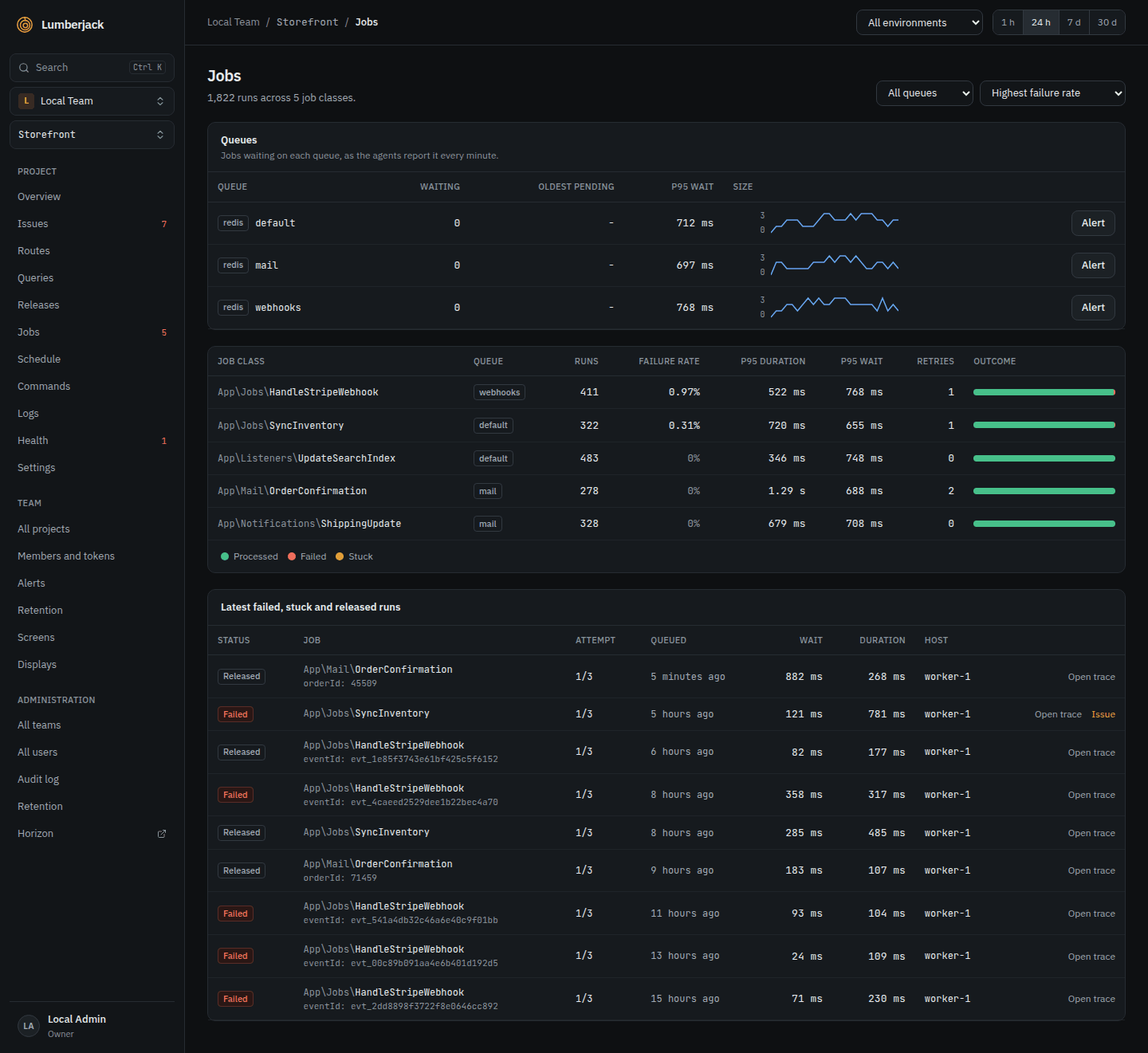
- Sort by Highest failure rate.
- Below the job classes, Latest failed, stuck and released runs lists the bad runs with their parameters.
- Open trace shows a run's queries, log lines and exception; Issue opens the error it became.
A job is Stuck when it has been processing far longer than its timeout, which usually means a worker died mid-job. A banner at the top counts them.
A failed job's exception is an issue, so the New issue and Regression alert rules cover it.
Queue backlog and dead workers
The SDK's agent reports your queue sizes every minute. List the queues in the app's environment, as connection:queue or a queue on the default connection:
LUMBERJACK_QUEUES=default,redis:emailsWithout it, the agent watches the default connection's default queue.
The Queues card on the Jobs page shows, per queue, the jobs Waiting, the Workers on it, the Oldest pending job and the p95 wait. Workers turn red when jobs wait and no worker runs.
Get told: the Queue backlog alert rule fires when a queue has more than 1,000 jobs waiting, or its oldest job has waited more than 10 minutes, for 5 minutes, and sends again when the queue is back under. This also catches dead workers.
For other limits on one queue, click Alert next to it in the Queues card. An empty field keeps the rule's value; Mute: never alert for this queue turns it off.
Missed and failed scheduled tasks
Open Schedule in the sidebar. Each task shows its cron, latest status, last and next run, and its last 20 runs. A task's detail lists its runs with exit code and host.
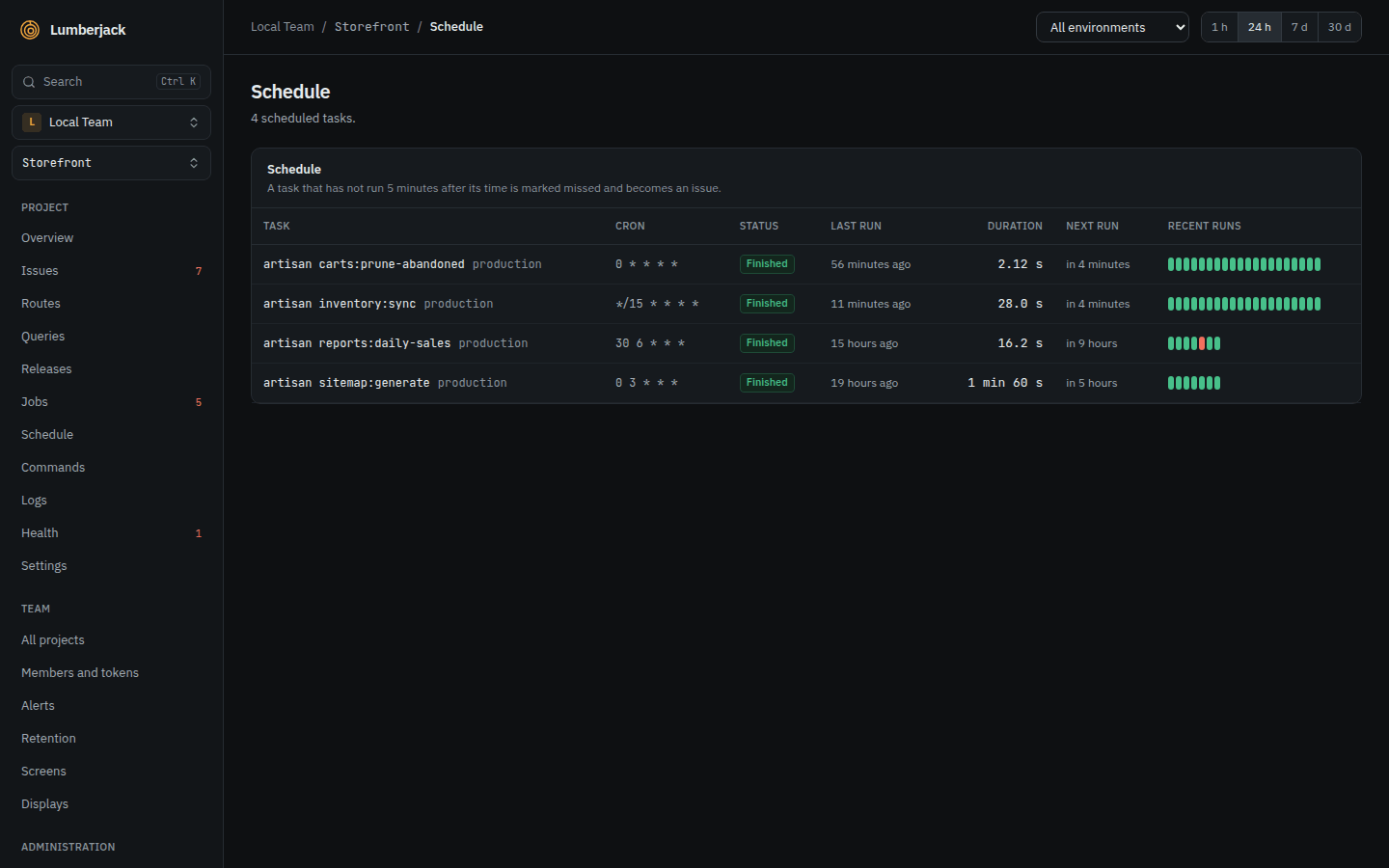
- Failed: the task threw an exception or ended with a non-zero exit code.
- Missed: the task had not started 5 minutes after its time. The scheduler may not be running at all.
A failed or missed task becomes an issue, so the New issue and Regression rules cover it. For yourself, turn on the Scheduled tasks row in your notifications.
Forget task removes a task that is gone from the app. Only owners and admins can do this.
Commands
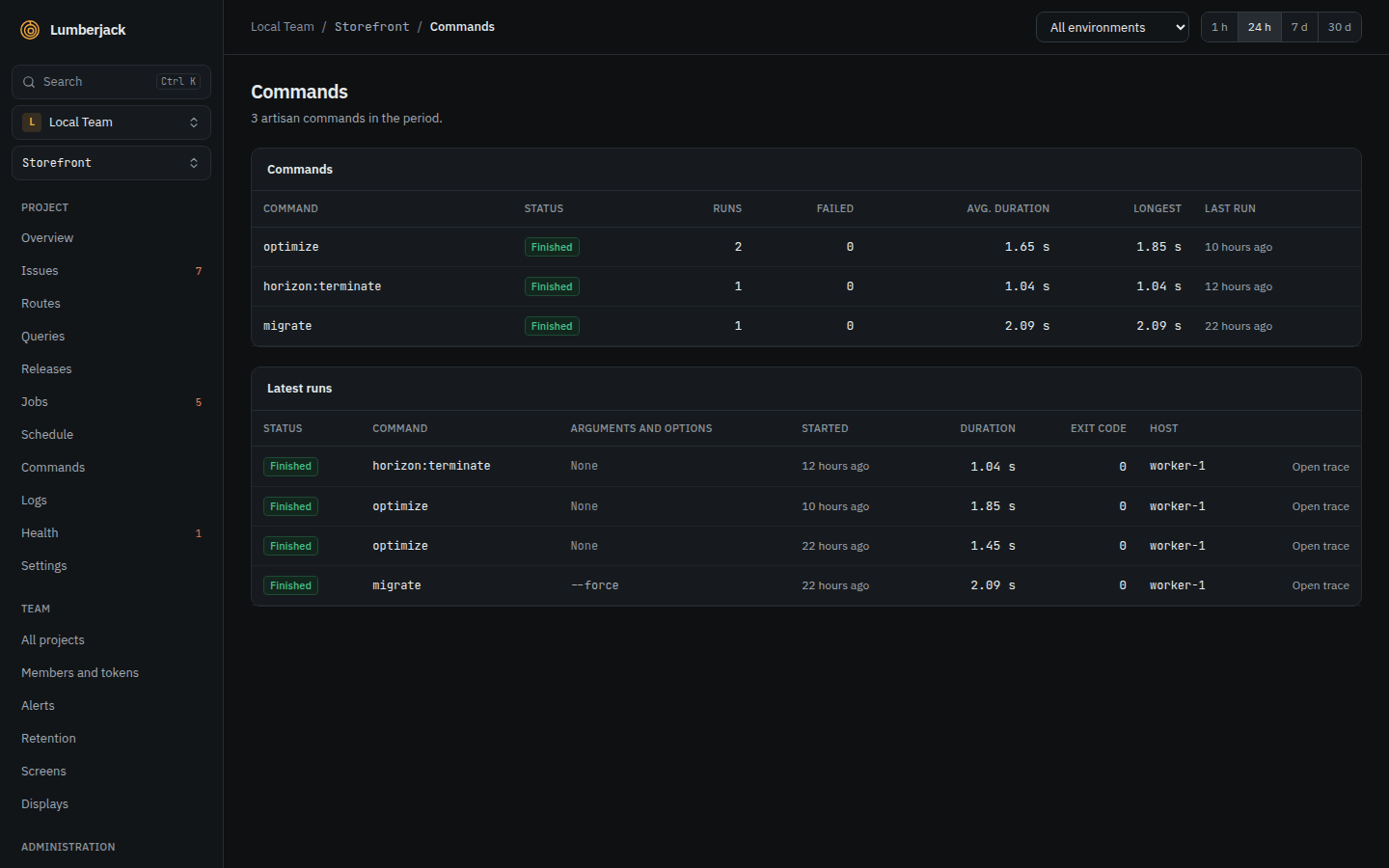
Open Commands in the sidebar for every Artisan command the app ran, except queue workers: runs, failures, duration, and the latest runs with their arguments, exit code and host.
Health checks for queues and cron jobs
Health checks alert through the Health check rules.
From the app. Register a queue check in a service provider. It warns and fails at the sizes you give, and fails when jobs wait with no worker:
Lumberjack::healthChecks()
    ->queue('redis', queue: 'emails', warnAt: 500, failAt: 2000)
    ->failedJobs(withinMinutes: 60);
From Lumberjack. For a cron job or backup outside Laravel's scheduler, add a Heartbeat check on the project's Health page with Add check, and call its ping URL at the end of the job:
php artisan backup:run && curl -fsS -m 10 https://lumberjack.example.com/api/health/ping/...The check fails when no ping came within its interval plus the grace.
When it works: the checks show green on the Health page. Stop a worker or skip a ping and the check turns degraded, then down.
Your own notifications
Under your name at the bottom of the sidebar, Profile and settings, Notifications, the Queue backlogs, Scheduled tasks, Health checks and Agents rows decide how you hear of each. Agents tells you when a server's agent stops sending its heartbeat.
Reference
- Performance and traces: the Jobs, Queues, Schedule and Commands pages.
- Alerts: the queue backlog rule and per-queue thresholds.
- Health: check types, thresholds and states.