
Let an AI agent read your errors
Lumberjack has an MCP server. Connect Claude Code, Cursor or another MCP client, and the agent can read your issues, traces, logs and performance data, and help fix them.
1. Create a token
You need to be a team owner or admin.
- Open Team in the sidebar. API and MCP tokens is on the Members and tokens tab.
- Under New token, fill in:
- Name: shown on every note and change the agent makes.
- Projects: the projects the agent may see.
- Scope: read only reads. write can also change issues: status, assignee, labels, notes and GitHub issues. Give write only to an agent you want to triage issues.
- Expires: when the token stops working.
- Click Create token and copy it. It starts with
lj_mcp_and is shown once.
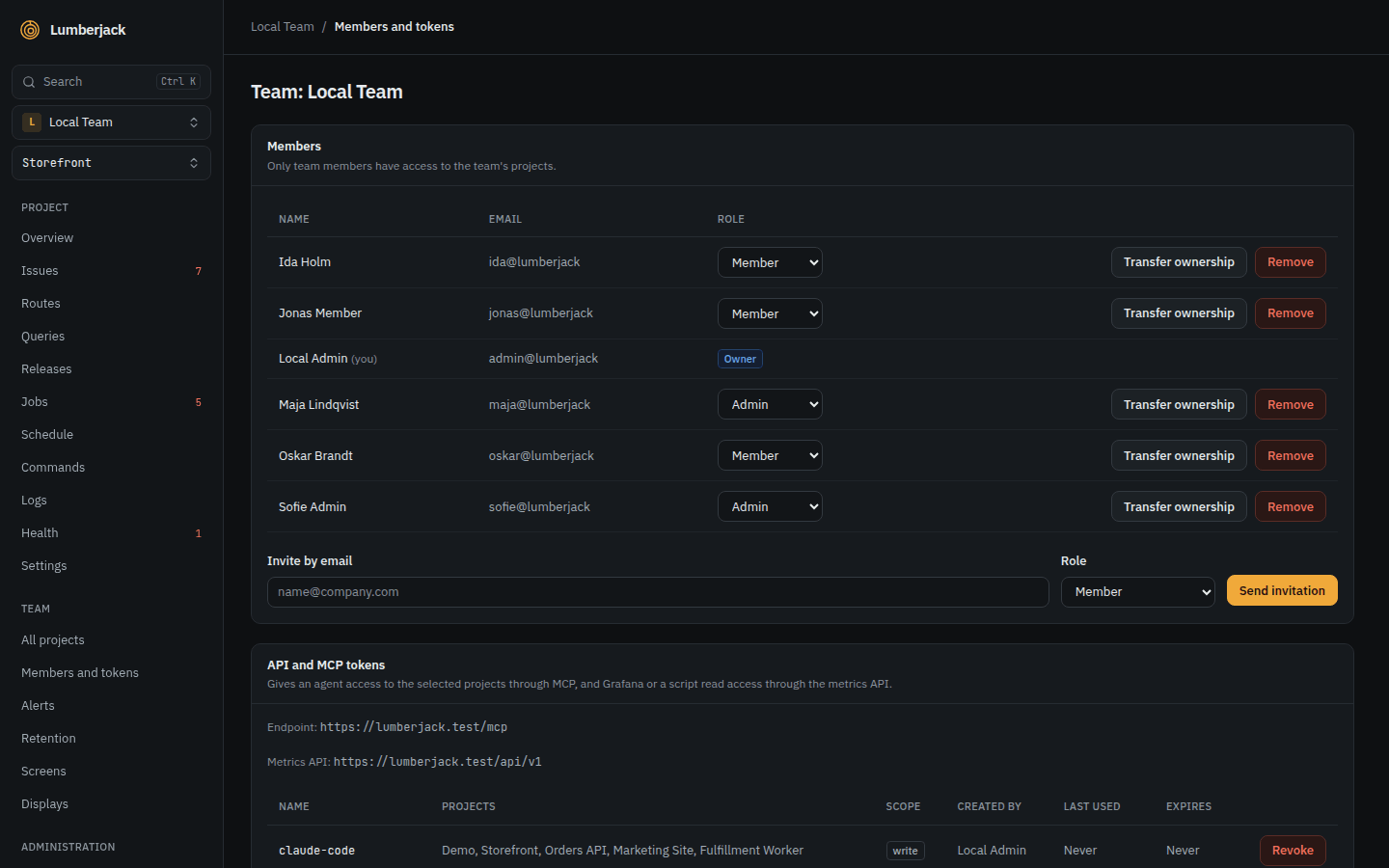
A token acts as the person who created it and stops working when that person is no longer an owner or admin of the team.
2. Connect your client
The server is at https://your-lumberjack/mcp, over streamable HTTP, with the token as a bearer token.
Claude Code:
claude mcp add --transport http lumberjack https://your-lumberjack/mcp \
--header "Authorization: Bearer lj_mcp_..."Cursor, in .cursor/mcp.json:
{
    "mcpServers": {
        "lumberjack": {
            "url": "https://your-lumberjack/mcp",
            "headers": { "Authorization": "Bearer lj_mcp_..." }
        }
    }
}
When it works: asked "Which Lumberjack projects can you see?", the agent lists your projects, and the token's Last used on the team page updates.
3. Ask it things
Name the project by its slug, or let the agent look it up.
- "What are the newest open issues in
shop, and which one affects the most users?" - "Show me issue SHOP-42 and find the cause in this repository."
- "Why is
POST /checkoutslow? Look at its slowest requests and their queries." - "Which jobs failed in the last 24 hours, and why?"
- "Search the logs for
payment declinedaround trace 4f2a...." - "What's in my triage inbox?"
With a write token:
- "Mark SHOP-42 as in progress, assign it to me and add a note with what you found."
- "Create a GitHub issue for SHOP-42."
4. Triage automatically
A project's Settings has an Automatic triage section with a GitHub Actions workflow. It runs Claude Code in your repository every 15 minutes, triages new and regressed issues through MCP, and answers notes that tag it. It can open a draft pull request for a small fix. It never resolves an issue or merges.
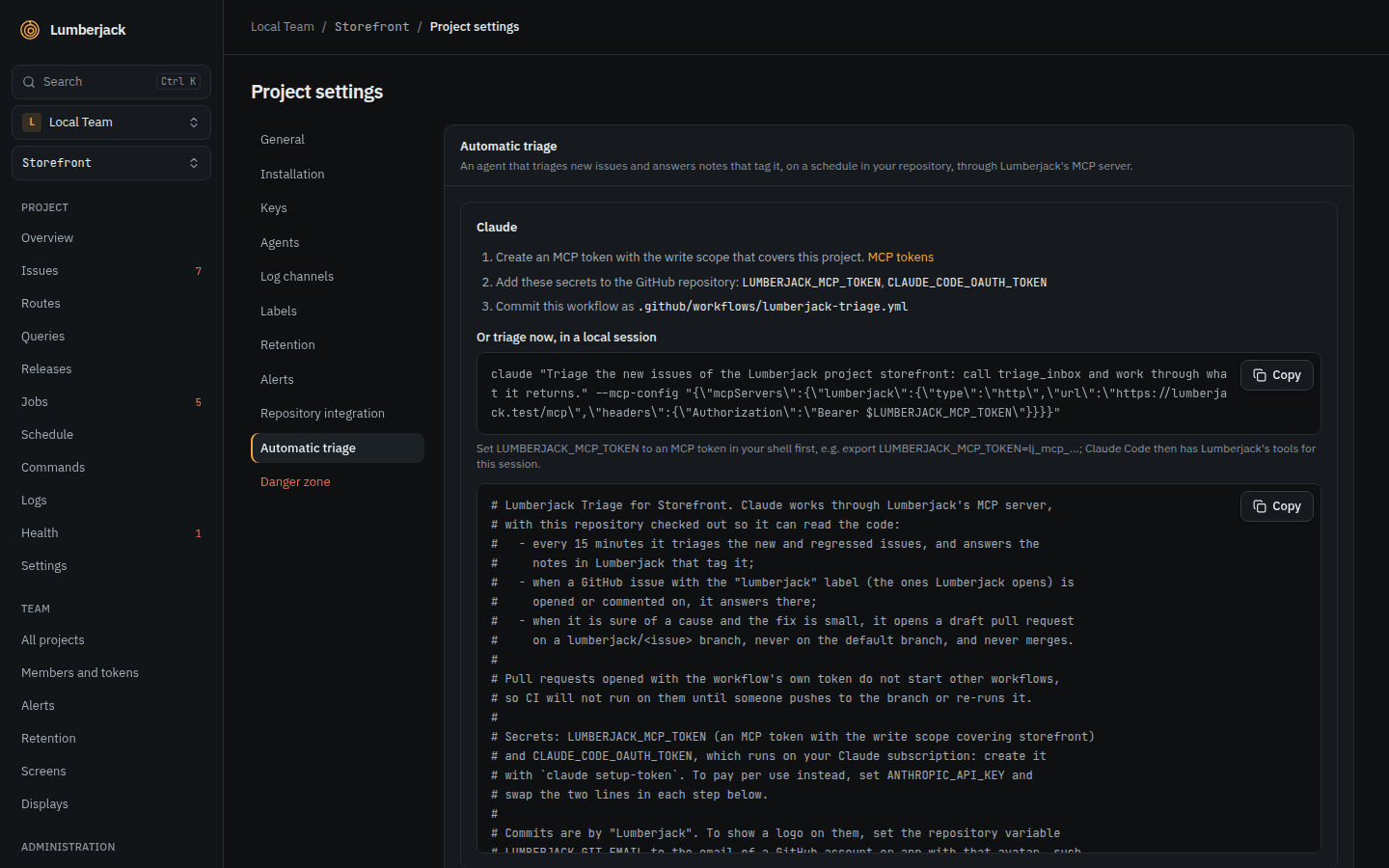
It needs a write token, two repository secrets and the workflow file, as the settings show. GitHub has to reach your Lumberjack, so it must be on a public URL.
Limits
| What | Limit |
|---|---|
| Calls per token | 120 a minute |
| Token name | 100 characters |
| Token expiry | 30, 90 or 365 days, or never |