
Finding things
The sidebar
Some sidebar entries group related pages, shown as tabs under the top bar:
| Entry | Tabs |
|---|---|
| Console | Jobs, Schedule, Commands |
| Screens | Screens, Displays |
| Team | Members and tokens, Retention |
The project's Overview, Issues, Requests, Database, Browser, Jobs, Logs, Health and Releases, and the team's Projects and Alerts, are pages of their own. An entry's badge adds up its tabs' counts.
Settings, last in the project's list, opens the project's settings, whose menu also lists the Data sources. Members, who cannot change settings, see Data sources there instead, read only.
The Administration section is for system administrators. It is folded and opens by itself on an administration page.
Ctrl+B (⌘B on a Mac) hides or shows the sidebar.
The command palette
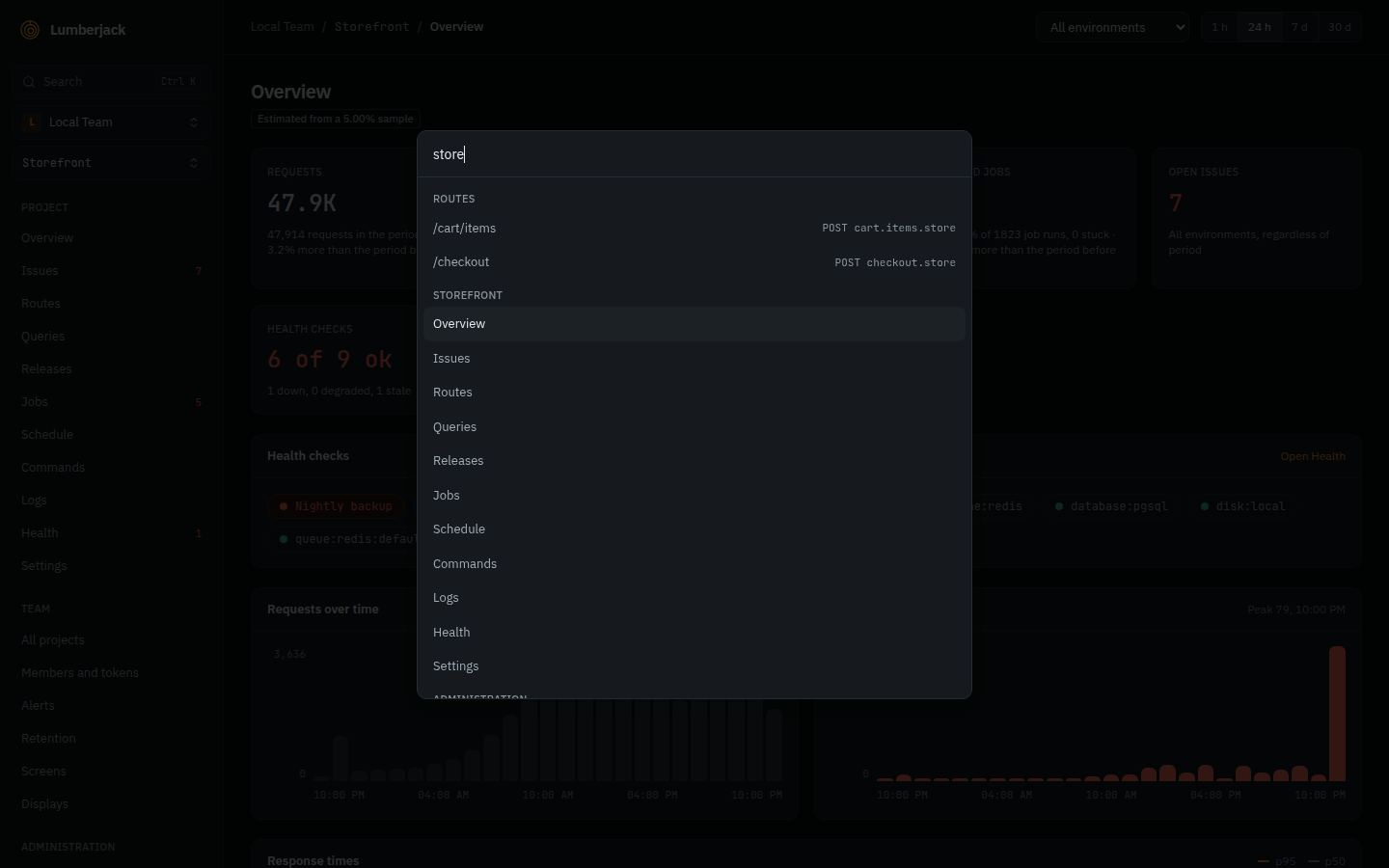
Press Ctrl+K (⌘K on a Mac) or click Search at the top of the sidebar to jump to:
- any page of the project you are in,
- the team and administration pages,
- another project in the team,
- another team (this switches team).
Type at least two characters to also search the project you are in:
| What | Matched on | Opens |
|---|---|---|
| Issues | title, message or number (DEMO-42, #42, 42) | the issue |
| Routes | route, route name or URL, seen in the last 7 days | the route on the Requests page |
| Jobs | class name, run in the last 7 days | the job on the Jobs page |
| Commands | command name, run in the last 7 days | the command on the Commands page |
| Scheduled tasks | task name | the Schedule page |
| Traces | the exact trace id | the trace |
Each kind shows at most 5 results.
Search syntax
The palette and the search fields of issues, routes, queries and users share these rules:
- A term matches anywhere in the text, regardless of case:
checkoutfinds/api/checkout/{order}. *stands for any number of characters:/api/*/refundfinds/api/orders/{order}/refund.- Every other character,
%and_included, is searched for as itself.
The Logs page searches whole words instead, see Logs.
Keyboard shortcuts
On a Mac, use ⌘ where this table says Ctrl.
| Keys | Where | Does |
|---|---|---|
Ctrl+K | Any page with the sidebar | Opens or closes the command palette. |
Ctrl+B | Any page with the sidebar | Hides or shows the sidebar. |
← → | The tabs of an issue | Moves to the previous or next tab. |
Ctrl+Enter | A note on an issue | Posts the note. |
@ | A note on an issue | Tags a team member or an agent, see Working on an issue. |
The screen designer has its own keys, see The designer.