
Activity
An activity is something that happened in your app, recorded on purpose: an order placed, a user signed in, an import finished. Lumberjack keeps each one with who did it, what it was done to and what the app said about it, and counts them per hour. Use it for an activity trail and for simple analytics: how often something happens, and when.
Recording activity
The Laravel library records activity with Lumberjack::activity(), or from your own event classes; its docs show how. In the raw ingest API an activity is an event of type activity in a batch, see Activity events.
An activity has:
- A name, such as
order.placed: letters, digits,.,_,:and-, at most 128 characters. One with any other name is skipped. - A group, such as
billing, made into a slug. Without one,default. An activity is its group and name together, socreatedinordersandcreatedinusersare two different ones. - An actor, optional: who did it, as a type and a key, such as
App\Models\Userand17. It can be anything with a key, not only a user: a team, an API client,system. - Subjects, optional: what it was done to, in the same form, at most 10. An upload is done to the image and to the gallery it lands in, so it has both, and shows up under either.
- A payload, optional: what else the app wants to keep, as JSON. It is scrubbed like error context. A payload larger than 16 KB is not kept; the activity is, marked as having had one too large.
Each one also gets the batch's environment, release and host, and the trace it was recorded in, if any.
No personal data by default
Lumberjack only gets an actor's and a subject's type and key, never a name or an email address. Nothing is recorded unless the app asks: the library sets no actor by itself. What goes into the payload is up to the app.
The Activity page
Activity in a project's sidebar lists the period's activity by group, most frequent first, for the period and environment picked at the top. Each shows how often it happened, a trend over the period and when it last happened.
To see only some actors' or subjects' activity, pick them in Actor and Subject above the list. Each opens a list of the most active ones, by type and in natural order (#2 before #10). Type to search by type (gallery), key (5), or type and the start of a key (gallery:5). Pick as many as you like: any of the picked actors, and any of the picked subjects, count. The counts and trends then cover only those, and the filters carry over to the occurrences.
Click one to see its occurrences, newest first, 50 at a time:
- Sort by: Newest first, or Actor, which puts each actor's occurrences together, in natural order.
- Actor and Subjects: click one to add it to the filters above the list. Any actor or Any subject at the top of a filter's list takes it off again.
- Payload: click it to see it in full.
- Trace: opens the request or job it was recorded in.
Naming activity
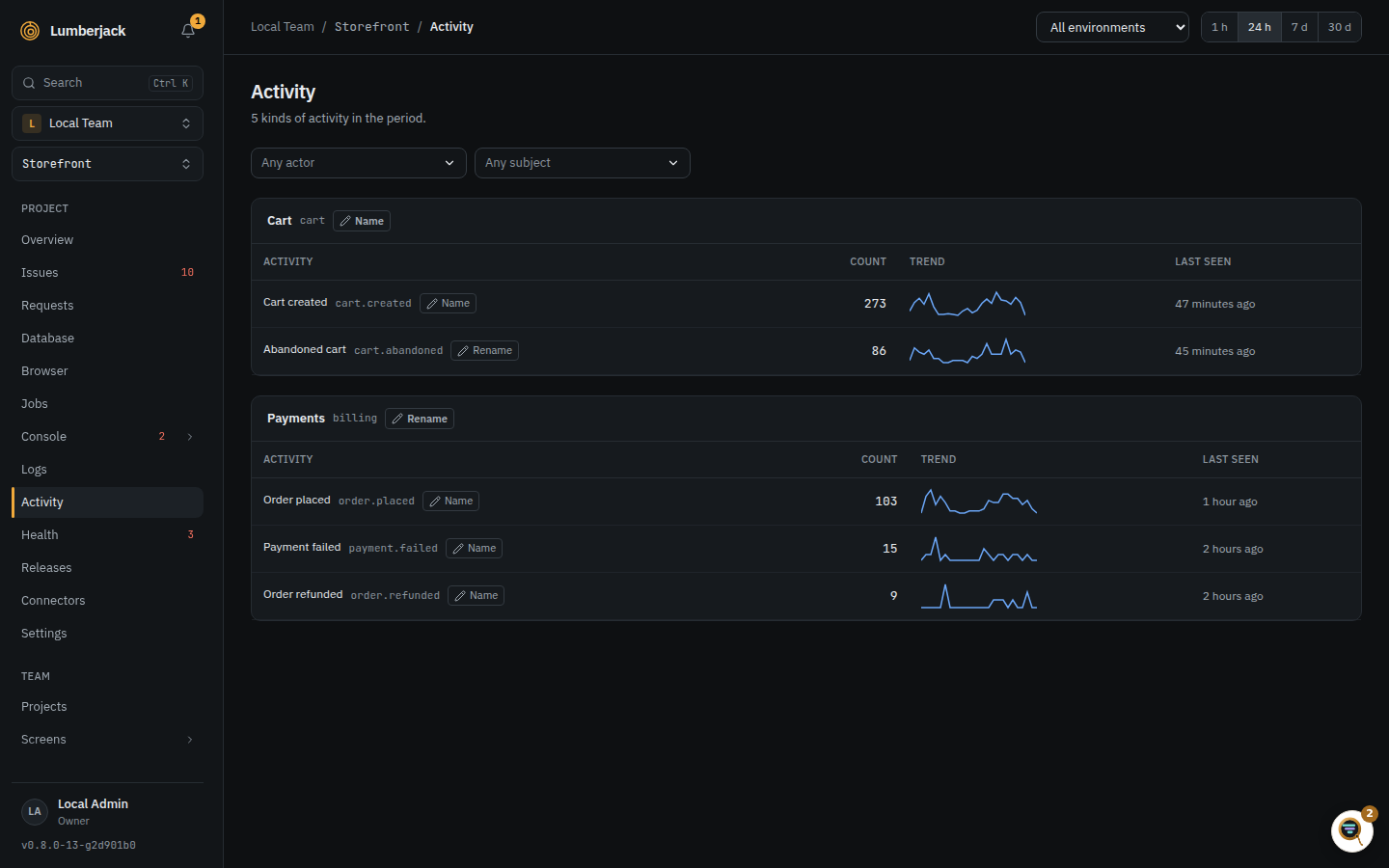
Groups and activities show readably, with what the app records beside them: billing as Billing, order.placed as Order placed, api.token_created as API token created. Team owners and admins can give them names of their own with Name (or Rename) beside each group and activity on the Activity page, as for UTM values on the Umami page. An empty name goes back to the readable one. The names show on the Activity pages and on status screens; filters still take the recorded group:name.
On status screens
The Activity source of a stat, gauge or chart widget counts activity over the widget's period, and the Most frequent activity and Latest activity lists show it row by row. Its filter narrows it to group:name, such as billing:*. A gauge holds it against a target of your own, and a chart can draw one series per activity.
Forgetting an actor
To delete all activity of one actor in a project, such as when a user deletes their account:
- From the app:
DELETE /api/activity/actorwith the server token and the actor'stypeandid, see Ingest and API. The Laravel library hasLumberjack::forgetActor()for it. - From the Activity page: filter the occurrences to that one actor, then Forget actor. Team owners and admins only.
The hourly counts stay: they never held the actor.
Retention
Activity is kept 30 days and its hourly counts 365 days by default, each its own data type in retention. Status screen widgets and the metrics API read the counts when they count per hour or longer, so they reach back further than the activity itself.